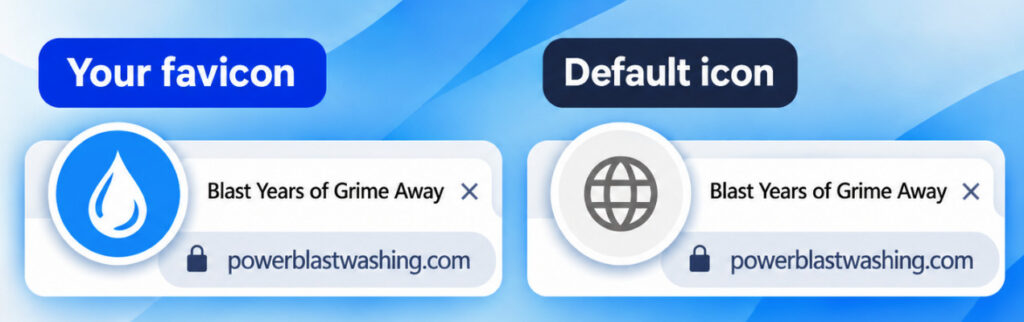
See that small icon in your browser tab right now? That’s a favicon. Every website has one. It shows whose page you’re on.
When someone lands on your page and comes back to it later, or has ten tabs open at once, that icon is often the only way they know which page is which.
A page without one shows a generic browser icon. A page with a branded favicon tells people they’re on a real, legitimate page that belongs to someone.
Every page you publish with the AI Landing Page Builder now gets a favicon built from your own branding automatically.
What your favicon includes
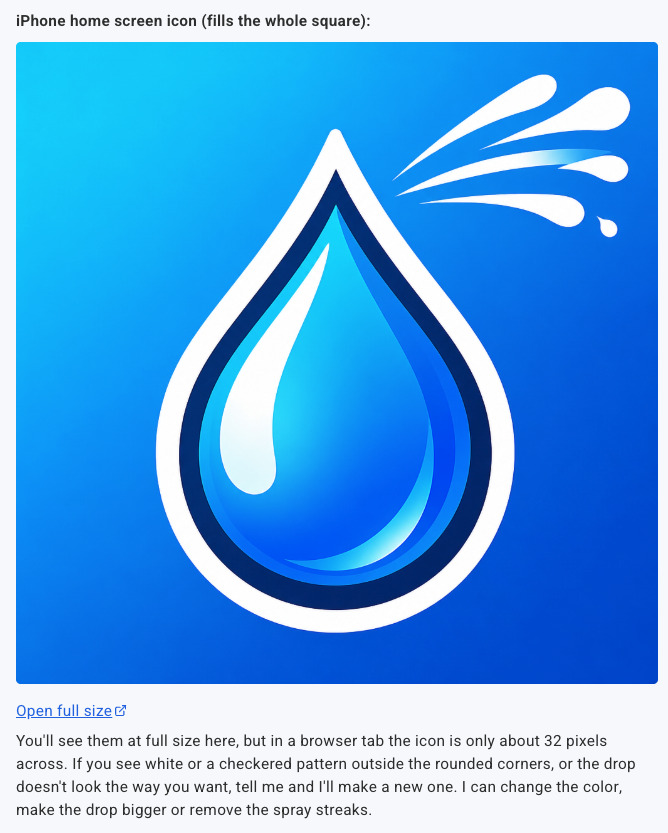
A 32×32 PNG for browser tabs and a 180×180 Apple touch icon for when someone saves your page to their phone’s home screen. The background is transparent, so it holds up in both light and dark browser themes.
The builder pulls from your page’s logo or color palette to build it. No design tools. No uploading anything separately.
Want your favicon to match your brand logo directly? Just ask in the chat:
“Can you create a favicon based on my logo?”
The builder reads your logo and creates a favicon around it.
How to review your favicon
Ask in the chat before you publish:
“Show me what my favicon looks like.”
The builder surfaces it so you can see it before the page goes live.
After you publish, open your page in a browser and look at the tab. That’s exactly what visitors see.
How to make changes
Ask for it in the chat:
“Create a favicon based on my logo.”
“Make the favicon a coffee cup icon.”
“Use a darker background on the favicon.”
The builder updates it. Republish and it’s live.
Frequently asked questions
What is a favicon?
A favicon is the small icon that appears in your browser tab when you visit a website. It’s also what shows up when someone bookmarks your page or saves it to their phone’s home screen. The name comes from “favorite icon,” which was originally the icon that appeared when you bookmarked a site.
What size should a favicon be?
The standard size is 32×32 pixels for browser tabs. For Apple devices, a 180×180 pixel touch icon is used when someone saves your page to their home screen. Pages built with the AI Landing Page Builder include both sizes automatically.
Publish your next page
Build a page with the AI Landing Page Builder, click Publish, and your favicon is already set.
See that small icon in your browser tab right now? That’s a favicon. Every website has one. It shows whose page you’re on.

When someone lands on your page and comes back to it later, or has ten tabs open at once, that icon is often the only way they know which page is which.

A page without one shows a generic browser icon. A page with a branded favicon tells people they’re on a real, legitimate page that belongs to someone.

Every page you publish with the AI Landing Page Builder now gets a favicon built from your own branding automatically.

What your favicon includes

A 32×32 PNG for browser tabs and a 180×180 Apple touch icon for when someone saves your page to their phone’s home screen. The background is transparent, so it holds up in both light and dark browser themes.

The builder pulls from your page’s logo or color palette to build it. No design tools. No uploading anything separately.

Want your favicon to match your brand logo directly? Just ask in the chat:

“Can you create a favicon based on my logo?”

The builder reads your logo and creates a favicon around it.

How to review your favicon

Ask in the chat before you publish:

“Show me what my favicon looks like.”

The builder surfaces it so you can see it before the page goes live.

After you publish, open your page in a browser and look at the tab. That’s exactly what visitors see.

How to make changes

Ask for it in the chat:

“Create a favicon based on my logo.”

“Make the favicon a coffee cup icon.”

“Use a darker background on the favicon.”

The builder updates it. Republish and it’s live.

Frequently asked questions

What is a favicon?

A favicon is the small icon that appears in your browser tab when you visit a website. It’s also what shows up when someone bookmarks your page or saves it to their phone’s home screen. The name comes from “favorite icon,” which was originally the icon that appeared when you bookmarked a site.

What size should a favicon be?

The standard size is 32×32 pixels for browser tabs. For Apple devices, a 180×180 pixel touch icon is used when someone saves your page to their home screen. Pages built with the AI Landing Page Builder include both sizes automatically.

Publish your next page

Build a page with the AI Landing Page Builder, click Publish, and your favicon is already set.

Build your next page