


This article was made possible by funding from WordPress.com. All Opinions and rankings are independent and not reviewed by WordPress.com.
It seems like everyone has a spam story or two to tell. And we’re not talking about in a lifetime. No, spam is an everyday nuisance and something we live with.
The problem impacts every corner of the web. Sure, it litters social networks and enterprise applications. But even the smallest websites are bombarded with phony comments, form submissions, user registrations, and e-commerce orders. This hurts the user experience and makes life miserable for site owners.
The popularity of WordPress makes it a juicy target for spammers. As with other malicious actors, spam bots sniff for the content management system (CMS) and start wreaking havoc. Without protective measures, your site could see hundreds or thousands of illegitimate entries.
Thankfully, WordPress plugin developers have created several options for blocking spam. As such, we’ve put together a list of the top spam-fighters on the market. Each takes a different approach and protects specific areas of your website.
Tired of dealing with spam? Odds are, we have just what you need!

For Black Friday, if you sign up for a WordPress.com Business Plan, you will not only get a 10% discount, but also a free professionally designed website worth $499, which includes setup on the platform with a custom theme and five core pages.
Get the WordPress.com Hosting Deal
Cloudflare’s Turnstile is designed to detect and block unwanted bots. If the app is unsure, it will “challenge” the user to click a checkbox. Create a free API key, and this plugin will add Turnstile to multiple areas of your WordPress website.
It works with popular form plugins, the WordPress login screen, comment forms, and WooCommerce. You have full control over where and when Turnstile appears.

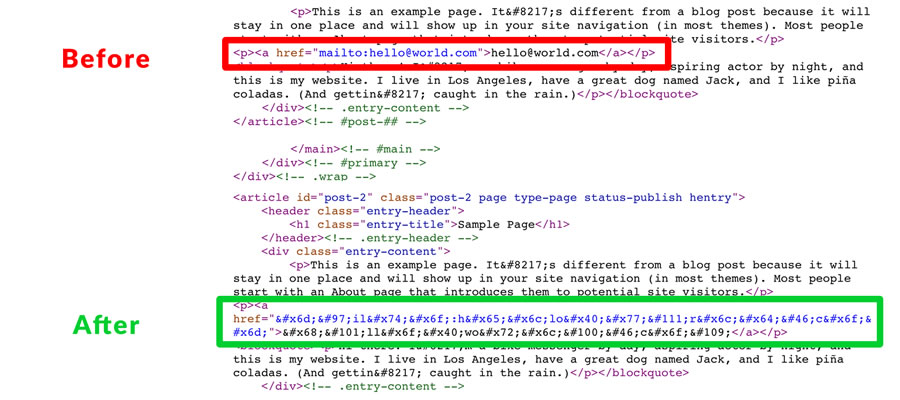
Spam bots can harvest any email address or phone number that is published on your website. Email Address Encoder deters this behavior by encoding them in decimal/hexadecimal formats. Wrap your email links or phone numbers in the plugin’s shortcode, and bots don’t stand a chance.
A premium version automatically protects all detected email addresses and phone numbers.
WordPress has a built-in comment system, but you don’t want to leave it unprotected. Antispam Bee is a free way to clean up your comments, with a suite of settings designed to detect and reject spammers. You can block comments from specific countries, languages, or based on the time of day.
There are also options to delete spam automatically and notify site administrators.

WP Armour protects the WordPress registration and comment systems via a honeypot. It’s a user-friendly solution, as there are no CAPTCHA challenges to get in the way.
The plugin also works with popular form plugins, including Contact Form 7, Gravity Forms, and Formidable Forms. The premium “Extended” version adds support for even more plugins, including WooCommerce.

SilentShield allows you to choose between multiple CAPTCHA formats (math, image, or invisible honeypot) to stop spammers in their tracks. It’s compatible with form plugins, WooCommerce, and the WordPress login/registration/comments systems.
It also respects user privacy and is GDPR compliant out of the box.
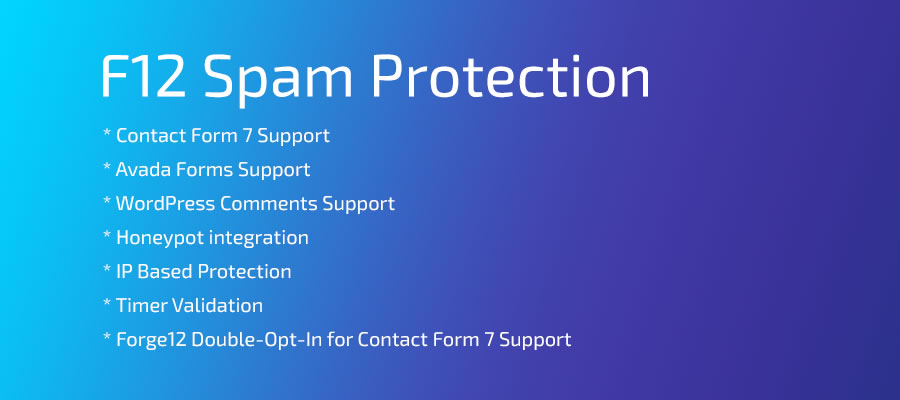
Here’s a plugin that uses multiple techniques to fight spam behind the scenes. Activate Maspik, and the plugin will employ a honeypot, IP verification (limited in the free version), and blacklist detection. You can also set custom limits and block specific words from being submitted.
An AI feature will attempt to recognize spam patterns, and you can connect to various APIs for advanced protection.

Akismet has been around for what seems like forever and is bundled with WordPress. It’s a truly set-and-forget tool for eliminating spam from your website. You’ll need an API key to use it (they’re free for personal use; other uses require a paid subscription).
From there, the plugin quietly detects suspicious content and keeps your comments and contact forms clean.

Ant-Spam Plugin Comparison Table
| WordPress Plugin | Protection Type | Key Features |
|---|---|---|
| Simple CAPTCHA | Bot detection with Cloudflare Turnstile. | Adds Turnstile protection to multiple parts of your site. Works with popular form plugins and lets you control where and when Turnstile appears. |
| Email Address Encoder | Email and phone obfuscation. | Encodes email addresses and phone numbers in decimal or hexadecimal formats. Shortcode support for specific links. Premium version can automatically protect detected emails and phone numbers. |
| Antispam Bee | Comment spam filtering. | Blocks comments based on country, language, and time of day. Can delete spam automatically and notify site administrators. |
| WP Armour | Honeypot traps. | Protects WordPress registration and comment forms using a hidden honeypot field. Supports Contact Form 7, Gravity Forms, and Formidable Forms. Extended premium version adds support for more plugins, including WooCommerce. |
| SilentShield | CAPTCHA and honeypot. | Offers math, image, and invisible honeypot CAPTCHA options. Works with form plugins, WooCommerce, and the WordPress login, registration, and comment systems. GDPR compliant. |
| Maspik Spam Protection | Honeypot, IP checks, blacklist, AI. | Uses a honeypot, IP verification (limited in the free version), and blacklist detection. Lets you set custom limits and block specific words. Includes an AI feature to recognize spam patterns and can connect to various APIs for advanced protection. |
| Akismet Anti-spam | Cloud-based spam analysis. | Bundled with WordPress. Uses an API key to scan and filter suspicious content. Keeps comments and contact forms free of spam with minimal setup. |
Lose the Spam, Gain Peace of Mind
Advances in technology haven’t eliminated spam from our planet. If anything, tools like AI are emboldening spammers. It’s easier than ever to build a small army of bots for spreading junk content.
That’s why every website needs some form of protection. The plugins above will keep these bad actors at bay while making your site easier to maintain. Even better, there are options to protect every relevant area of your site.
Imagine not having to clean out your blog comments or form entries – that’s how it should be! The right anti-spam plugin can make it a reality.
More Essential Free WordPress Plugins
Top
