


Instagram collaborative posts let you co-author content with other accounts. Both names appear at the top, the content shows up on both profiles simultaneously, and all engagement metrics are shared across collaborator accounts.
This feature works differently than simple tagging. When you tag someone, they’re just mentioned in your post. With Instagram Collab posts, you’re creating shared ownership—the post lives on multiple profiles at once.

You can collaborate on feed posts, carousels, and Reels. Each format uses the same invitation process. The key: your collaborator must accept before the post becomes truly collaborative.
This guide shows you exactly how to create collaborative posts, invite collaborators, track shared metrics, and decide when collaboration makes strategic sense for your business.
Let’s get started.
Key Takeaways
✅ Co-authorship on both profiles – Collaborative posts appear on all participating accounts with shared engagement metrics
✅ Invite up to 5 collaborators – Partners must accept invitations before content appears on their profiles
✅ Amplified engagement – Combine both audiences in one post, increasing reach and building trust
✅ Unified tracking – Both accounts see the same metrics without reconciling separate reports
✅ Strategic partnerships – Success depends on audience alignment, quality content, and clear communication
Quick Start: Create an Instagram Collab Post
Short on time? Here’s the fastest path to your first collaborative post:
- Create your post (feed post, carousel, or Reel)
- Tap “Tag People” on the sharing screen
- Select “Invite collaborator” (not regular tagging)
- Search and add up to 5 collaborators
- Tap “Share” to publish
- Wait for acceptance – collaborators receive a notification
- Post appears on both profiles once accepted
For detailed instructions and best practices, keep reading →
What Is an Instagram Collab Post?
An Instagram Collab post is content co-authored by two or more accounts. Both users share authorship visibly at the top of the post, and the content appears simultaneously on all collaborators’ profile grids and feeds.
According to Instagram’s official help center, collaborative posts were designed to help creators and brands work together more authentically.
Key differences from tagged posts:
- Collab posts: Co-authors appear in the header, content lives on both profiles
- Tagged posts: Tagged users appear in caption/photo tags, content stays on one profile
All engagement gets pooled together—likes, comments, views, and shares count toward both accounts. This creates unified engagement metrics rather than split performance.
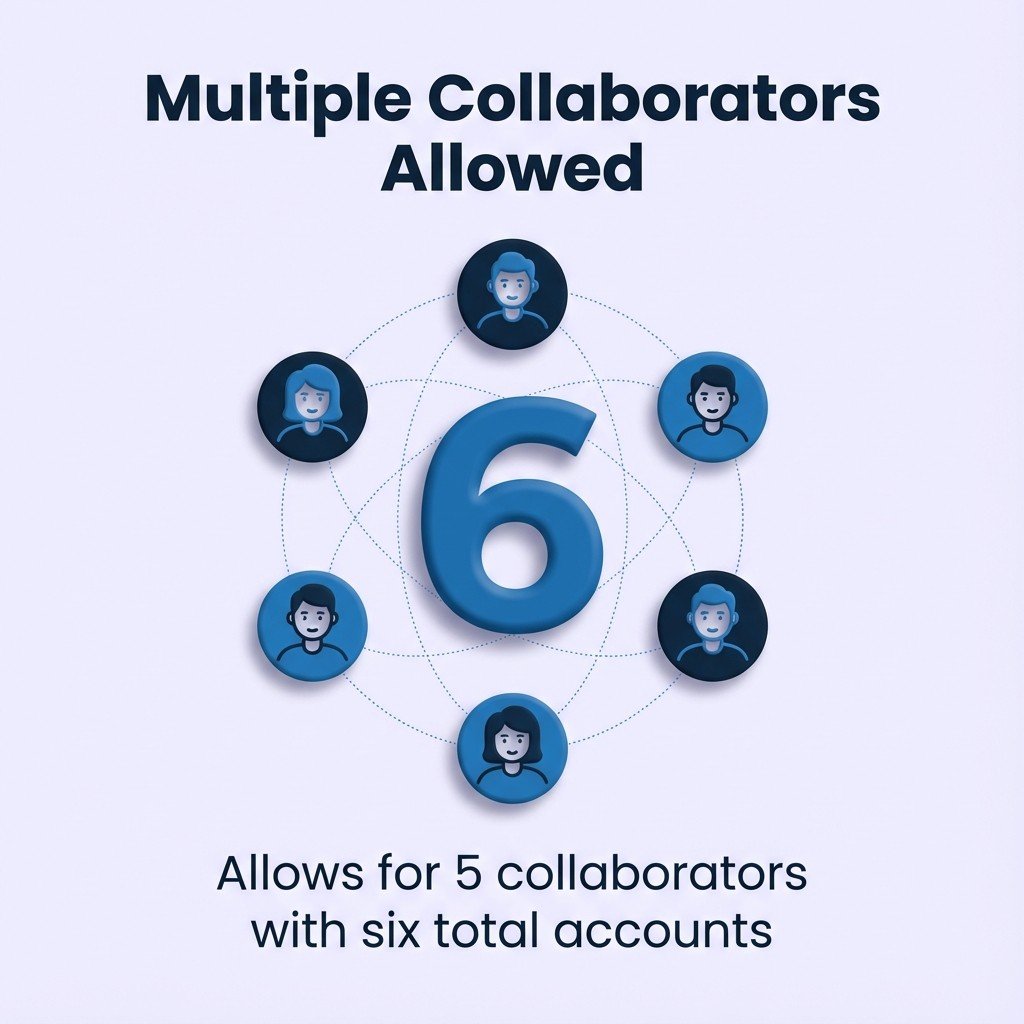
You can invite up to five collaborators per post (six total accounts). The post remains identical across all participating profiles.
Why Instagram created this: To encourage authentic partnerships and move beyond simple mentions toward genuine content collaboration.
Benefits of Instagram Collaborative Posts
Collaborative posts expand your reach to your collaborator’s audience. Both follower bases see the content, creating automatic cross-pollination without requiring separate posts.
The engagement boost happens because both audiences interact with one post. Comments and likes from both follower bases combine into higher total engagement. Research shows that posts with higher engagement receive more reach from Instagram’s algorithm.
Trying to Keep Up with Digital Marketing?
Just released: my new book to help small businesses, entrepreneurs, and marketers master digital marketing in today’s digital-first world.
Drawing on my Fractional CMO experience, Digital Threads simplifies complex strategies into clear, actionable steps for success.
Transform your business today—grab your copy! Click the cover or button below to buy on Amazon.


Partnerships feel more authentic when both parties share ownership. A collaborative post shows equal investment rather than one-sided promotion. This builds trust with audiences who value genuine relationships between brands and creators.
You save time compared to coordinating separate posts. Instead of each partner creating their own content about the collaboration, you create once and publish everywhere. This efficiency matters for busy businesses managing multiple partnerships.
Metrics tracking becomes simpler with shared analytics. Both partners see the same performance data. No need to compile separate reports or reconcile different engagement numbers.
| Benefit | Impact | Best Use Case |
|---|---|---|
| Audience Expansion | Reach both follower bases simultaneously | Brand partnerships with complementary audiences |
| Enhanced Engagement | Combined likes, comments, shares | Co-created content campaigns |
| Authentic Partnership | Shared ownership signals genuine collaboration | Influencer marketing and creator partnerships |
| Simplified Workflow | Create once, publish everywhere | Regular collaboration programs |
The strategic value comes from leveraging existing audience relationships. When your collaborator’s followers trust their recommendations, that trust extends to you through shared authorship. This works better than paid promotions that feel transactional.
How to Create a Collaborative Post on Instagram
Start by creating your post as you normally would. Tap the plus icon at the bottom of your Instagram app. Choose whether you want to create a feed post, carousel, or Reel.
Upload and Edit Your Content
Select your photo or video from your camera roll. Apply any filters, edits, or adjustments you want. Write your caption as you normally would for any post.
The collaborative element gets added during the tagging phase. You don’t need to change your content creation process at all. The collaboration happens through Instagram’s built-in tagging features.
Invite Your Collaborator
After editing your content, look for the “Tag People” option. This appears on the post details screen before you publish. Tap “Tag People” to see two options: “Tag people” and “Invite collaborator.”
Select “Invite collaborator” rather than the standard tagging option. Search for your collaborator’s Instagram username. You can type their name or username to find them quickly.
Tap their profile when it appears in search results. Instagram adds them as a pending collaborator. You can add multiple collaborators at this stage, up to five total.
Review and Publish
Check that all your collaborators appear correctly. Your post draft now shows the pending collaboration invitation. Review your caption, tags, and location as you would for any post.
Tap “Share” to publish the post. The content goes live immediately on your profile. Your invited collaborators receive a notification about the collaboration request.
The post appears on your profile right away. However, it won’t show up on collaborators’ profiles until they accept. Until acceptance, only your followers see the content in their feeds.
How to Add a Collaborator to Instagram Reels
Reels follow the same collaboration process as feed posts—the only difference is the content format.
Process:
- Create your Reel using Instagram’s video tools
- Add music, effects, and creative elements
- On the sharing screen, tap “Tag People”
- Select “Invite collaborator”
- Search and add collaborators (same 5-collaborator limit)
- Publish – collaborators receive notifications
Why Reels collaborations work well: Instagram Reels typically generate higher reach than static posts. Collaborative Reels combine that reach advantage with audience cross-pollination, making them particularly effective for partnership content.
How to Accept a Collaboration Invite on Instagram
When someone invites you to collaborate, Instagram sends you a notification. Check your notifications tab for collaboration requests. The notification clearly states that someone wants to collaborate on a post.
Tap the notification to open the post preview. You’ll see the content exactly as it will appear on your profile. Review the post caption, image or video, and any tags carefully.
You have two options at this point.
✅ Accept: Post appears on your profile and in your followers’ feeds
❌ Decline: Removes you from collaboration (no notification to original poster)
You can accept collaboration invites at any time. There’s no expiration on pending invitations. The post waits in a pending state until you take action.
After accepting, the post becomes permanent on both profiles. You cannot remove yourself from the collaboration later. Both parties must agree to delete the post if needed.
Privacy Considerations for Collaboration Invites
Public accounts can invite private accounts to collaborate. However, private account collaborators face limitations. The post only appears in their feed if they already follow the public account.
This creates an asymmetric collaboration scenario. The public account’s followers see the post regardless. The private account’s followers only see it if both accounts have a mutual following relationship.
Consider your account privacy settings before accepting collaborations. If maintaining privacy matters for your strategy, verify you’re comfortable with how the post will be distributed.
Adding Collaborators to Existing Posts
Instagram lets you add collaborators after publishing. This flexibility helps when you initially forget to add someone or when collaboration opportunities arise later.
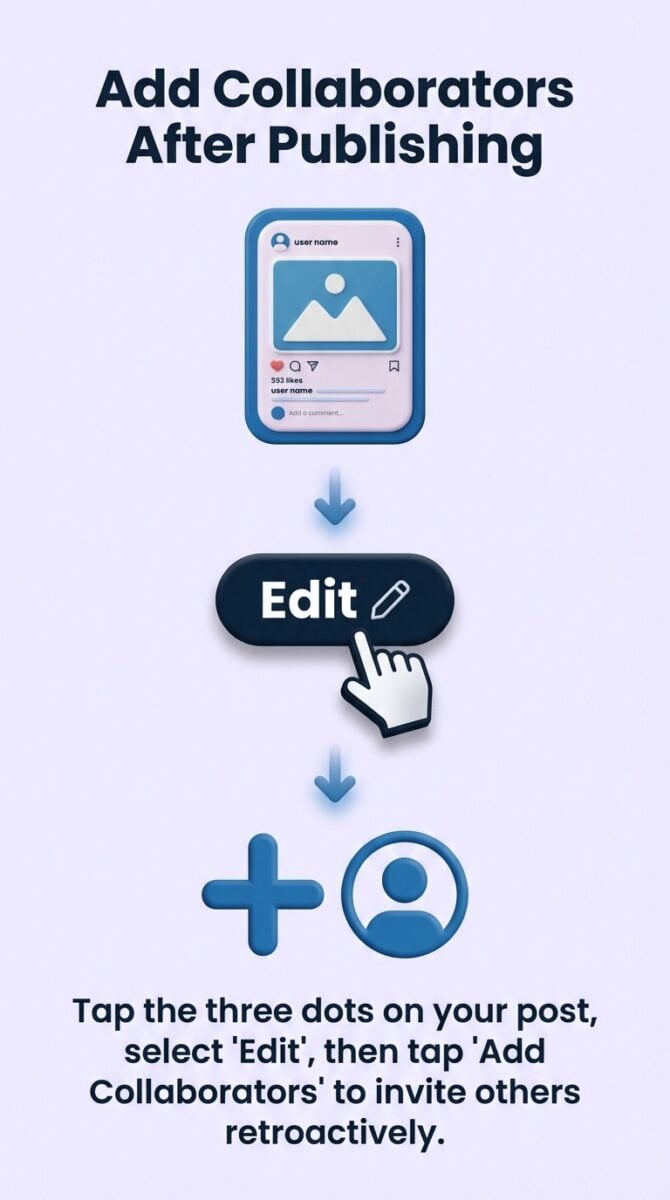
Open the post you want to make collaborative. Tap the three dots in the upper right corner. Select “Edit” from the menu options.
The editing screen appears identical to the original publishing screen. Look for the “Tag People” option. Tap it and select “Invite collaborator.”
Add your collaborators using the same search process. Tap “Done” when finished. Instagram sends notifications to newly invited collaborators.
The post remains live during this process. Your existing engagement metrics don’t change. New collaborators join the conversation without disrupting current performance.
This feature proves valuable for organic partnership opportunities. Someone might comment asking to collaborate. You can add them retroactively without recreating the entire post.
Examples of Successful Instagram Collab Posts
Brand Partnerships
Two complementary brands co-create content showcasing both products. Each brand’s audience discovers the other through authentic integration.
Example: A fitness apparel brand collaborates with a nutrition supplement company on workout content featuring both products. The collaboration reaches fitness enthusiasts from both communities simultaneously.
Influencer and Brand Collaborations
Creators collaborate with brands for sponsored content. The collaborative post format makes sponsorships more transparent—both parties share the content rather than just the creator posting about the brand.
Why it works: Followers see the brand’s direct involvement, making the partnership feel balanced. A majority of brands plan to increase their influencer marketing budgets, with authentic partnerships driving the highest ROI.
Customer Story Collaborations
Businesses collaborate with satisfied customers on testimonial content. The customer creates authentic content about their experience, and the business amplifies it to their broader audience.
Best for: Service businesses where real customer experiences carry more weight than brand-created testimonials.
Event and Community Collaborations
Multiple organizers collaborate on event content. Everyone involved in organizing a conference or workshop co-authors posts, creating unified promotion across all participating accounts.
Works well for: Community-driven campaigns where multiple members contribute to a shared cause or message.
Best Practices for Instagram Collaborations
Choose the Right Collaborators
Pick partners whose audiences align with yours. Similar demographics increase engagement likelihood. Communicate clearly before creating posts—discuss content concept, caption, posting time, and promotion strategy.
Pro Tip: Pick partners with overlapping audience profiles to maximize engagement from both communities.

Maintain Content Quality
Keep your normal content standards in collaborative posts. Don’t lower quality just because someone else co-authors. Ensure visual aesthetics match both brands’ styles—find middle ground that respects both established identities.
Strategic Timing
Post when both audiences are most active. Check analytics from both accounts to find overlapping peak engagement times. Plan collaborations around relevant events or seasons for better performance.
Instagram’s algorithm prioritizes content posted during peak engagement windows, making timing crucial for collaborative posts that target two different audience groups.
Engagement Response Strategy
Decide who responds to comments before publishing. Both collaborators should engage with comments from their respective communities to show active participation. Silent partners make collaborations feel one-sided.
Track Performance
Review collaborative post results together. Compare to solo posts from each account to see if collaboration genuinely amplifies results or just distributes them differently. Track follower growth around collaboration dates to measure real impact.
Key metrics to watch:
- Engagement rate compared to solo posts
- Follower growth for both accounts
- Click-through rates (if linking)
- Save rate (indicates content value)
Collab Posts vs. Tagged Posts vs. Mentions
Tagged posts identify people in photos or captions. The tagged user gets a notification and appears in the post’s tagged people list. However, the post only lives on the original creator’s profile.
Mentions use the @ symbol in captions or comments. Mentioned users receive notifications but have no special relationship to the post. Mentions work well for giving credit without formal collaboration.
Collaborative posts create shared ownership. Both users appear as authors in the post header. The content appears on both profiles simultaneously with unified engagement metrics.
| Feature | Collab Posts | Tagged Posts | Mentions |
|---|---|---|---|
| Profile Appearance | Both profiles | Original profile only | Original profile only |
| Author Display | Co-authors in header | No author indication | No author indication |
| Engagement Metrics | Shared across accounts | Single account only | Single account only |
| Approval Required | Yes, must accept invite | No approval needed | No approval needed |
Choose collaboration when you want genuine partnership recognition. Use tagging when you’re featuring someone without expecting co-ownership. Use mentions for simple credit or references.
Collaborative posts require more coordination than tags or mentions. Both parties must agree to the content before and after publication. This extra step ensures both accounts maintain control over their brand representation.

Related Instagram Strategies
Want to maximize your collaborative post impact? Check out these related guides:
Common Questions About Instagram Collaborative Posts
Here are answers to the most frequently asked questions about Instagram’s collaboration feature:
How to do an Instagram collab post?
Create a new post or Reel as normal. Tap “Tag People” and select “Invite Collaborator.” Search for the collaborator’s username and add them. The collaborator must accept the invite for the post to appear on both profiles.
Can multiple people collaborate on an Instagram post?
Yes, Instagram allows up to five collaborators per post. This includes the original author, so six accounts total can co-author a single post. Each collaborator’s name appears on the post and engagement metrics are shared across all participating accounts.
Does a collab post appear on both profiles?
Yes, collaborative posts appear on both the original author’s profile and the invited collaborator’s profile once accepted. The post is visible to followers of all participating accounts and shares likes, comments, and views.
Can you add a collaborator on an Instagram post after it’s posted?
Yes, you can add collaborators after publishing. Open the post, tap the three dots, select “Edit,” and choose “Invite collaborator.” The invited user receives a notification and can accept to make the post collaborative.
What happens to engagement on collaborative posts?
All engagement metrics (likes, comments, views, saves, shares) are pooled and shared across all collaborator accounts. Both accounts see the same unified engagement numbers in their insights. This means one post generates combined engagement from both audiences.
Can you remove a collaborator from a post?
No, you cannot remove a collaborator after they’ve accepted the invitation. Both parties must agree to delete the entire post if needed. Consider this carefully before accepting collaboration invites—it’s a permanent decision.
Do collaborative posts appear in hashtag feeds?
Yes, collaborative posts appear in hashtag feeds and can be discovered through searches. The post uses hashtags from the original caption, and both collaborators’ audiences can discover it through hashtag exploration.
Can private accounts do collaborative posts?
Yes, private accounts can create and accept collaborative posts. However, the post’s visibility depends on follower relationships. If a private account collaborates with a public account, only mutual followers will see the post in their feeds.
Making Instagram Collaboration Work for Your Business
Instagram collaborative posts give you a practical tool for authentic partnerships. The feature works when you choose the right collaborators and create content both audiences value.
A recent report shows that collaborative posts can generate up to 3.4 times more engagement than standard posts—making them one of Instagram’s most powerful features for audience growth.
Start small: Test with trusted partners whose audiences clearly overlap with yours. Track metrics carefully to understand which partnerships actually drive business results.
The key: Strategic collaboration, not collaboration for its own sake. Every partnership should serve specific business goals—audience growth, engagement improvement, or community building.
What works: Finding partners who share your values and target similar audiences.
What doesn’t work: Random collaboration without strategic purpose.
Take action this week: Choose one trusted partner and propose content that benefits both audiences. The experience will show you immediately whether this feature fits your Instagram strategy.
Ready to dive deeper? Learn how user-generated content principles help you identify which partnerships create authentic value versus forced promotions.
Don’t forget to follow me on Instagram for social media tips!
Actionable advice for your digital / content / influencer / social media marketing.
Join 13,000+ smart professionals who subscribe to my regular updates.
