


LinkedIn Groups might feel like a forgotten corner of the platform—a relic from an earlier era of online communities. But dismiss them at your peril.
The truth is that while the golden era of LinkedIn Groups, where viral traffic was born and authentic conversations flourished, might be long gone. That doesn’t mean, however, that there is not value in them today.
As the author of 3 books on LinkedIn, I made it a point in my most recent book, Maximizing LinkedIn for Business Growth, to not even mention groups as I don’t think they are as essential for success on LinkedIn. That being said, they still have value in the grand scheme of things.
For savvy business professionals, LinkedIn Groups are far more than just a place to lurk. They’re vibrant, targeted ecosystems brimming with potential for business growth, lead generation, and industry insights you won’t find anywhere else. Think of them as exclusive digital coffee shops where your ideal clients, partners, and thought leaders are already gathering, eager to discuss the very topics your business addresses.
This isn’t about spamming links or passively scrolling. This guide is for the proactive, strategic professional ready to leverage LinkedIn Groups as a powerful tool to expand reach, establish authority, and drive business forward. With LinkedIn now boasting over 1 billion members, the opportunity to connect with decision-makers in your niche has never been greater—if you know where to look.
Key Takeaways
✅ LinkedIn Groups let you message members directly without InMail credits or connection requests—a major networking advantage.
✅ Quality beats quantity: Focus on 3-5 highly relevant, active groups rather than joining dozens.
✅ Lead with value, not pitches. Establish credibility through thoughtful contributions before any business ask.
✅ Moving conversations from public threads to private DMs is where real business opportunities emerge.
✅ Track your ROI using UTM parameters, CRM integration, and manual logging of group-sourced connections.
✅ The three group types (Public, Private Listed, Private Unlisted) each serve different strategic purposes.
What Are LinkedIn Groups?
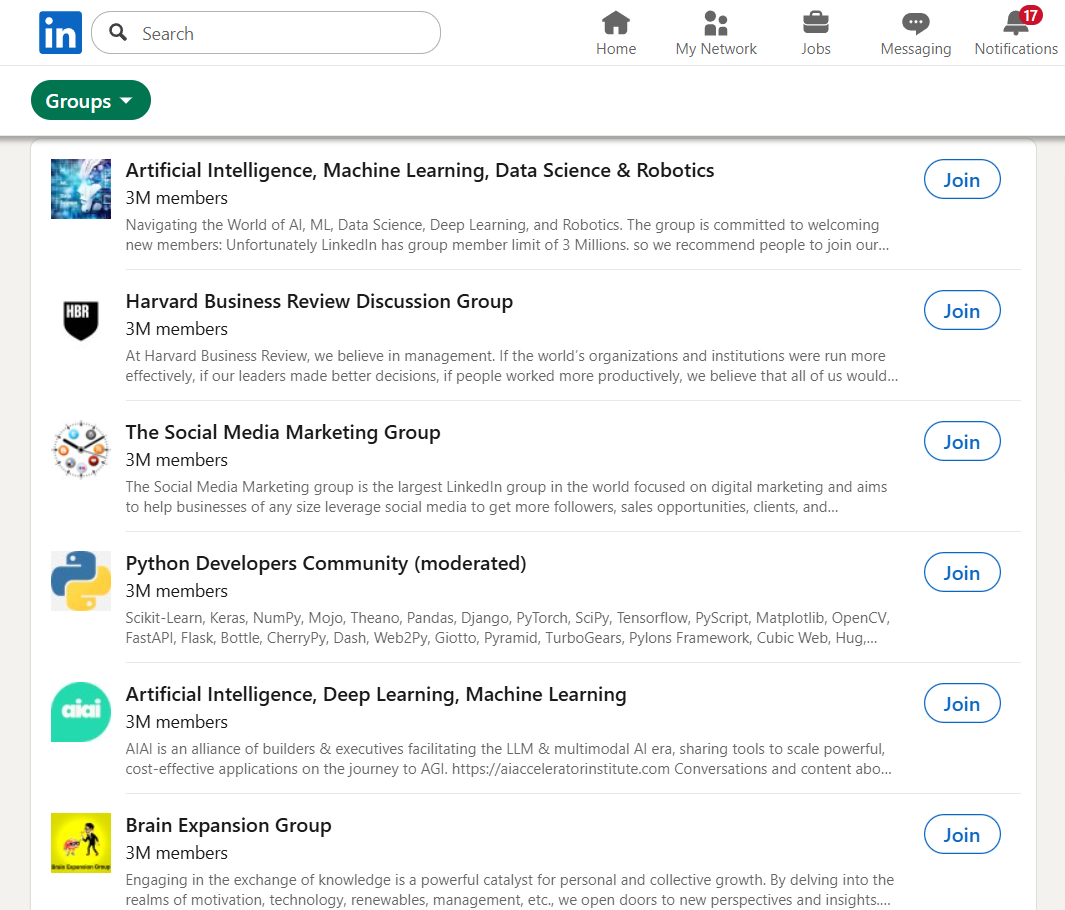
LinkedIn Groups are dedicated online communities where professionals with shared interests, industries, or goals gather to discuss relevant topics, share insights, and build relationships. Unlike your general LinkedIn feed—which is controlled by algorithms and filled with content from your entire network—groups offer focused, niche conversations with people who actually care about specific subjects.
Think of it as the digital equivalent of attending a chamber of commerce networking breakfast or an industry break-out session at a conference. The conversations are more targeted, the participants more engaged, and the noise level significantly lower.
What Are the Three Types of LinkedIn Groups?
LinkedIn offers three distinct group types, each serving different purposes:
| Group Type | Visibility | How to Join | Best For |
|---|---|---|---|
| Public | Anyone can see posts (on or off LinkedIn) | Open to all | Maximum reach, thought leadership |
| Private (Listed) | Appears in search, but posts hidden | Request to join; admin approval | Curated communities, quality discussions |
| Private (Unlisted) | Not searchable; invisible on profiles | Invitation only | Exclusive networks, inner circles |
According to LinkedIn’s Help Center, private unlisted groups don’t appear in search results and won’t show on your profile except to fellow members. This makes them ideal for exclusive communities where discretion matters.
LinkedIn Group Limits You Should Know
Before diving in, understand the platform’s constraints:
| Limit Type | Maximum |
|---|---|
| Groups you can join | 100 |
| Groups you can create per day | 50 |
| Members per group | 2.5 million |
| Owners per group | 10 |
| Managers per group | 20 |
| Characters per post | 3,000 |
| Characters per comment | 1,250 |
These limits exist to keep groups manageable and spam-free. The key takeaway? You can’t join unlimited groups, so choose wisely.
Why Do LinkedIn Groups Still Matter for Business?
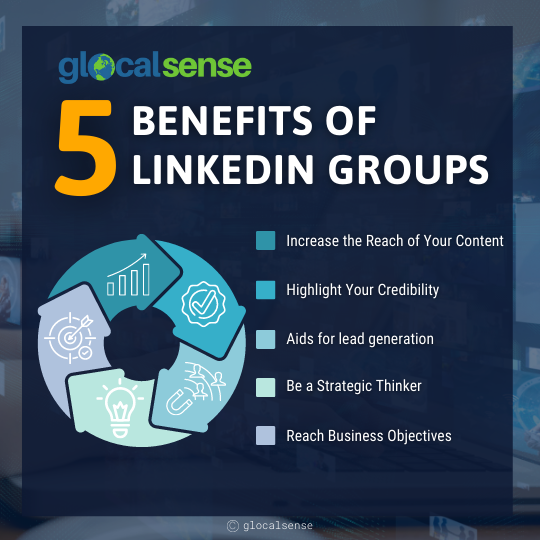
LinkedIn Groups provide direct access to highly targeted professional audiences without paying for ads or premium features. In an era where organic reach on social media continues to decline, groups offer something increasingly rare: guaranteed visibility among people who’ve opted in to discuss your industry.
Here’s what makes them uniquely valuable:
The Real Benefits of LinkedIn Groups
Direct messaging without InMail or connection requests. This is the hidden gem most people miss. When you’re in the same group as someone, you can message them directly—no InMail credits required, no connection request needed. For professionals trying to reach decision-makers, this alone makes group membership worthwhile.
Is Your LinkedIn Working?
Just released: my new book to help professionals, entrepreneurs, and business owners maximize LinkedIn for real growth.
With years of LinkedIn expertise, Maximizing LinkedIn for Business Growth offers actionable steps to build your brand, expand your network, and drive results.
Start leveraging LinkedIn like never before—grab your copy now! Click the cover or button below to buy on Amazon.

Pre-sorted audience targeting. Groups function as self-selected communities. Members have already raised their hand and said, “I care about this topic.” That’s infinitely more valuable than broadcasting to a random feed audience.
Algorithm-independent visibility. As LinkedIn’s algorithm increasingly favors certain content types and connection levels, groups provide a space where your contributions get seen by interested professionals regardless of algorithmic whims.
Thought leadership positioning. Regular, valuable contributions in niche groups establish you as an expert faster than posting to your general feed. The audience is smaller but far more relevant.
Competitive intelligence. Groups reveal what your target market is actually talking about—their challenges, questions, and priorities. This is market research you can’t get anywhere else.
| Benefit | How It Works | Business Impact |
|---|---|---|
| Direct DM Access | Message group members without InMail | Bypass connection barriers |
| Targeted Audience | Self-selected professionals | Higher conversion potential |
| Thought Leadership | Consistent valuable contributions | Authority positioning |
| Lead Signals | Monitor pain points and questions | Identify warm opportunities |
| Content Distribution | Share resources with interested audience | Drive qualified traffic |
How Do You Lay the Foundation Before Joining Groups?
Before you join a single group, your LinkedIn profile needs to be optimized. Here’s why: when you leave a valuable comment in a group, the first thing people do is click on your name. Your profile is your first impression—and possibly your only chance to make one.
Your Profile Is the Digital Handshake Before You Even Speak
Think about it: whatever activity you do on LinkedIn, it always leads people back to your profile. Businesses invest significant time and money into creating well-branded, strategic websites. Have you spent even a fraction of that time thinking about your professional LinkedIn profile?
Your profile should clearly communicate:
- Who you are: Your role and expertise
- What you do: The problems you solve, the value you provide
- Who you help: Your target audience or ideal client
Your headline is particularly crucial. Don’t just list your job title. Instead of “Marketing Manager,” try “Marketing Manager | Helping B2B SaaS Companies Generate Qualified Leads.” This instantly tells group members whether your expertise aligns with their interests.
I’ve written extensively about LinkedIn headline examples and profile examples that can inspire your own optimization.
Define Your Niche Before Searching for Groups
Before searching for groups, get crystal clear on who you want to reach and why. Ask yourself:
- What industries or roles represent my ideal clients or partners?
- What topics can I genuinely contribute expertise on?
- What problems do I solve that people in specific communities face?
This clarity prevents you from joining random groups that waste your time. A focused approach—3-5 highly relevant groups—will always outperform membership in 50 loosely related ones.
How Do You Find and Join the Right LinkedIn Groups?
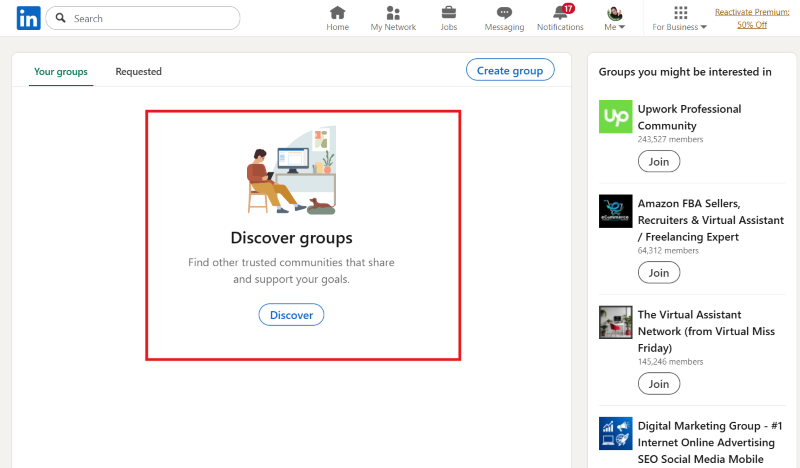
Strategic group selection is the most critical step. This isn’t a numbers game; it’s about precision. Joining every group under the sun dilutes your efforts and yields minimal returns.
Quality Over Quantity: Identifying Groups That Align With Your Goals
Start by brainstorming niches that align with your business. Are you selling marketing automation software? Groups for “Digital Marketing Managers,” “SaaS Marketing,” or “B2B Lead Generation” are excellent starting points. Financial consultant? Look at “Small Business Owners,” “Retirement Planning,” or “Wealth Management Professionals.”
To find groups, use LinkedIn’s search function and filter by “Groups.” But don’t stop at the member count—that metric is often misleading. A group with 100,000 members but only three posts a week is a ghost town.
Instead, evaluate:
| What to Check | What to Look For | Red Flags |
|---|---|---|
| Recent Activity | New posts daily or multiple times weekly | Last post was weeks ago |
| Engagement Quality | Genuine comments and discussions | Only self-promotional posts |
| Moderation | Spam removed, conversations guided | Overrun with sales pitches |
| Member Profiles | Your target audience and industry peers | Irrelevant professionals |
| Group Size | 500-5,000 active members (sweet spot) | Too small (dead) or too large (noisy) |
The sweet spot is often groups with enough members to generate diverse perspectives but not so large that your contributions get lost—or so small that conversations lack energy.
How to Write a Compelling Membership Request
Many quality groups require admin approval. Your membership request is your first impression with the moderator. Don’t leave it blank or generic.
Write a brief, genuine request that includes:
- Why you want to join (specific interest in the topic)
- What relevant expertise or perspective you bring
- Your intention to contribute value
Something like: “I’ve spent 15 years in B2B content marketing and am eager to learn from and contribute to discussions about [specific topic] with fellow practitioners.”
Admins review dozens of requests. Make yours stand out by showing you’re not just there to lurk or spam.
What Are the Best Strategies for Active Engagement?
You’ve found your groups and your profile is primed. Now comes the exciting part: engaging strategically. Remember, passive consumption yields passive results. Active participation is key.
How Do You Add Value Without Self-Promoting?
This is where many go wrong. They jump into groups trying to sell. Don’t. Your initial goal is to establish yourself as a knowledgeable, helpful, and trusted voice—a respected advisor, not a salesperson.
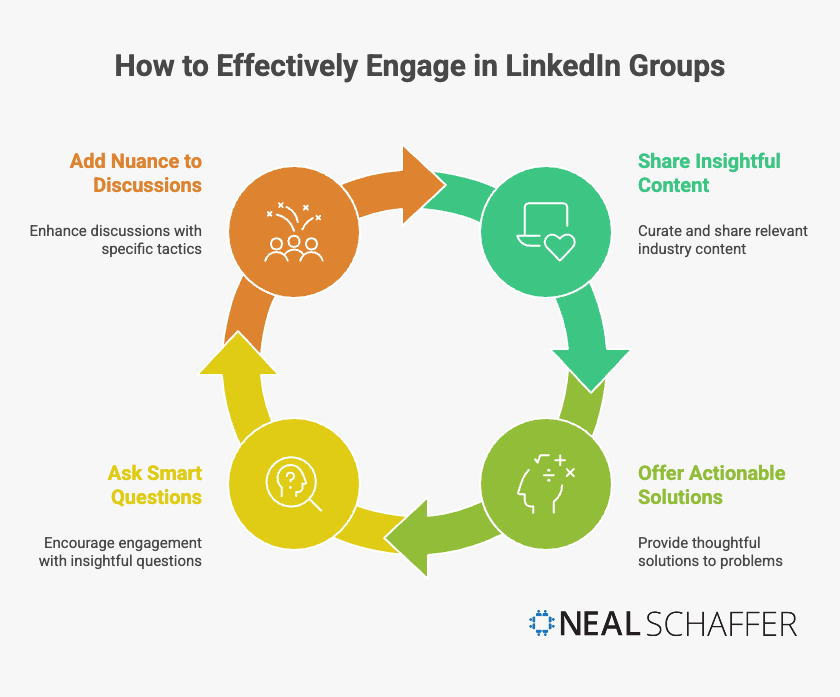
The most effective engagement approaches:
Share insightful content. Not just your own, but relevant articles, reports, or thought leadership from others in your industry. Curating valuable resources positions you as a connector.
Offer actionable solutions. When someone poses a problem, contribute a thoughtful, specific solution without pushing your product. This builds credibility faster than any pitch.
Ask smart questions. Questions that demonstrate curiosity and expertise encourage others to engage while positioning you as thoughtful.
Add nuance to discussions. Don’t just comment “Agreed!” Instead: “Agreed, and I’ve found that [specific tactic] can further enhance that approach because…”
How Do You Start Conversations That Get Engagement?
Don’t wait for others to lead. Be proactive in initiating discussions that matter to your target audience:
- Pose thoughtful questions: “What’s the biggest challenge you’re facing with [relevant topic] right now?”
- Share industry insights with commentary: “Just read this report on [topic]—interesting findings about [specific data point]. What’s your experience?”
- Use polls: LinkedIn Groups support polls, which are excellent for gathering opinions and showing you value community input.
The goal is getting people talking, sharing experiences, and engaging with you.
What Mistakes Should You Avoid in LinkedIn Groups?
This cannot be stressed enough: do not spam. This means no overtly promotional posts, no unsolicited direct messages selling your services, and no dropping links to your website in every comment.
Think of it this way: you wouldn’t walk into a networking event and immediately start handing out flyers without introducing yourself or engaging in conversation. The same rule applies here.
| Do This | Avoid This |
|---|---|
| Answer questions helpfully | Pitch your services in every comment |
| Share others’ valuable content | Only share your own blog posts |
| Build rapport before DMs | Cold message members with sales pitches |
| Follow group rules | Ignore moderation guidelines |
| Engage consistently | Post once and disappear |
Spam is the number one reason people leave groups. Moderators are quick to remove offenders, and group members will tune you out permanently.
How Do You Turn Group Engagement into Business Opportunities?
The bridge from valuable engagement to lead generation requires finesse and strategic timing. This isn’t about hard selling—it’s about nurturing relationships and identifying genuine opportunities where your business can solve a problem.
How Do You Identify Leads and Partners in Groups?
As you engage in discussions, watch for signals:
- Expressed pain points: Members discussing challenges your product or service addresses (“We’re really struggling with managing our CRM data efficiently”)
- Requests for recommendations: Someone asking for tool, service, or expert suggestions in your area
- Direct questions about solutions: “Has anyone found a good solution for X?” is a clear opening
- Influential members: Decision-makers, thought leaders, or potential collaborators who align with your goals
Keep a mental (or actual) note of these interactions. These are your warm leads—people who’ve already expressed relevant needs.
When and How Should You Move Conversations Private?
Once you’ve identified a potential lead through group interactions, the next step is moving to direct messages. This is where most people falter—either by not doing it at all or by doing it too aggressively.
When to send a private message:
- You’ve had a meaningful public interaction
- You’ve provided specific value in a comment and they’ve responded positively
- You notice clear alignment between their expressed need and your expertise
- You want to follow up on a complex question better suited for one-on-one discussion
How to approach the DM:
- Reference the group interaction: “Hi [Name], I really enjoyed your insights on [topic] in the [Group Name] group. Your point about [specific detail] resonated with me.”
- Continue adding value: “I was thinking about the challenge you mentioned regarding [their problem]. Have you considered [a general strategy or resource]? I’ve seen it work well in similar situations.”
- Avoid the immediate pitch: Your first message should extend the helpful, insightful persona you’ve built—not sell.
- Suggest a natural next step: “If you’d like to discuss further, I’d be happy to share some additional thoughts—no strings attached.”
For more on messaging people you’re not connected with on LinkedIn, I’ve written a detailed guide.
How Do You Distribute Your Own Content Without Being Spammy?
While direct self-promotion is off-limits, groups can be excellent channels for distributing high-value content—when done correctly.
Rules for sharing your own content:
- Share only your best work: Insightful white papers, exhaustive guides, or groundbreaking case studies that directly address recurring group discussions
- Provide context: Don’t just drop a link. “I noticed discussions about [topic]. We recently published [Content Title] that offers [specific solution]. I hope it helps!”
- Engage with responses: Answer questions and participate in discussions your content generates
- Limit frequency: Once a month or less for your own content. Balance with sharing valuable content from other sources.
Think of it as contributing to the group’s knowledge base, not advertising. When done right, this establishes you as a thought leader and organically drives traffic to your resources.
For more on content marketing strategy and repurposing content across platforms, check out my detailed guides.
Should You Create Your Own LinkedIn Group?
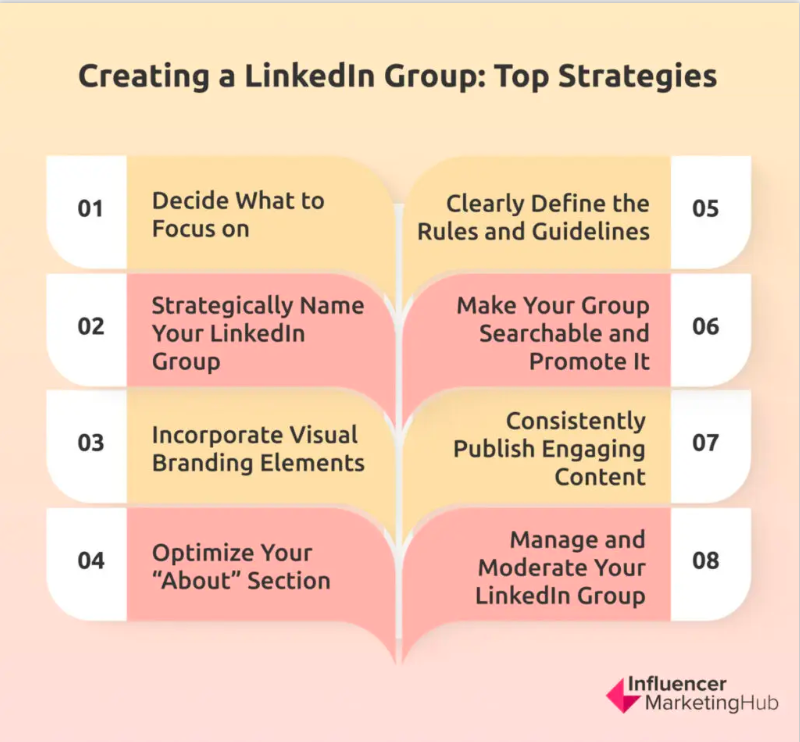
Creating your own LinkedIn Group can be a powerful move—but it’s not for everyone. The decision depends on your goals, available time, and willingness to invest in community building.
When Does Creating a Group Make Sense?
Consider starting your own group when:
- You have a clear niche audience not well-served by existing groups
- You’re committed to consistent moderation and content seeding
- You want to control the narrative and community culture
- You’re building a long-term thought leadership platform
The benefits are significant: you control the rules, you’re automatically positioned as an authority, and you build an owned audience rather than renting attention on someone else’s platform.
How Do You Create a LinkedIn Group?
According to LinkedIn, the process is straightforward:
- Navigate to “Groups” and click “Create Group”
- Choose a clear, keyword-rich group name
- Write a compelling description (mission, benefits, relevant keywords)
- Set privacy settings (Public, Private Listed, or Private Unlisted)
- Establish clear rules and expectations
- Create a welcome message for new members
Group description best practices:
- Mission statement: What’s the group’s purpose?
- Key benefits: Why should someone join?
- Website link: Drive traffic to your main platform
- Keywords: Include terms like “networking,” “industry trends,” your niche topics
What Does Successful Group Management Require?
Running a successful group requires significant ongoing investment:
| Management Task | Frequency | Why It Matters |
|---|---|---|
| Review membership requests | Daily | Keeps community quality high |
| Remove spam/off-topic posts | Daily | Preserves trust and value |
| Seed discussions with content | 2-3x weekly | Maintains energy and activity |
| Respond to member posts | Daily | Models engagement behavior |
| Update rules/guidelines | Quarterly | Adapts to community evolution |
The time commitment is real. A group of 10,000+ members requires consistent daily moderation to remain spam-free and active. Only start a group if you’re prepared for this investment.
How Do You Measure Your LinkedIn Group ROI?
Engagement isn’t just about showing up; it’s about showing up effectively. To truly leverage LinkedIn Groups for business growth, you need to understand what’s working and what’s not.
What KPIs Should You Track?
LinkedIn’s native group analytics are limited, but you can still measure meaningful metrics:
| Metric Category | What to Track | How to Measure |
|---|---|---|
| Relationship | New connections from group members | LinkedIn connection growth |
| Engagement | Comments/reactions on your posts | Manual tracking |
| Traffic | Website visits from group shares | UTM parameters + Google Analytics |
| Leads | Opportunities sourced from groups | CRM tagging |
| Conversion | Deals closed from group connections | Sales pipeline tracking |
Pro tip: Use UTM parameters on any links you share in groups. Tag them with source=linkedin and medium=groups so you can attribute traffic and conversions accurately.
What Tools Help Track Group Performance?
- LinkedIn native analytics: Limited, but useful for profile views and connection growth
- Google Analytics: Track referral traffic using UTM-tagged links
- CRM integration: Log group-sourced leads in HubSpot, Salesforce, or your CRM of choice
- Manual tracking: A simple spreadsheet logging key interactions and outcomes
No single tool provides complete visibility—combine methods for best results.
What’s the Future of LinkedIn Groups?
LinkedIn has been iterating on Groups for years, and recent updates suggest renewed platform investment. According to LinkedIn Engineering, they’ve been actively improving group infrastructure, including the introduction of public groups in 2024.
Recent Changes Worth Noting
- Improved notification systems: Bell icon notifications for group activity (though reliability varies)
- Pinned posts: Admins can now pin important content
- Public groups: Posts visible to anyone, even non-members—increasing discoverability
- Enhanced moderation tools: Better spam filtering and member management
Why Groups May Become More Valuable
As LinkedIn’s main feed becomes increasingly competitive and algorithm-dependent, curated communities where visibility is more predictable offer growing appeal. The professionals who invest in group relationships now position themselves ahead of those who rely solely on feed algorithms.
Frequently Asked Questions About LinkedIn Groups
Yes, LinkedIn Groups remain valuable for professionals who engage strategically. The key benefits—direct messaging to members without InMail, targeted audience access, and thought leadership positioning—make them worthwhile when you focus on quality groups and consistent participation rather than passive membership.
You can join up to 100 LinkedIn Groups. Plan conservatively and focus on 3-5 groups where you can actively contribute rather than joining dozens you’ll never engage with.
Yes, this is one of the most valuable benefits. Group membership allows you to send direct messages to fellow members without spending InMail credits or sending connection requests first—a significant advantage for networking and outreach.
Public groups allow anyone to see posts (even non-members), making them ideal for maximum visibility. Private groups hide content from non-members and require admin approval to join, creating more exclusive, focused communities. Private groups can be either “Listed” (searchable) or “Unlisted” (invitation-only).
Write a personalized membership request explaining why you want to join and what relevant expertise you bring. Mention specific interest in the group’s topic and your intention to contribute value. Admins review many generic requests—a thoughtful message makes yours stand out.
Your Next Step: Start Engaging and Growing
LinkedIn Groups are not a magic bullet for instant sales. They’re a powerful, often underutilized platform for strategic business growth through community building. Think of it as cultivating a garden: it requires patience, consistent effort, and understanding the environment.
By thoughtfully selecting the right groups, optimizing your profile foundation, actively engaging with genuine value, and strategically transitioning discussions into private opportunities, you can transform these digital communities into channels for lead generation, partnership building, and establishing yourself as an indispensable thought leader.
Here’s your action plan:
- Audit your LinkedIn profile this week—make sure it clearly communicates your value
- Identify 3-5 groups aligned with your target audience and request membership
- Commit to engaging in each group at least 2-3 times weekly
- Track your group-sourced connections and opportunities in a simple spreadsheet
- After 90 days, evaluate which groups deliver value and double down on those
Embrace the long game. Focus on providing immense value, building authentic relationships, and establishing credibility. The business opportunities will follow, naturally and sustainably.
Your journey to mastering LinkedIn Groups starts now—go forth and cultivate your communities. And if you need additional help, make sure you check out Maximizing LinkedIn for Business Growth or download the free preview below.
Actionable advice for your digital / content / influencer / social media marketing.
Join 13,000+ smart professionals who subscribe to my regular updates.
