


Here’s the reality: most brands are still treating X (formerly Twitter) like it’s 2015, blasting content into the void and hoping something sticks. I’ve been working with businesses for over 15 years, and I can tell you that the smartest companies are quietly building relationships in communities both off and on social media while their competitors chase vanity metrics. X Communities, launched in 2021, is one of the newer social media community platforms that is still under-utilized for community-building today.
As the author of Maximize Your Social, I’ve taught social media strategy at Rutgers Business School and worked as a Fractional CMO helping companies build genuine audience connections. And here’s what the data confirms: according to Marketing LTB’s community marketing research, companies with strong communities grow revenue 2.1x faster than those without.
That’s why X Communities aren’t just another social media feature to check off your list. They’re focused spaces where your ideal customers are already gathering to discuss the topics they care about most. According to X’s official Communities account, community posts and replies are visible to your followers and other people on X, and everyone on X can reply to Community posts, including non-members, but replies from community members will be prioritized. This creates a unique dynamic where you get broader visibility but deeper engagement.
In this guide, I’ll show you how to find the right Communities for your brand, get accepted as a member, and create content that actually builds relationships instead of just collecting likes. You’ll also learn how to automate your community posting without looking like a robot, and how to measure what really matters for long-term growth.
Key Takeaways
✅ X Communities offer platform-wide visibility while filtering engagement to interested members, creating higher-quality interactions than regular posting
✅ Community marketing consistently outperforms traditional social media advertising for building long-term brand loyalty and customer retention
✅ Success requires a value-first approach where promotional content makes up no more than 20% of your community activity
✅ A structured 90-day framework helps brands build authentic relationships before introducing any promotional elements
✅ Creating your own community requires X Premium, but joining existing Communities is free and often more strategic for most brands
What Are X Communities and Why Do They Matter for Brands?
X Communities are dedicated spaces within the platform where users gather around specific topics, industries, or shared interests. Think of them as a hybrid between Facebook Groups and Reddit subreddits, but integrated directly into your X experience rather than existing as separate spaces. Twitter Communities create focused discussion spaces within the platform where users can find, join, create, and moderate groups around shared interests.
The key difference from regular posting is the engagement model. As X’s Help Center documentation on Communities explains, posts in Communities can be seen by anyone on X, but only others within the community itself can engage and participate in the discussion. This filters out random noise and creates more meaningful conversations.
Here’s what makes Communities particularly valuable for brands:
| Community Feature | Brand Benefit | Implementation Priority |
|---|---|---|
| Targeted Audience Engagement | Reach niche audiences interested in your industry | High |
| Focused Discussions | Build authority through specialized content | High |
| Membership Structure | Higher quality interactions and feedback | Medium |
| Platform-wide Visibility | Attract new followers beyond community members | Medium |
| No Member Limits | Scale your community without artificial caps | Low |
According to Social Champ’s X statistics report, approximately 70,000 people join new communities daily on X, emphasizing the platform’s role in fostering niche group interactions. If your target audience is active on X (and according to my X user statistics roundup, the platform has over 336 million monthly active users), they’re likely already participating in Communities relevant to your industry.
How Do I Find the Right X Communities for My Brand?
The biggest mistake I see brands make is joining Communities randomly or creating their own right away. You need a strategic approach that starts with research and relationship building.
Start with X’s Discovery Features
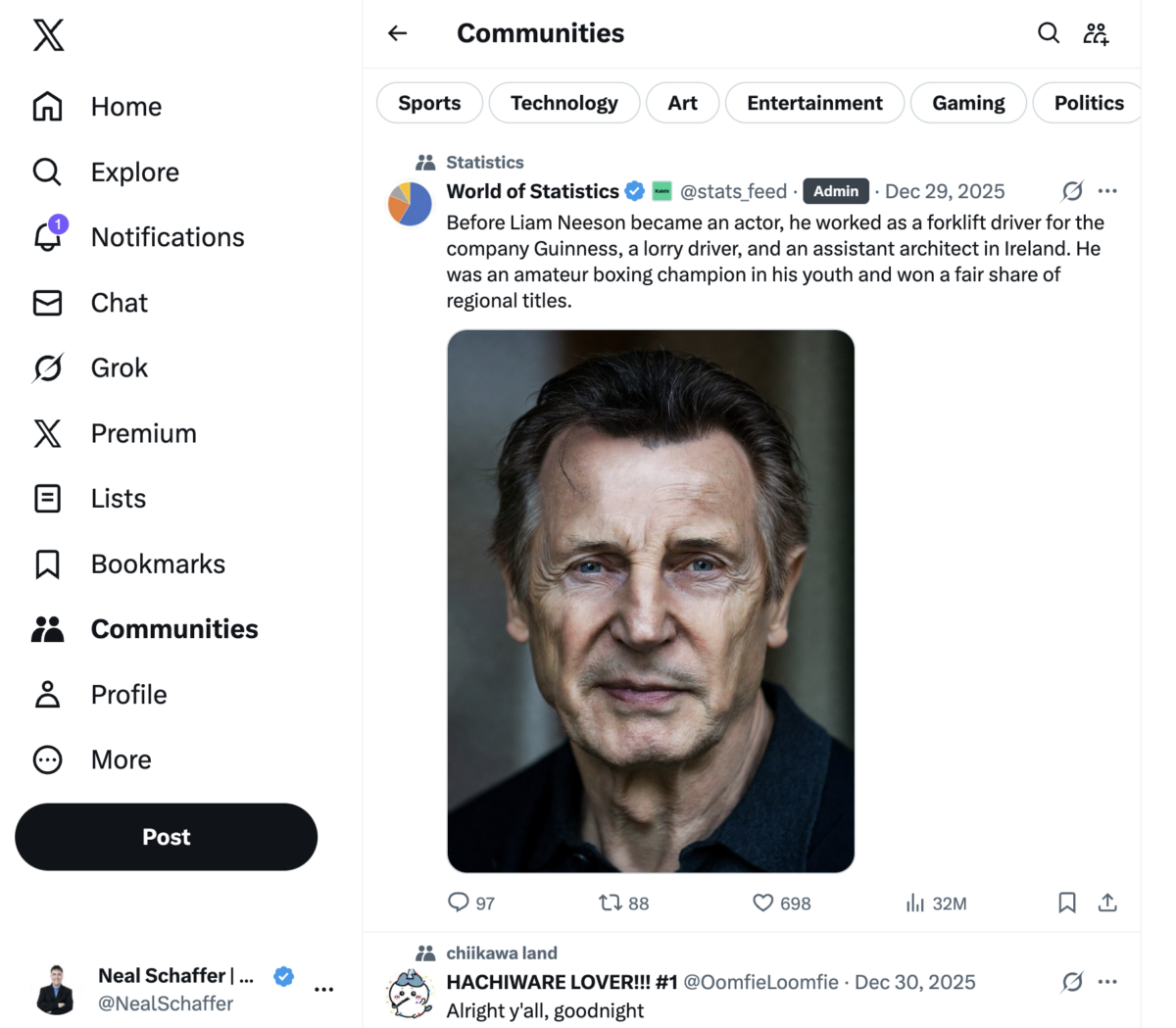
To find Communities on desktop, click “Communities” in the left sidebar navigation. This opens your Communities feed, which displays posts from Communities you’ve joined along with category filters (Sports, Technology, Art, Entertainment, Gaming, Politics) at the top.
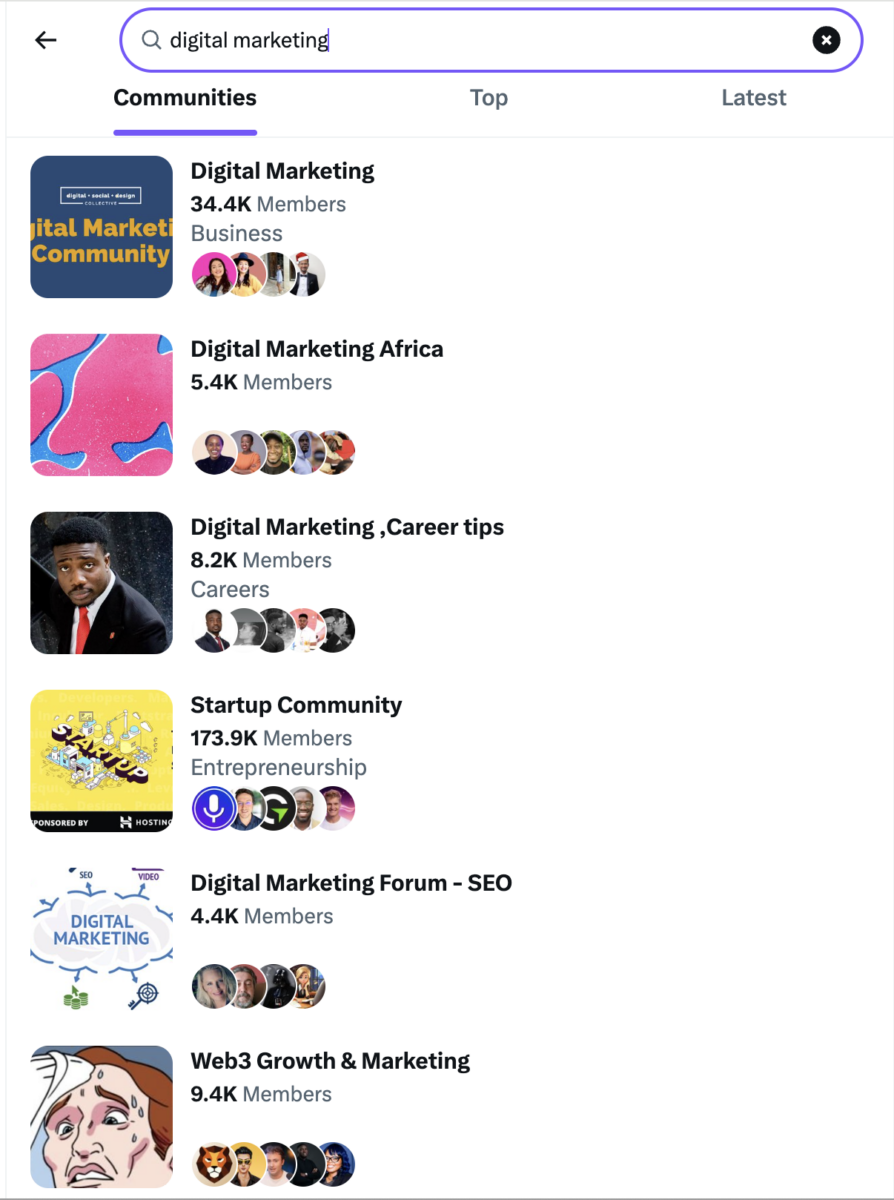
To discover new Communities, click the magnifying glass icon at the top center of the screen. This opens the “Discover Communities” view where you can search for Communities and posts using keywords, or browse Communities organized by category. According to X’s Communities recommendations documentation, Communities are presented primarily in descending order of member count with some quality filters applied.
Understanding Membership Types
According to X’s Help Center, only admins can modify the settings of a community to open them. Under Membership, there are options to choose either Open or Restricted. Once a community is open, people can then tap or click on the Join button to automatically join.
| Membership Type | How to Join | Best For |
|---|---|---|
| Open Communities | Click “Join” and accept rules | Brands new to community marketing |
| Restricted Communities | Request access, wait for approval | Established brands with relevant credentials |
| Invite-only Communities | Need invitation from existing member | High-value networking opportunities |
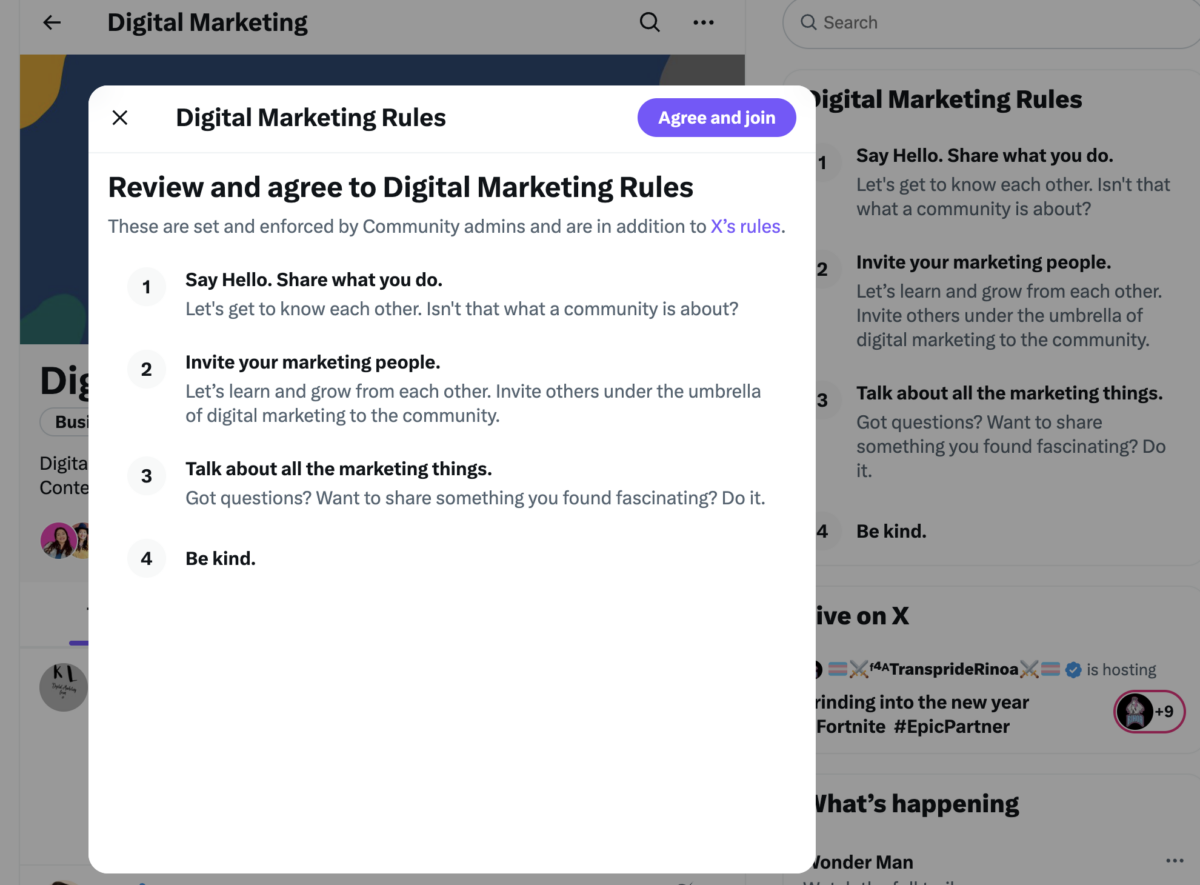
Before applying to restricted Communities, spend time observing their posting patterns and engagement style. Understanding how to use X for business fundamentals will help you evaluate whether a community aligns with your brand voice and goals.
What Content Works Best in X Communities?
Here’s where most brands get it wrong: they join Communities and immediately start pitching their products or services. That’s like walking into someone’s living room and starting a sales presentation.
Community content needs to serve the community first, your brand second. The most successful approach I’ve seen focuses on becoming a valuable resource rather than a promotional channel. This means sharing insights, asking thoughtful questions, and responding helpfully to others’ posts.
Trying to Keep Up with Digital Marketing?
Just released: my new book to help small businesses, entrepreneurs, and marketers master digital marketing in today’s digital-first world.
Drawing on my Fractional CMO experience, Digital Threads simplifies complex strategies into clear, actionable steps for success.
Transform your business today—grab your copy! Click the cover or button below to buy on Amazon.

The 80/20 Content Framework
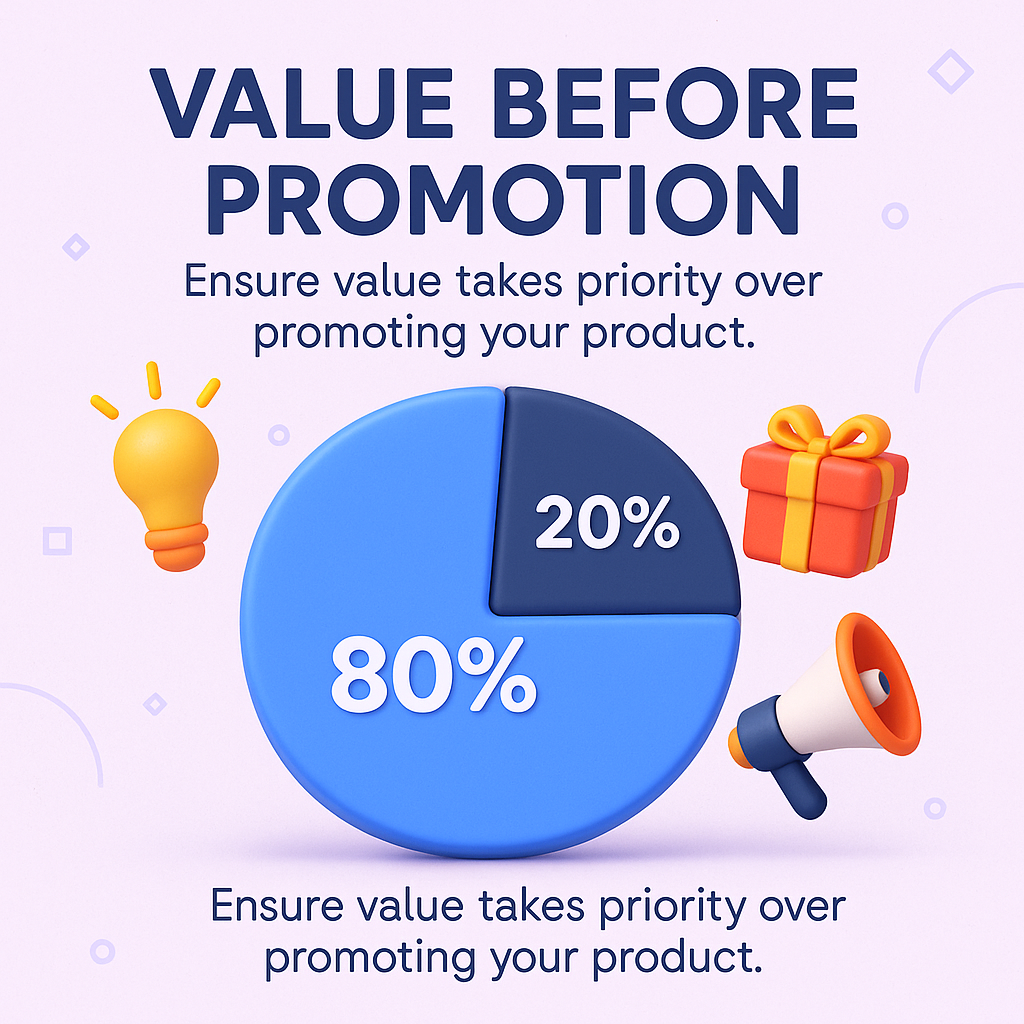
When you do share promotional content, follow the 80/20 rule I teach all my clients: 80% value-driven content, 20% business promotion. Even then, frame your promotional posts in terms of how they help the community.
| Content Type | Frequency | Primary Goal |
|---|---|---|
| Industry insights and analysis | 2-3 times per week | Establish authority |
| Questions to spark discussion | 1-2 times per week | Drive engagement |
| Helpful resources and tips | 1-2 times per week | Provide value |
| Behind-the-scenes content | 1 time per week | Build relationships |
According to Marketing LTB’s community marketing research, the average online community engagement rate is 28%. That’s significantly higher than typical social media engagement rates, which hover between 1-3% on most platforms. But you’ll only achieve those numbers by prioritizing genuine value over self-promotion.
Understanding how to write tweets that drive traffic applies equally to community posts. The principles of compelling copy don’t change just because you’re in a focused environment.
The data on community marketing ROI is striking. According to Marketing LTB’s community statistics analysis, 44% of brands say their community delivers a positive ROI within the first year, and every $1 invested in community returns an average of $6.40 in value.
Compare that to declining returns on paid social. According to Firework’s marketing ROI analysis, Facebook’s average ad ROI fell to around 1.7:1, dropping from $4 to $1.75 per $1 in just a few years.
The Influencer Marketing Hub’s State of Social Media Marketing report found that 45.2% of marketers rated community-driven efforts, like Facebook Groups or Discord, as “very effective” in fostering loyalty and driving repeat engagement. This explains why smart brands are shifting budget toward community building.
The research backs this up academically too. According to a study published in Computers in Human Behavior, brand communities based on social media enhance feelings of community among members and positively influence brand trust and loyalty.
Here’s something to always keep in mind. A thousand engaged community members who trust your expertise will generate more business than 100,000 passive followers who scroll past your content.
I’m generally skeptical of automation tools because most people use them wrong. But there are smart ways to streamline your community workflow without looking like a bot.
What to Automate vs. What to Keep Human
| Automate | Keep Human |
|---|---|
| Scheduling valuable content posts | Responding to comments |
| Posting during optimal engagement times | Engaging with others’ posts |
| Content distribution across Communities | Answering questions |
| Monitoring alerts for mentions | Building relationships |
Using a Twitter scheduler for your community content helps maintain consistent presence. But never automate responses or engagement. Your audience should never feel like they’re interacting with a scheduled post when they comment or ask questions.
Before implementing any automation, make sure you understand how to use Twitter hashtags strategically within Communities. This foundation will help you create more discoverable automated content.
You might also explore AI tweet generators to help draft content ideas, but always review and personalize before posting to maintain authenticity.
Here’s the challenge with community marketing: traditional social media metrics don’t tell the full story. Likes and retweets matter less than relationship quality and trust building.
Leadership teams are no longer satisfied with vanity metrics that look good on a dashboard but tell you little about impact. They prefer engagement metrics that demonstrate real business impact, showing how community efforts drive brand loyalty, boost customer retention, and generate revenue.
Metrics That Actually Predict Business Results
| Metric | What It Measures | Why It Matters |
|---|---|---|
| Conversation Continuation | Posts that lead to DMs or deeper discussions | Indicates real relationship building |
| Member Recognition | How often you’re tagged in relevant discussions | Shows authority establishment |
| Repeat Engagement | Same members interacting consistently | Signals trust development |
| Referral Traffic | Clicks to your website from Community posts | Measures conversion potential |
Use Twitter analytics to track your overall X performance, but recognize that community-specific metrics require manual tracking. I recommend a simple spreadsheet with community names, weekly post counts, engagement received, and relationship development notes.
Track your progress monthly, not daily. community relationship building takes time, and daily fluctuations don’t reflect long-term success. Focus on quarterly trends in engagement quality and business inquiries generated through community connections.
Once you’ve established your presence in relevant Communities, the real opportunity lies in becoming a community leader rather than just a participant. This requires a shift from promotional thinking to service-oriented contribution.
- Create recurring content series that community members anticipate (weekly tips, monthly industry updates)
- Collaborate with other valuable community contributors on joint content or discussions
- Share exclusive insights with community members before posting publicly
- Host impromptu Q&A sessions when relevant topics arise
- Cross-promote valuable content between different Communities where you’re active
Consider how you might use Twitter Spaces to host audio discussions relevant to your community’s interests. According to Social Champ’s platform analysis, over 6.4 million Spaces have been created on the platform, with 2 million created in a single month alone, demonstrating the appetite for real-time audio discussions.
The key is patience and consistency. I’ve seen brands try to accelerate this process with promotional pushes, and it always backfires. Community members can spot inauthentic behavior quickly.
This is one of the most common questions I get asked for any given social network that has communities. The answer depends on your resources, existing audience, and goals.
According to Adobe Express’s guide to X Communities, to be able to create an X Community of your own, you’ll need to be subscribed to X Premium. Beyond the subscription requirement, creating a successful community demands significant ongoing investment in moderation and content creation.
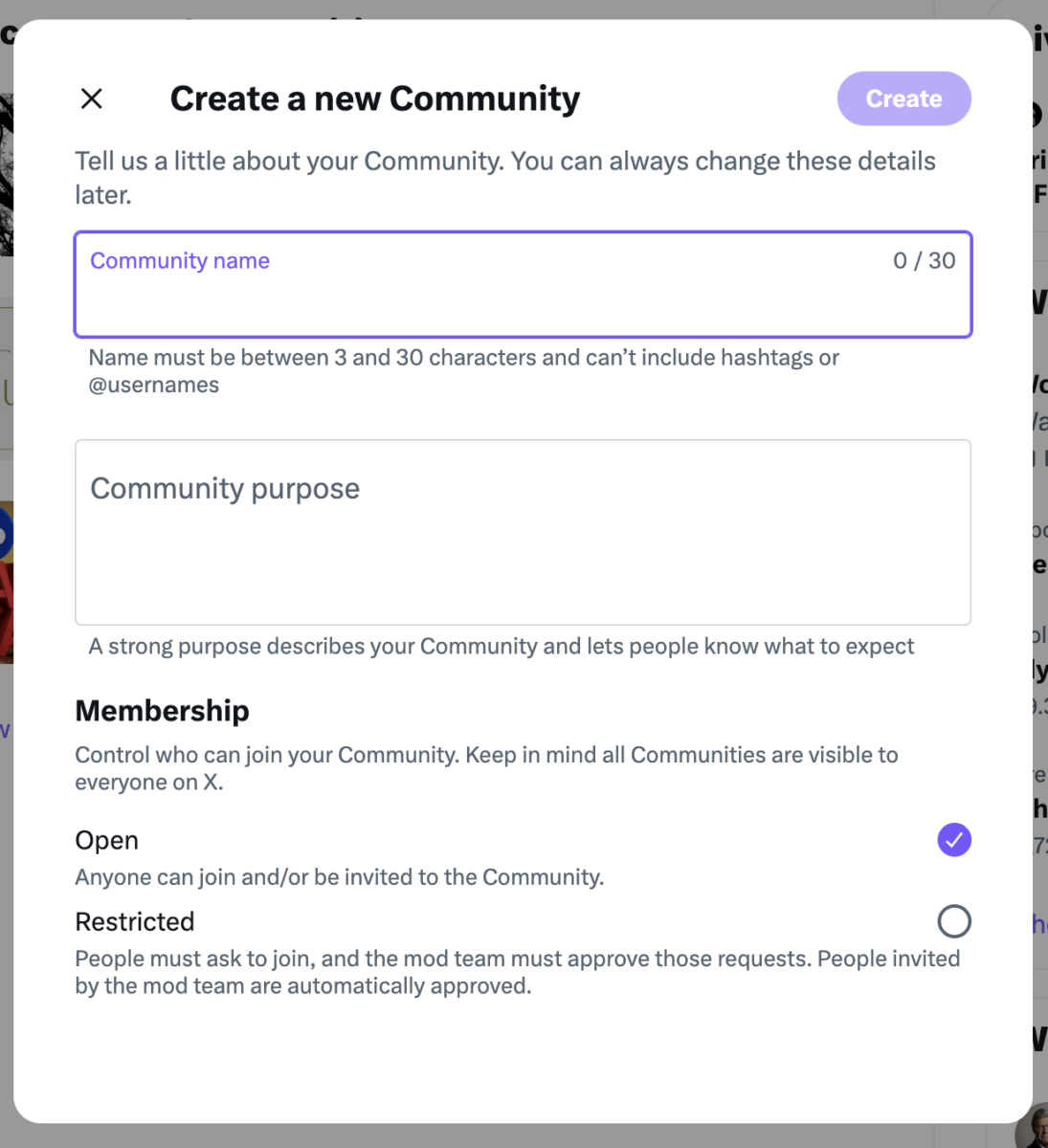
Creating vs. Joining: A Decision Framework
| Factor | Create Your Own | Join Existing |
|---|---|---|
| X Premium subscription | Required | Not required |
| Time investment | High (daily moderation) | Moderate (regular participation) |
| Existing audience | Need critical mass to start | Can leverage existing members |
| Control | Full control over rules | Must follow community guidelines |
| Risk | May not gain traction | Lower risk, immediate access |
As X’s Help Center specifies, X’s eligibility requirements for admin accounts include: X account must be public, X account must be at least six months old, and X account must have a verified email address or a phone number.
For most brands, I recommend starting by joining 3-5 relevant existing Communities. Build relationships, understand the culture, and establish your reputation before considering launching your own. If you’re new to the platform, start with Twitter for beginners fundamentals first.
What Common Mistakes Should I Avoid in X Communities?
The bad news is that, over the years, I’ve seen the same community mistakes repeated over and over. The good news is they’re all preventable.
- Posting identical content across multiple Communities without customization
- Ignoring comments and engagement on your own community posts
- Only engaging with posts when you want to promote something
- Using overly promotional language or constant calls-to-action
- Arguing with other community members on controversial topics unrelated to your expertise
- Treating Communities like promoted tweets advertising platforms
Avoid coming across as overly salesy. Your audience will likely be able to tell the difference between authentic conversation and a marketing pitch. Engaging in genuine conversations and prioritizing your audience’s interests over the bottom line will create more trust and long-term loyalty.
Understanding proper Twitter etiquette applies doubly in Communities, where expectations for genuine participation are even higher.
The solution is simple but requires discipline: contribute more than you promote, engage more than you broadcast, and listen more than you speak.
Success with X Communities requires a structured approach, not random posting when you remember. I’ve developed a 90-day framework that helps businesses build sustainable community relationships.
| Timeline | Primary Focus | Content Mix |
|---|---|---|
| Weeks 1-4 | Observe and engage with others | 100% comments and shares |
| Weeks 5-8 | Share valuable content | 70% original content, 30% engagement |
| Weeks 9-12 | Establish thought leadership | 60% insights, 30% engagement, 10% promotion |
Month One: Observation and Relationship Building
Join 3-5 relevant Communities but limit yourself to commenting and sharing others’ content. This helps you understand each community’s culture and identify key contributors. Use Twitter threads to provide in-depth responses when appropriate.
Month Two: Value-First Content Sharing
Begin sharing your own valuable content while maintaining active engagement with others. This is when you start establishing your brand voice within each community. Consider using tweet templates as starting points, then customize for each community’s style.
Month Three: Subtle Promotional Integration
By this point, community members should recognize your username and associate it with helpful contributions. Only now should you introduce subtle promotional elements, and even then, frame them in terms of community benefit.
The most important metric during these 90 days isn’t follower growth or post engagement. It’s relationship depth. Are the same community members regularly engaging with your content? Are you being tagged in relevant discussions? These signals indicate you’re building the foundation for long-term business relationships.
Frequently Asked Questions About X Communities
According to X’s Help Center, if given a direct URL, anyone on X will be able to view a community’s timeline, posts, and see a list of all moderators and members within the community. However, only members can actively engage with the content through replies and reactions.
You can join multiple Communities to expand your network and explore new interests. There’s no publicly stated limit, though quality participation in fewer Communities typically delivers better results than passive membership in many.
No. X Premium is only required to create your own community. Anyone with a public X account can search for and join existing Communities, subject to the membership rules set by each community’s administrators.
Creating communities is an option currently available only to Premium account owners. Beyond the subscription, your account must meet X’s eligibility requirements: at least six months old, verified email or phone number, and no history of Terms of Service violations. Learn more about getting verified on X to understand the full verification process.
As X’s Help Center documentation explains, moderators have the ability to remove any members who are not abiding by the community rules. If they decide to remove a member, they will be asked to provide feedback on the rule breaking to help the member understand why this action was taken. The removed member will be notified that a moderator removed their post or removed them for breaking a rule.

X Communities represent a significant opportunity for brands willing to invest time in authentic relationship building. The platform’s visibility structure means your thoughtful community content can attract new followers while deepening relationships with existing ones. But success requires patience, consistency, and a genuine commitment to adding value before seeking business returns.
Start with one community this week. Find a relevant group, spend time understanding their culture, and begin contributing helpful insights. Your future customers are already there, having discussions about the challenges your business solves. The question is whether you’ll join those conversations authentically or continue broadcasting into the void.
If you want to take your social media strategy to the next level, download my free preview of Digital Threads, which covers everything from community building to content strategy. For entrepreneurs and content creators looking for ongoing guidance, my Digital First Group Coaching Community provides the accountability and expert feedback you need to implement these strategies effectively. The businesses that master community marketing in 2026 will have a significant advantage over competitors still stuck in traditional social media tactics. Your 90 days start now.
Actionable advice for your digital / content / influencer / social media marketing.
Join 13,000+ smart professionals who subscribe to my regular updates.
