
Close Menu
Trendswave MediaTrendswave Media
  • Home
  • About Us
    • Contact Us
  • Services
  • Influencer Marketing
  • Marketing
  • SEO
  • Social Media
  • Web Design
  • Shop

Subscribe to Updates

Get the latest creative news from Trendswave about Marketing, SEO & Web Design.

Please enable JavaScript in your browser to complete this form.
Loading
What's Hot

Why Authenticity Converts Better than Perfectly Polished Content

February 10, 2026

25+ Free Clean Fonts for Professional Design Projects in 2026 — Speckyboy

February 10, 2026

How to Use ChatGPT to Write Better Emails (Without Copy-Pasting)

February 10, 2026
Facebook X (Twitter) Instagram
Trendswave MediaTrendswave Media
  • Home
  • About Us
    • Contact Us
  • Services
  • Influencer Marketing
  • Marketing
  • SEO
  • Social Media
  • Web Design
  • Shop
Trendswave MediaTrendswave Media
Home»Marketing»How to Use ChatGPT to Write Better Emails (Without Copy-Pasting)
Marketing

How to Use ChatGPT to Write Better Emails (Without Copy-Pasting)

adminBy adminFebruary 10, 2026No Comments3 Mins Read
Facebook Twitter Pinterest LinkedIn Tumblr WhatsApp VKontakte Email
How to Use ChatGPT to Write Better Emails (Without Copy-Pasting)
Share
Facebook Twitter LinkedIn Pinterest Email


By Sean Tinney January 26, 2026

Drafting emails takes time. You write. You rewrite. You second-guess your subject line.

What if ChatGPT could handle the drafting for you?

ChatGPT can analyze your best campaigns and write new emails that match with AWeber’s MCP. It saves drafts directly to an AWeber account. No tab-switching. No copy-pasting.

Why This Works

Most people write emails, then hope they perform. AWeber MCP does the opposite.

ChatGPT looks at your top campaigns—highest opens, most clicks—and uses those patterns for new emails. You get emails that sound like you and match what your audience responds to. Written in minutes, not hours.

How to Use ChatGPT to Write Emails

1. Tell ChatGPT what you need

Be specific. The clearer your prompt, the better your draft.

Try this: “Write an email about [topic]. Use patterns from my best emails. Add it to [list name]. Use my standard template. Add an image from [URL] below paragraph two.”

ChatGPT writes the email, applies your template, places your image, and saves it to AWeber.
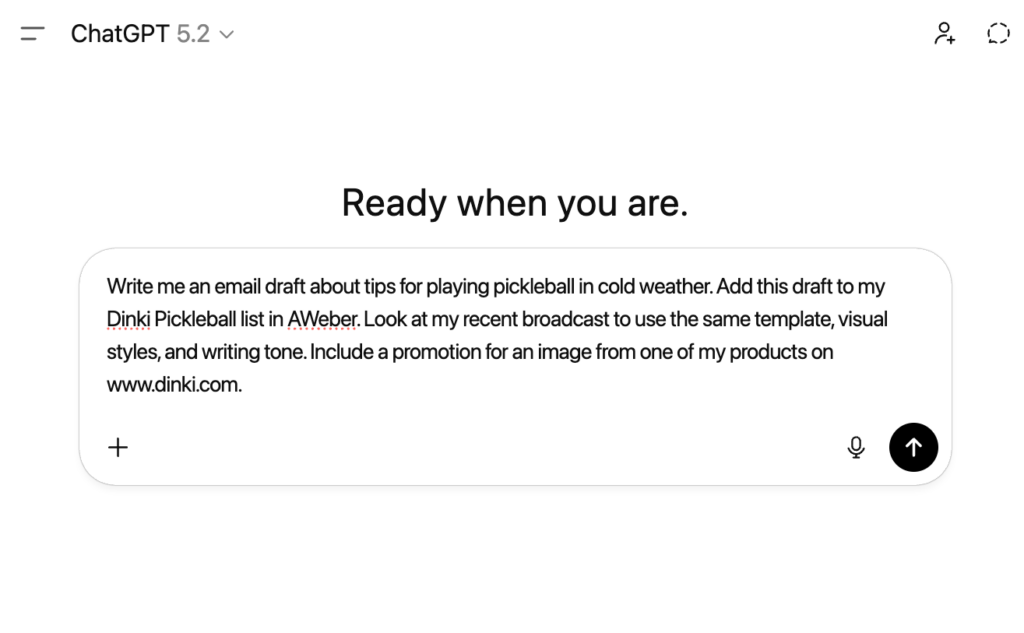
Prompt example in ChatGPT for writing my next emailPrompt example in ChatGPT for writing my next email

Related: Check out this email prompt library.

2. Review in your email

Your draft is waiting in your AWeber account.

The subject line, copy, and format mirror your best performers. Tighten a sentence. Adjust your CTA. Swap an image if needed.
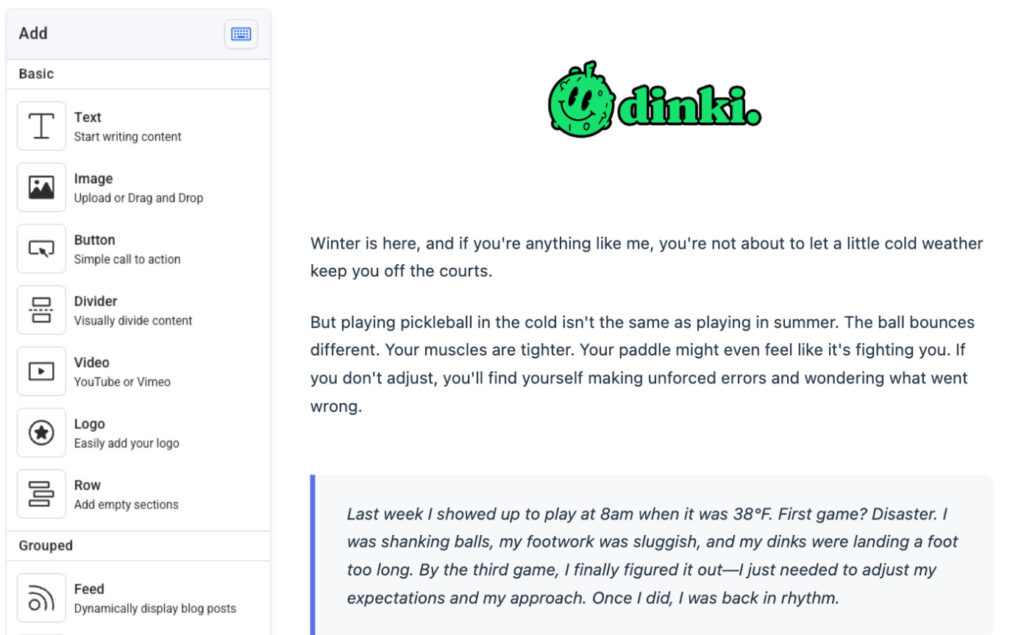
Email draft writing by ChatGPT uploaded to an AWeber accountEmail draft writing by ChatGPT uploaded to an AWeber account

3. Send your email that’s built to perform

Click Schedule or Send Now.

That is it. What may have taken you hours previously, can now take you 5 minutes from concept to writing to sending.

Plus, you just sent an email built on patterns that already work for you.
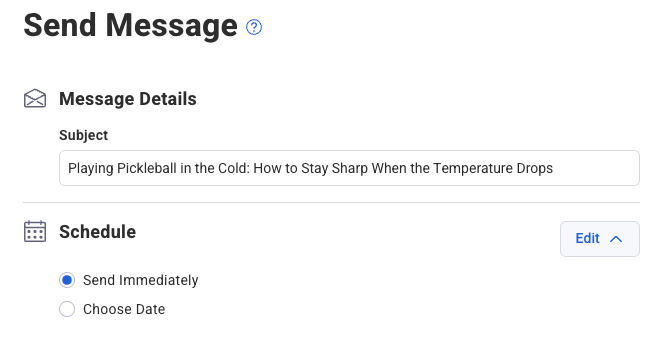
Send message screenshot from an AWeber accountSend message screenshot from an AWeber account

Can ChatGPT Send Emails Directly?

No. ChatGPT creates drafts that save to AWeber. You review and send from there, keeping control of timing, lists, and final approval.

You get AI speed with human oversight.

5 Ways to Get Better Results

1. Be specific. Instead of “write a newsletter,” try “write a 300-word newsletter about time management. Use my conversational tone. Include a CTA to my checklist.”

2. Reference your best emails. Tell ChatGPT to analyze your top performers. AWeber MCP finds your highest-engagement campaigns and uses them as templates.

3. Iterate. First draft off? Refine your prompt. “Make the intro shorter” or “Add a testimonial after paragraph two.” ChatGPT updates and saves the new version.

4. Use consistent templates. If you have a standard layout, tell ChatGPT to apply it. Your emails stay visually consistent.

5. Test subject lines. Ask ChatGPT for multiple options based on your best performers. Pick what fits.

What You Get

No more blank screen. ChatGPT drafts emails using patterns that work. You review, adjust, send.

Your weekly newsletter takes less time. Your launch sequences require less writing. The emails still sound like you.

Start Writing Emails With ChatGPT

AWeber MCP turns ChatGPT into your email assistant. One that learns from your campaigns and creates drafts that perform.

Sign up for AWeber MCP to get your own AI assistant.


Source link

ChatGPT CopyPasting Emails Write
Share. Facebook Twitter Pinterest LinkedIn Tumblr WhatsApp Email
Previous ArticleHow to Choose the Best Prompts to Monitor Your AI Search Visibility
Next Article 25+ Free Clean Fonts for Professional Design Projects in 2026 — Speckyboy
admin
  • Website

Related Posts

FTC Probe Expands to IAS Over Alleged Ad Boycotts, Lawsuit Reveals

February 8, 2026

What Facebook’s New Link Rules Mean for Your 2026 Strategy : Social Media Examiner

February 7, 2026

Your local rankings look fine. So why are calls disappearing?

February 6, 2026

Google Fixing Bug With AI Overviews Not Showing Links

February 5, 2026
Leave A Reply Cancel Reply

  • Facebook
  • Twitter
  • Pinterest
  • Instagram
  • YouTube
  • Vimeo
Don't Miss
Influencer Marketing

Why Authenticity Converts Better than Perfectly Polished Content

By adminFebruary 10, 20260

For years, influencer marketing followed a simple formula. Flawless lighting, carefully staged content, pristine captions,…

25+ Free Clean Fonts for Professional Design Projects in 2026 — Speckyboy

February 10, 2026

How to Use ChatGPT to Write Better Emails (Without Copy-Pasting)

February 10, 2026

How to Choose the Best Prompts to Monitor Your AI Search Visibility

February 9, 2026

Subscribe to Updates

Get the latest creative news from Trendswave about Marketing, SEO & Web Design.

Please enable JavaScript in your browser to complete this form.
Loading
About Us

Trendswave is an Influencer Marketing Agency with access to one of the largest influencer networks in the Poland, connecting brands and agencies to only the best influencers and social media thought leaders.

Our Picks

Why Authenticity Converts Better than Perfectly Polished Content

February 10, 2026

25+ Free Clean Fonts for Professional Design Projects in 2026 — Speckyboy

February 10, 2026
Quicklinks
  • Influencer Marketing
  • Marketing
  • SEO
  • Social Media
  • Web Design
  • About Us
  • Contact Us
  • Disclaimer
  • Privacy Policy
  • Terms and Conditions
© 2026 Trendswave.All Rights Reserved

Type above and press Enter to search. Press Esc to cancel.