


If you want to network on LinkedIn, the real challenge starts the moment you try to reach someone you don’t already know. The platform has grown into a network of more than a billion members, including executives from every Fortune 500 company, so the person you want to meet is almost certainly here. Getting their attention without sounding like a stranger pitching strangers is the hard part.
I’ve spent more than 15 years teaching this, including social media and social selling to executives at Rutgers Business School, and I wrote a whole book on it. The good news is that LinkedIn networking is far more learnable than it looks. There are two sides to it: an inbound side, where you make yourself worth connecting with, and an outbound side, where you go find and reach the right people directly. Do both well and you stop chasing connections and start attracting them.
This is the same approach I teach clients as a Fractional CMO, and it’s the heart of what I cover in my work as a LinkedIn author and speaker. Let’s walk through how to network on LinkedIn the right way in 2026, from optimizing your profile to sending requests people actually accept.
Key Takeaways
✅ Networking on LinkedIn has two halves: an inbound half (becoming worth connecting with) and an outbound half (reaching people directly). Most people only do the second.
✅ The people most likely to open a door for you usually aren’t your closest contacts. Decades of research point to acquaintances and looser connections as the better source of new opportunities.
✅ LinkedIn limits how many people you can invite, and it can restrict your account if too many recipients say they don’t know you. Quality and relevance beat volume every single time.
✅ A short, personalized note that answers “what’s in it for them” gets your connection request accepted far more often than a blank invite.
✅ A warm introduction through a mutual connection almost always outperforms a cold message. When there’s no warm path, InMail, shared groups, and open networkers give you a way in.
✅ Connecting is the start, not the finish. The networkers who win are the ones who give value first and keep showing up.
What Does Networking on LinkedIn Actually Mean?
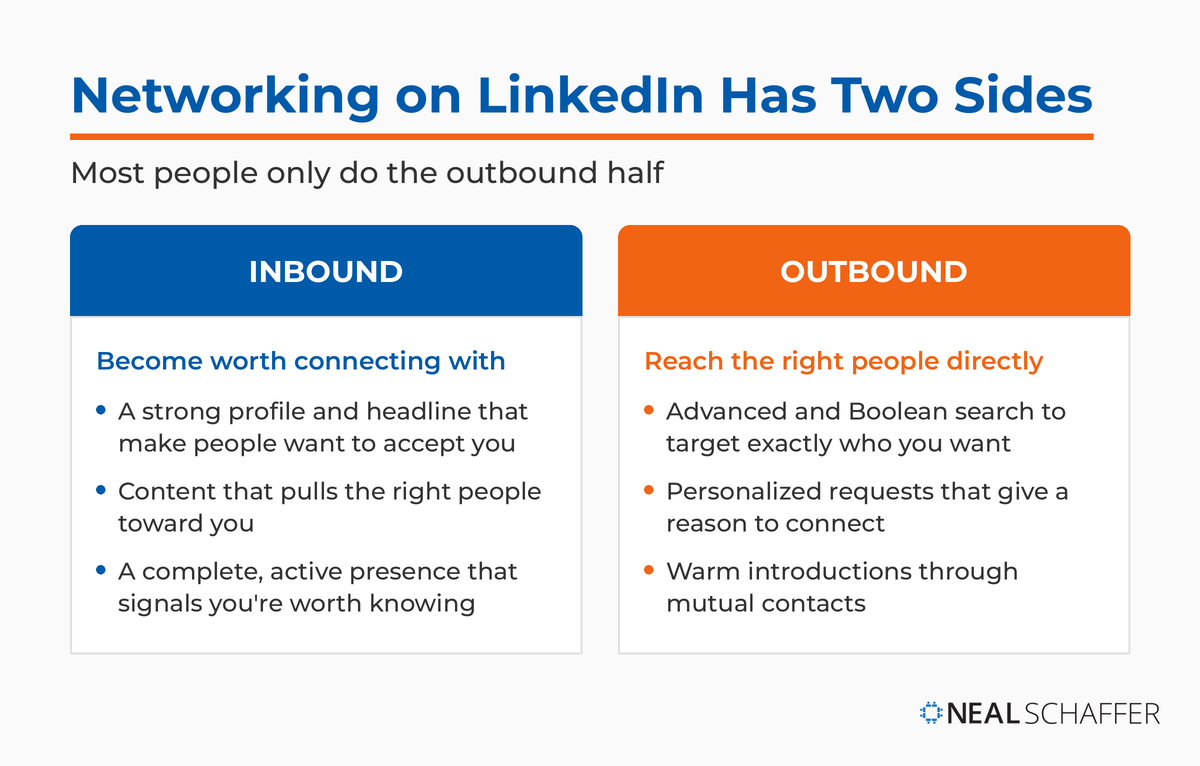
Networking on LinkedIn is the practice of building genuine professional relationships on the platform, both by attracting the right people to you and by reaching out to people you want to know. It works in two directions at once: inbound, where your profile and content pull people in, and outbound, where you find and contact specific people directly.
That two-sided nature is what trips people up. Plenty of professionals optimize a nice profile and then wait, while others fire off connection requests to anyone and everyone and wonder why nobody replies. You need both motions working together.
It also helps to remember who you’re actually talking to here. LinkedIn skews professional and educated in a way other platforms don’t: Pew Research Center found that 40% of U.S. adults ages 30 to 49 use LinkedIn, with usage heavily concentrated among college graduates. You’re networking with decision-makers and busy professionals, not a casual scrolling audience. If you want the deeper numbers on who’s here and how they behave, the latest LinkedIn statistics are worth bookmarking. That context should shape every message you send.
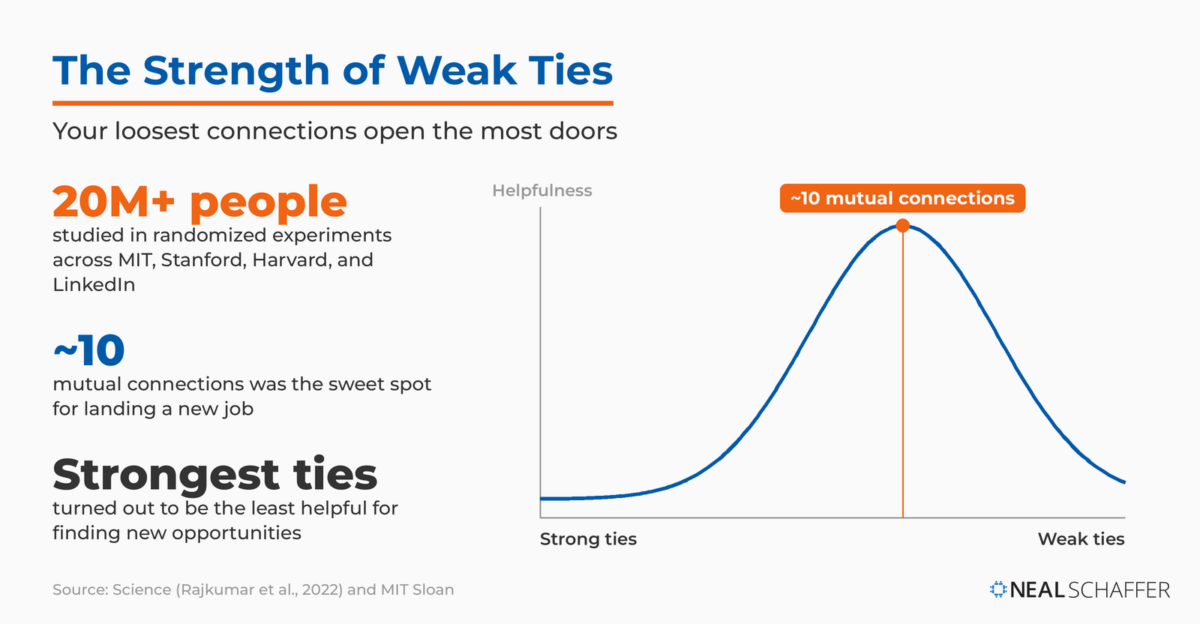
Because the people most likely to hand you a new opportunity usually aren’t your closest friends and coworkers. The sociologist Mark Granovetter named this the “strength of weak ties” back in 1973: your loose acquaintances travel in different circles than you do, so they carry information and openings you’d never hear about otherwise.
For 50 years that was theory backed by surveys. Then a team from MIT, Stanford, Harvard, and LinkedIn ran the experiment. Analyzing randomized experiments across more than 20 million people, the researchers found causal evidence that weak ties drive job mobility, with one twist: the effect is shaped like an inverted U. As the authors put it in Harvard Business Review, your strongest ties turned out to be the least helpful for finding new opportunities, while moderately weak ties helped most. The sweet spot was surprisingly specific. Connections with about 10 mutual friends were the most effective at helping people land jobs.
The practical implication is blunt. As Stanford’s writeup of the study noted, it pays to reach out to people beyond your immediate friends and colleagues, especially in digital and high-tech fields where weak ties created the most movement. The research team called this the largest experimental study to date of social media’s impact on the labor market, and its takeaway maps straight onto how you should build your own network. Iavor Bojinov, the Harvard Business School professor who co-authored the study, told Time that “people should have what we call open networks.” That means connecting widely across an industry rather than only with people you already know well.
None of this means your network size is the goal. There’s a difference between thoughtfully expanding your reach and chasing a bigger number, which is its own separate skill set I cover in how to grow your LinkedIn network. Networking is about reaching the right people, not collecting the most.
How Do You Find the Right People to Connect With?
Start by earning the connection before you ask for it, then go find specific people on purpose. On the inbound side, a strong profile makes people want to accept you. On the outbound side, LinkedIn’s search tools let you target exactly who you want to reach. Both matter, and the inbound work makes the outbound work easier.
First, the inbound piece. Your profile photo, headline, and overall completeness are the first things a potential connection sees, so treat them as your front door. Use a professional photo with a clean background, and write a headline that says who you help and how, not just your job title. I break down the specifics in my post on common LinkedIn profile mistakes, and you can borrow phrasing from these LinkedIn headline examples. A complete, active profile signals that you’re worth knowing before you ever send a request.
Then go hunting. LinkedIn’s advanced search does far more than show you a photo and a name. You can filter by company, location, industry, and interests to surface exactly the people you want. For precision targeting, Boolean search on LinkedIn lets you combine keywords to find people most users never stumble across. And before you reach out, read the person’s profile closely. An active, fully built-out profile usually means someone who understands the value of networking and will accept a thoughtful invite. If you’d rather scope people out quietly first, private mode lets you view profiles without leaving a trace.
How to Connect With Someone Outside Your Network on LinkedIn
To connect with someone outside your network, you need to understand LinkedIn’s degrees of connection and work within the platform’s guardrails. LinkedIn sorts everyone into 1st, 2nd, and 3rd degree connections based on how you’re linked, and your options for reaching a person change depending on which bucket they fall into.
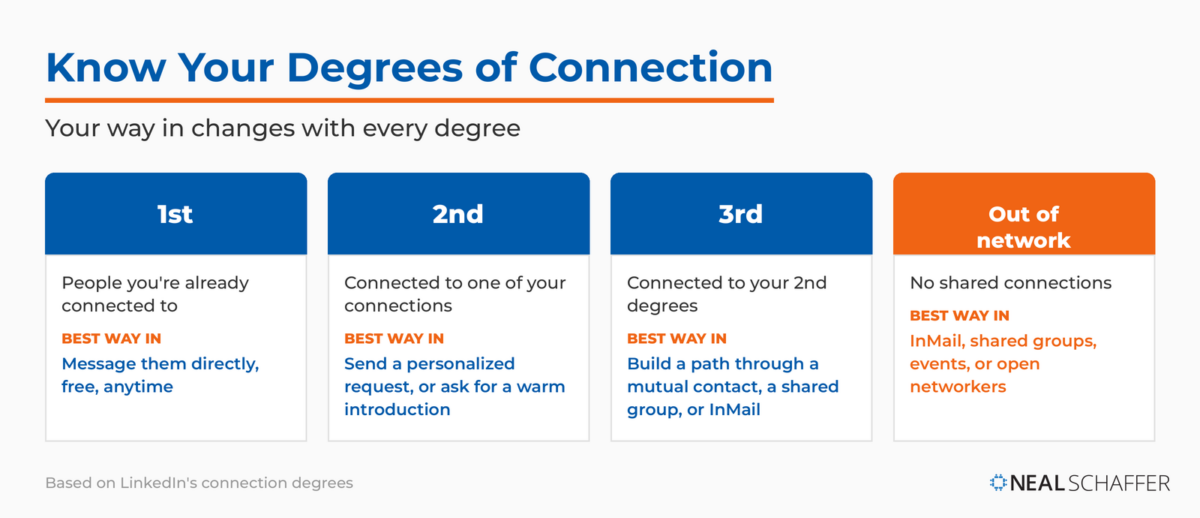
Each degree calls for a different way in:
| Connection degree | Who they are | Best way to reach them |
|---|---|---|
| 1st degree | People you’re already connected to | Message them directly, free, anytime |
| 2nd degree | Connected to one of your connections | Send a personalized request, or ask for a warm introduction |
| 3rd degree | Connected to your 2nd degrees | Build a path through a mutual contact, use a shared group, or use InMail |
| Out of network | No shared connections | InMail, shared groups, events, or open networkers |
The catch is that LinkedIn doesn’t want the platform turning into a spam machine, so it caps how aggressively you can invite people. According to LinkedIn’s official help documentation on invitation restrictions, limits on standard invitations are separate from limits on personalized ones, and these restrictions are temporary, with the wait getting longer the more often you trip them. There’s also a quieter trap: if too many people respond to your invites by clicking “I don’t know this person,” your ability to send requests gets restricted. That’s why relevance matters so much. Messaging 2nd and 3rd degree connections the right way keeps you out of trouble and gets better responses.
What Makes a Connection Request People Actually Accept?
A request gets accepted when it answers one quiet question in the recipient’s head: what’s in it for them? Years ago I learned to flip the usual “what’s in it for me” framing around. The person you’re inviting doesn’t care about your goals. Give them a real, specific reason to want you in their network, and your acceptance rate climbs.
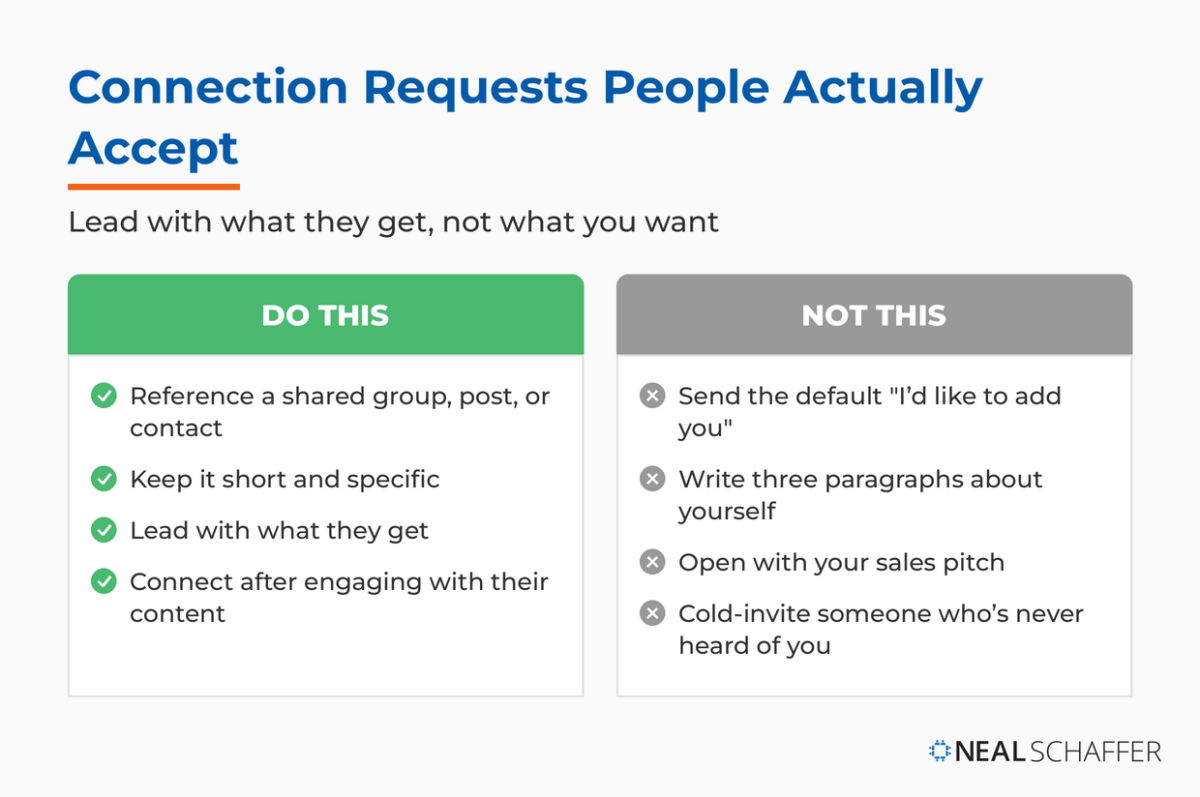
Personalization is the lever. A short note that references something specific, a shared group, a post of theirs you found useful, a mutual contact, lands far better than a blank invite or the generic default. As I describe in Maximizing LinkedIn for Business Growth, I was once sending out invitations when a message popped up telling me I could no longer add a personal note. LinkedIn rations personalized invites, so treat each one as a resource worth spending well.
| Do this | Not this |
|---|---|
| Reference a shared group, post, or contact | Send the default “I’d like to add you” |
| Keep it short and specific | Write three paragraphs about yourself |
| Lead with what they get | Open with your sales pitch |
| Connect after engaging with their content | Cold-invite someone who’s never heard of you |
If you want a deeper look at the etiquette and mechanics, I answer the common questions in my post on LinkedIn invitations. The principle underneath all of it stays the same: make it easy and appealing to say yes.
The LinkedIn Playbook for Real Business Growth
My latest book helps professionals, entrepreneurs, and business owners turn LinkedIn from a static profile into a real source of clients and growth.
Maximizing LinkedIn for Business Growth gives you clear, practical steps to build a profile that gets noticed and a network that actually sends business your way.
Grab your copy on Amazon and put it to work this week. Click the cover or the button below to get started.

Do Warm Introductions Still Beat Cold Outreach?
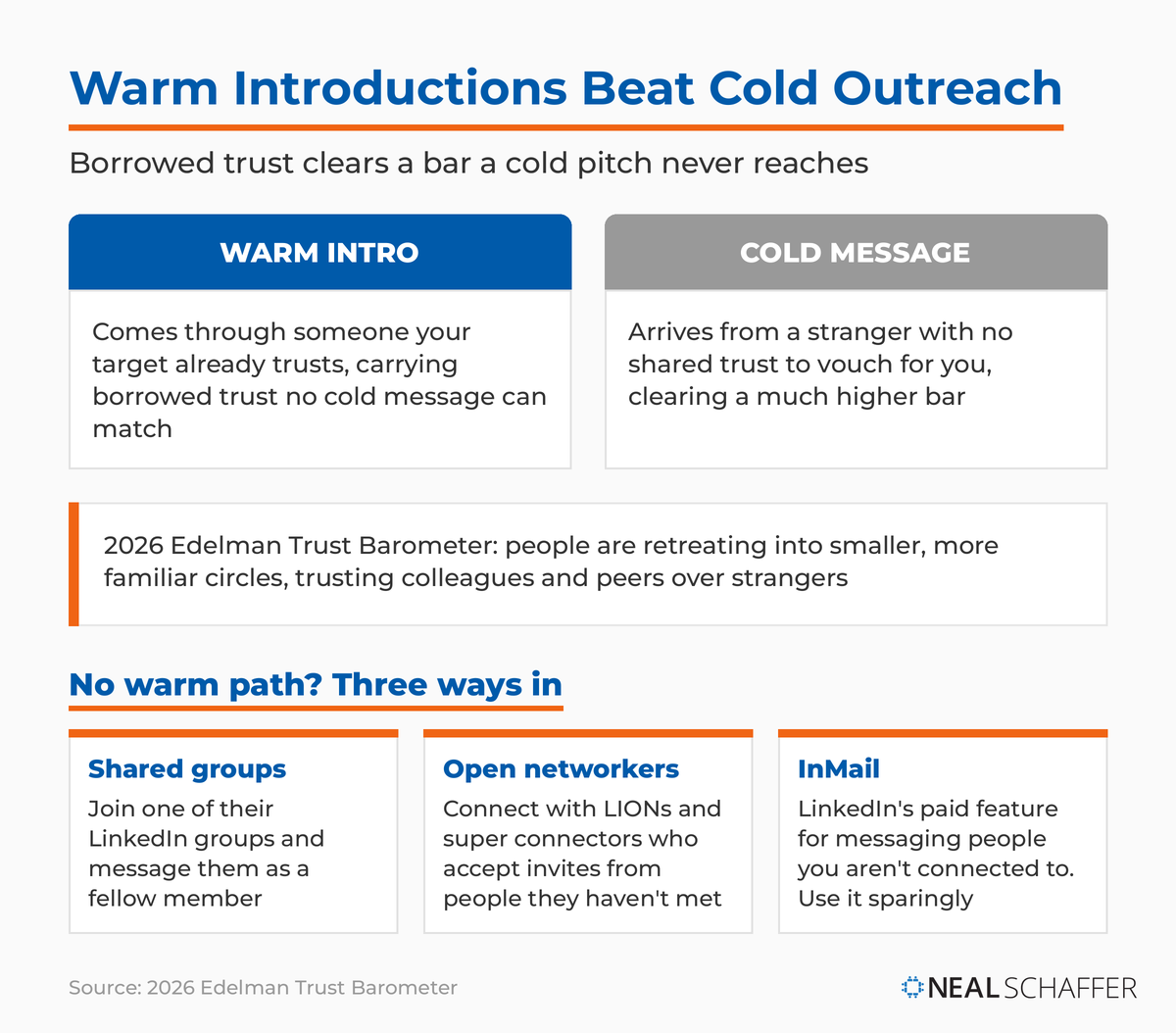
Yes, almost every time. A warm introduction through someone your target already knows carries borrowed trust that no cold message can match. Rather than relying on a cold email or a blind request, find the mutual contact who connects the two of you and ask them to make a proper introduction.
This isn’t just nice-to-have advice; it tracks with how trust actually works now. The 2026 Edelman Trust Barometer found that people are retreating into smaller, more familiar circles, placing their trust in immediate connections like colleagues and peers rather than distant institutions or strangers. A message that arrives through someone they already trust clears a bar a cold pitch never reaches. So if your target is a 3rd degree connection, work backward: find the 2nd degree contact who can introduce you, and let that relationship do the vouching.
What if there’s genuinely no one to make the introduction? Then you reach across the gap directly, and you have a few solid options. You can join one of the person’s LinkedIn groups and message them as a fellow member. You can connect with LinkedIn LIONs and super connectors, the open networkers who accept invites from people they haven’t met and widen your reach in the process. And when all else fails, there’s the Hail Mary: InMail, LinkedIn’s paid feature for messaging people you aren’t connected to. Use it sparingly and make every word count, because it costs you credits and goodwill if you waste it.
How Do You Turn New Connections Into a Real Network?
You turn connections into a network by giving before you take and showing up consistently after the invite is accepted. A connection is a door, not a destination. The professionals who get the most out of LinkedIn treat every new relationship as someone to help, not someone to sell.
The mechanics are simple. Engage with your connections’ content, send a genuine thank-you when someone accepts, and look for ways to be useful before you ever ask for anything. Behind every profile photo is a real person, so personalize your communication and remember your manners. LinkedIn, like all social platforms, is really just new tools playing by old rules. The same courtesy that builds relationships in person builds them here.
If you want to measure whether your habits are working, LinkedIn’s own Social Selling Index scores you on how well you build your network and engage. And if networking is part of a bigger goal of growing your business or brand, fold it into a complete plan with my LinkedIn marketing strategy framework. Consistency, not intensity, is what compounds.
Frequently Asked Questions About Networking on LinkedIn
Lead with relevance. Send a personalized request that references a shared group, a mutual contact, or something specific about them, or ask a mutual connection for a warm introduction. If there’s no warm path, join one of their groups or use InMail. Generic, mass invites are what get accounts restricted.
Optimize your profile first so people want to accept you, then connect with people you already know to build credibility. From there, expand outward to looser acquaintances in your field. Engage with content and join relevant groups before you ask anyone for anything. Students and recent grads can go further with my post on networking on LinkedIn earlier in your career.
LinkedIn doesn’t publish an exact number, and it varies by account. The platform caps invitations to prevent spam and will temporarily restrict you if too many recipients indicate they don’t know you. Treat your invites as a limited resource and prioritize relevant, personalized requests.
Generally, yes. A short, specific note that gives the recipient a reason to connect tends to get accepted more often than a blank invite. LinkedIn limits how many personalized invitations you can send, so save them for the people who matter most.
Message your mutual connection first, explain why the introduction makes sense for both people, and ask permission before connecting them. Keep it short, make the value obvious for everyone involved, and let the person you’re introducing take it from there.
Put These LinkedIn Networking Habits Into Practice
Networking on LinkedIn comes down to a simple rhythm: build a profile worth connecting with, reach out to the right people with relevance instead of volume, lean on warm introductions whenever you can, and give value before you ask for it. Reach a little beyond your immediate circle, personalize every request, and treat each new connection as a relationship rather than a transaction.
If you want to turn these habits into a coordinated plan for growing your brand and business, dig into my full LinkedIn marketing strategy framework. You can also download a free preview of Maximizing LinkedIn for Business Growth for the step-by-step playbook, or get in touch about Fractional CMO services if you’d like hands-on help building your LinkedIn presence alongside your other channels.
Actionable advice for your digital / content / influencer / social media marketing.
Join 13,000+ smart professionals who subscribe to my regular updates.
