


From a distance, forms may sound like one of the most boring website features. Sure, they’re a necessity. But they exist for utility and nothing more. Gravity Forms has other ideas.
This plugin turns such stereotypes on their head. Install Gravity Forms, and you can certainly build a standard contact form. But you can also create polls, multi-step surveys, user registration systems, and sell products. Seriously, we could go on for hours with potential use cases.
There’s a ton of functionality built into the core plugin. However, an ever-growing selection of free and paid add-ons is what transforms a form into a Swiss Army knife for your WordPress website. You might be surprised at the possibilities.
With that in mind, we’ve rounded up a selection of the best add-ons for Gravity Forms. You’ll find a mix of niche uses from a wide range of developers. Let’s blast off and do more with our forms!
We start here because form security is always an important consideration. Gravity Forms Zero Spam seamlessly protects your form from bots and other nuisances. Activate the plugin and… that’s it.
The plugin includes options for what to do with entries marked as spam (delete them or move them to a spam folder) and whether to send you a periodic spam summary. It’s the quickest way to get some peace of mind.
This add-on is included with certain Gravity Forms licenses and automates the publishing of user-submitted content. You can map form fields to WordPress post titles, content, and other custom data points. Users can even upload files for use as a featured image.
Best of all, you’ll have control of the entire process. For example, you can manually review posts before publishing, allow users to edit their posts on the front end, or password-protect submitted posts. It also works with third-party post types from WooCommerce, The Events Calendar, and more.
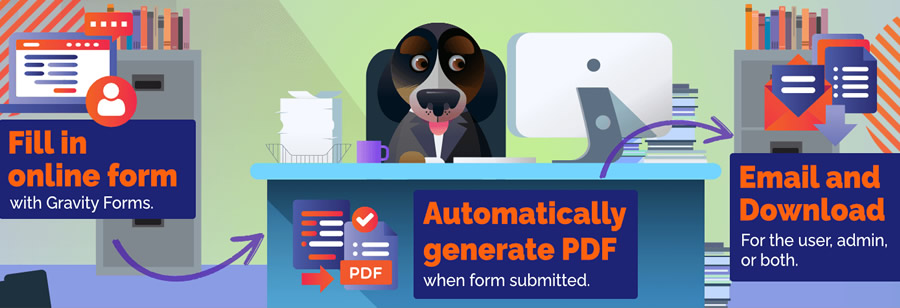
Use Gravity PDF to turn your form entries into custom PDF files that can be attached to form notifications. It’s perfect for creating printable invoices, gift certificates, or anything that needs to be archived.
The free version of the plugin includes features for customizing the look of your PDF (add your logo or fonts), while the commercial version offers more design options and on-screen previews.
Here’s a plugin that targets power users. Power Boost for Gravity Forms adds an array of handy features, including a “last entry” column in your form list, support for merge tags in HTML fields, the ability to resend feeds, and a “copy shortcode” link.
You can also replace a form by uploading a JSON file. In short, lots of little things add up to more convenience.
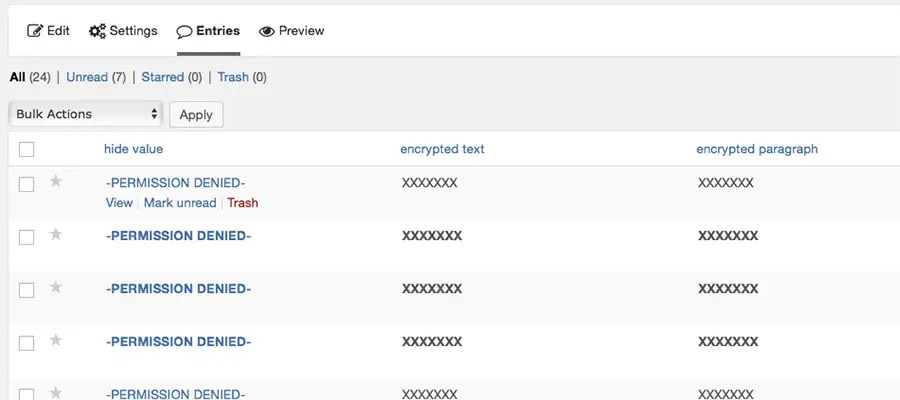
Gravity Forms Encrypted Fields helps you manage and secure sensitive user information. This commercial plugin encrypts chosen fields while still making their contents visible to approved users. Everyone else will see your custom “restricted data” message.
You can choose from several encryption types and control which fields to protect.
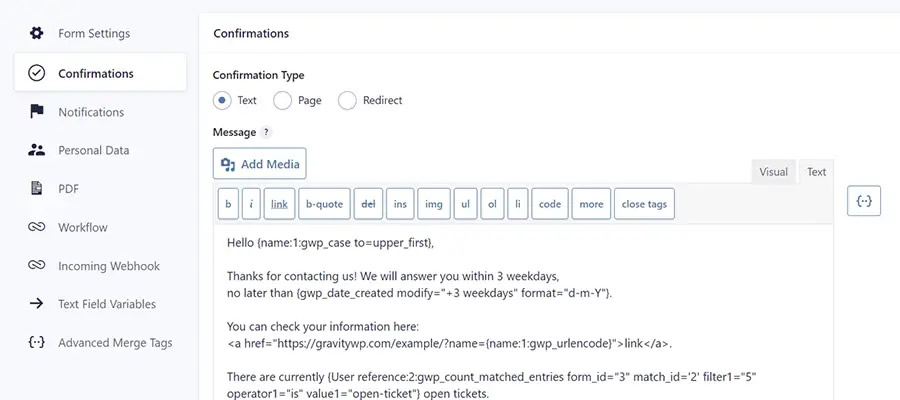
Do you need complete control over Gravity Forms notifications and confirmations? Advanced Merge Tags lets you tweak field output to your heart’s content. Change the text case of field values, append or prepend content, retrieve matching values from other forms, character conversion, and more.
There are also custom merge tags for the current timestamp, parent slug, and modifying an entry’s creation date. It’s everything you need to customize your form output.
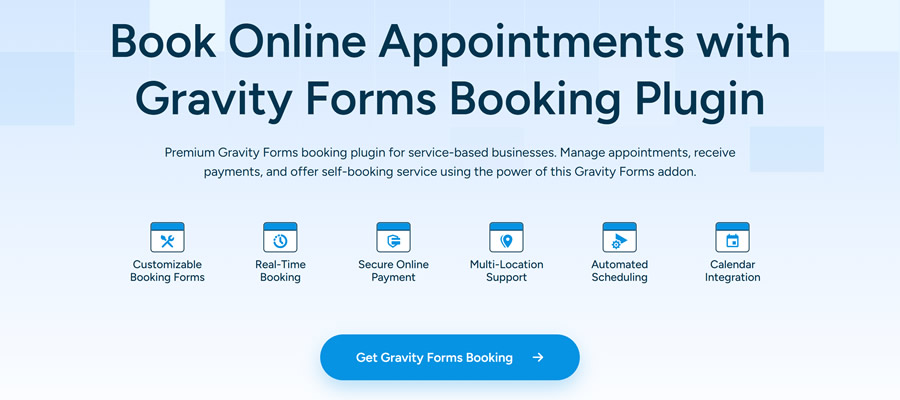
A form can be so much more than a way to send a message. For example, Gravity Booking will turn your forms into a fully-fledged appointment scheduling system. Use it to build a custom booking form that allows customers to pay online.
Other features include support for multiple locations, email reminders, holidays/blackout dates, and Google Calendar synchronization.
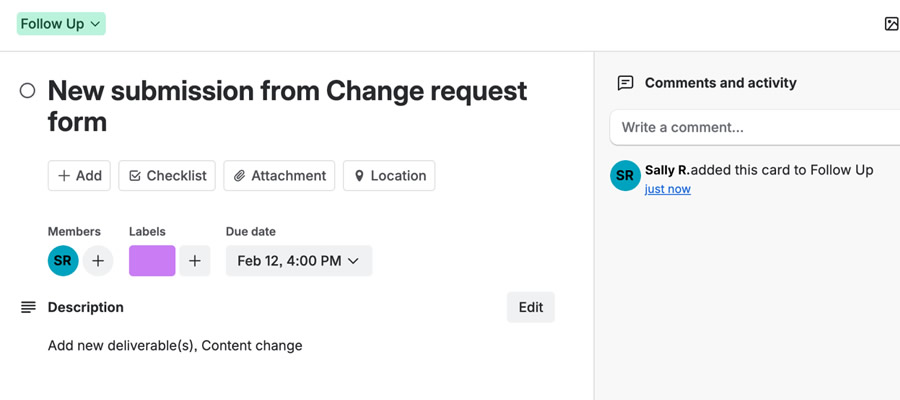
This official Gravity Forms add-on turns your form submissions into Trello cards. Choose which Trello board entries are added to and set labels and due dates. Cards can be automatically assigned to team members, and attached files are included.
You can use Gravity Forms’ conditional logic feature to configure how and when cards are created.
Best Gravity Forms Add-ons at a Glance
| Add-On | Description | Primary Use |
|---|---|---|
| Gravity Forms Zero Spam | Protects forms from bots and spam automatically, with options to delete spam or move it to a spam folder and receive summaries. | Form spam protection. |
| Advanced Post Creation | Maps form fields to WordPress posts, supports featured images, front-end editing, moderation, and third-party post types. | User-generated content publishing. |
| Gravity PDF | Generates customizable PDF files from form entries for notifications, invoices, certificates, and archiving. | PDF generation from submissions. |
| Power Boost | Adds admin conveniences like last entry column, merge tag support in HTML fields, feed resending, shortcode copying, and JSON form replacement. | Admin workflow enhancements. |
| Gravity Forms Encrypted Fields | Encrypts selected form fields while allowing approved users to view contents and restricts access for others. | Secure data encryption. |
| Advanced Merge Tags | Extends merge tag functionality with formatting controls, value retrieval, timestamps, slug access, and entry date modification. | Advanced notification customization. |
| Gravity Booking Plugin | Turns forms into appointment scheduling systems with payments, reminders, blackout dates, multiple locations, and Google Calendar sync. | Appointment scheduling. |
| Gravity Forms Trello Add-On | Automatically creates Trello cards from submissions with board selection, labels, assignments, due dates, and conditional logic. | Trello workflow integration. |
Rocket Fuel for WordPress Forms
Gravity Forms can turn an ordinary form into something powerful. It’s one of the most versatile plugins in the WordPress ecosystem. That’s in no small part due to the library of official and third-party add-ons on the market. The items above are only the tip of the iceberg.
In all, it allows us to rethink what’s possible when building with WordPress. The right form could replace the need for other plugins. For example, eschew that shopping cart and create an order form instead. You might also use a form for common features like front-end posting and user registration.
So, check out the add-ons above and use your creativity. There are so many possibilities!
Top
