


A tweet with a link in it now costs a tool thirteen times what a plain tweet costs. That is not a metaphor. It is the published rate card.
Every tweet a marketer sends has a link in it. So when X repriced its developer platform in February 2026, it repriced the exact thing you bought a Twitter tool to do. That is why half the tools you remember are gone, and why the survivors charge the way they do.
I have been running X accounts since Twitter was a text box with a 140-character limit, and I teach social media marketing to executives at Rutgers Business School. My own background is here if you want the longer version. What follows is the list I actually work from. The two tools I pay for every month, the ones I used to run and stopped, and the ones I have never touched but readers keep asking about.
Key Takeaways
✅ There were two API shocks, not one. The free API ended in 2023. In February 2026 X moved the whole developer platform to pay-per-use credits, which is what changed tool pricing this year.
✅ Two tools are in my weekly X rotation. Tweet Hunter for recycling posts that already worked, and Metricool for scheduling and analytics. I pay the X add-on fee for Metricool on purpose.
✅ Twitter analytics now sit behind X Premium. The old analytics.twitter.com dashboard is gone, which is why I subscribe to X at all.
✅ Two of the old roster slots pointed at one company. Followerwonk and TwitterAudit are both Fedica now.
✅ Four of these tools can be driven by an AI agent. MCP is the new column that separates a 2026 roster from a 2023 one.
Twitter tools died in two waves. The first was April 2023, when the free API ended and follower-graph tools lost their data supply. The second was 6 February 2026, when X moved to pay-per-usage pricing: no subscriptions, credits bought upfront, and a rate card that charges $0.015 to create a post and $0.200 to create one containing a URL.
That second number is the one to sit with. A tweet with a link costs thirteen times a tweet without one, and reading a follower record costs a penny each.
Here is the published rate card, from X’s own developer documentation.
| Operation | Price |
|---|---|
| Post: Create | $0.015 per request |
| Post: Create (with URL) | $0.200 per request |
| Posts: Read | $0.005 per resource |
| Owned Reads (your own data) | $0.001 per resource |
| Following / Followers: Read | $0.010 per resource |
Pay-per-usage reads are capped at three million posts per monthly billing cycle. Resources are deduplicated inside a 24-hour window, which X describes as a soft guarantee rather than a promise.
The same launch shipped something else worth noticing. X released its own MCP server alongside the pay-per-use rollout, plus a new developer console and an interactive playground. The platform that priced out third-party tools handed AI agents a direct line in the same announcement.
So the question for every tool below is no longer “does it do Twitter.” It is four questions. Does it still support X, at which plan tier, what does that cost on top, and can an agent drive it.
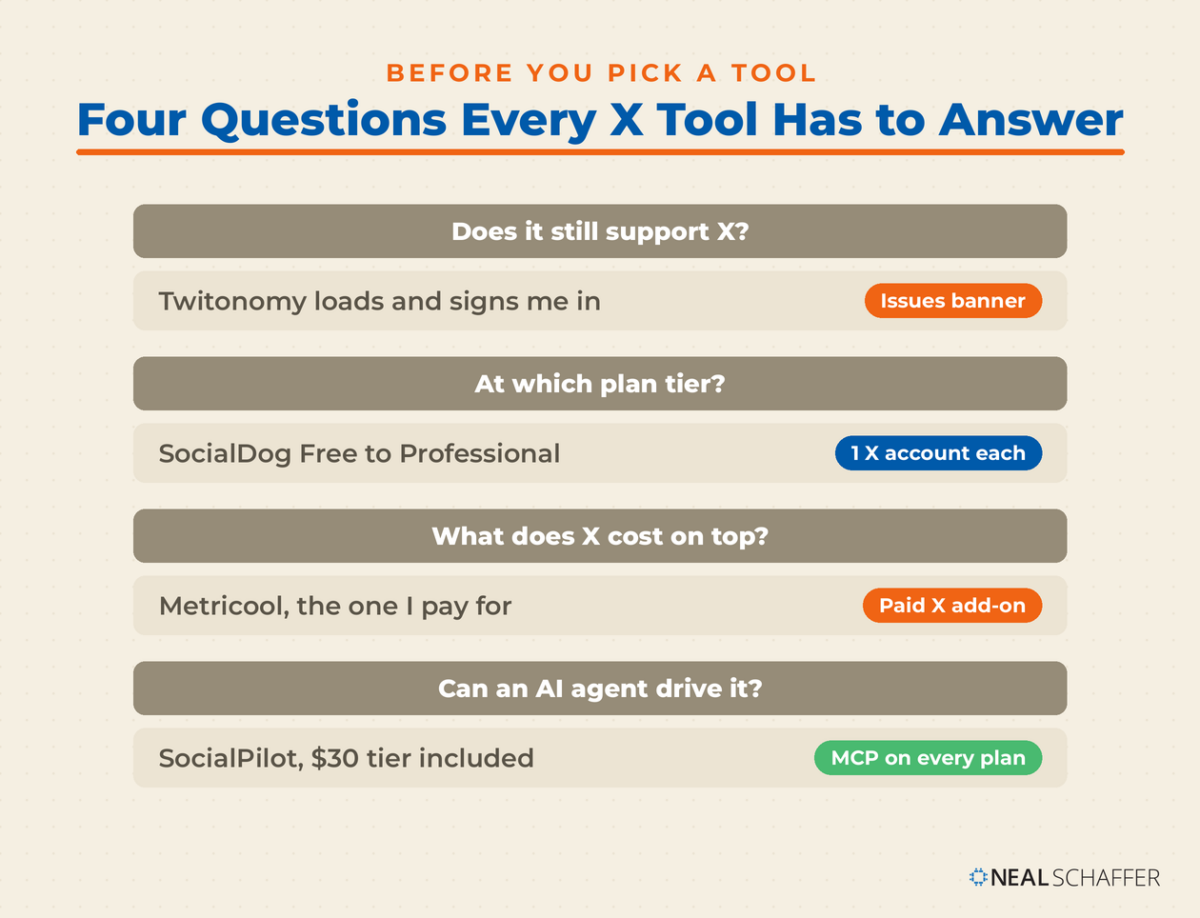
Two, plus Claude. Tweet Hunter handles recycling old posts that performed. Metricool handles scheduling and analytics for X and Facebook, and I pay its X add-on fee on purpose. Claude writes the tweets themselves from my blog posts. That is the whole X stack, and it is smaller than it was three years ago.
1. Tweet Hunter
I use Tweet Hunter for one job: recycling posts that already worked. Its Evergreen collection adds a tweet automatically once the tweet clears a like threshold I set, and then reposts from that pool on a schedule.
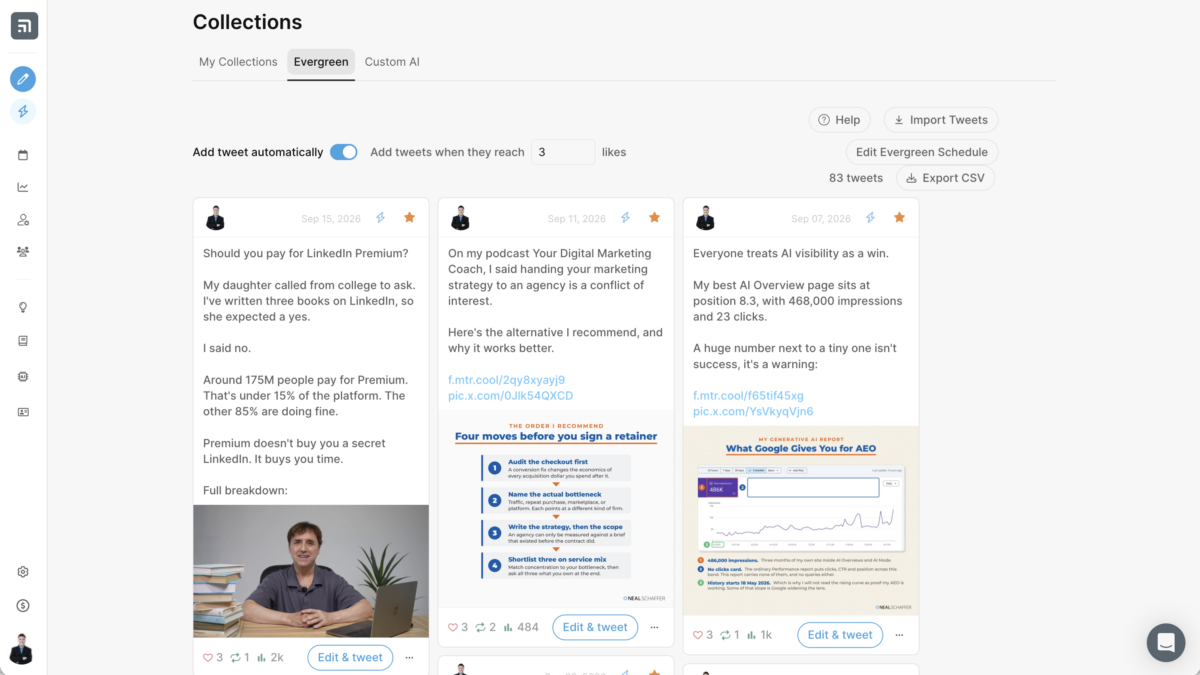
I used to use its AI writing for tweet drafting too. I do not anymore, because Claude does that job better for how I work. If you are not up to speed on AI tools yet, Tweet Hunter is still the alternative I would point you at. The writing help sits in the same place you schedule.
Plans start at $49 per month for everything except AI writing, with AI writing on a $99 plan and discounts by follower count. There is a 7-day trial and a 30-day refund window.
2. Metricool
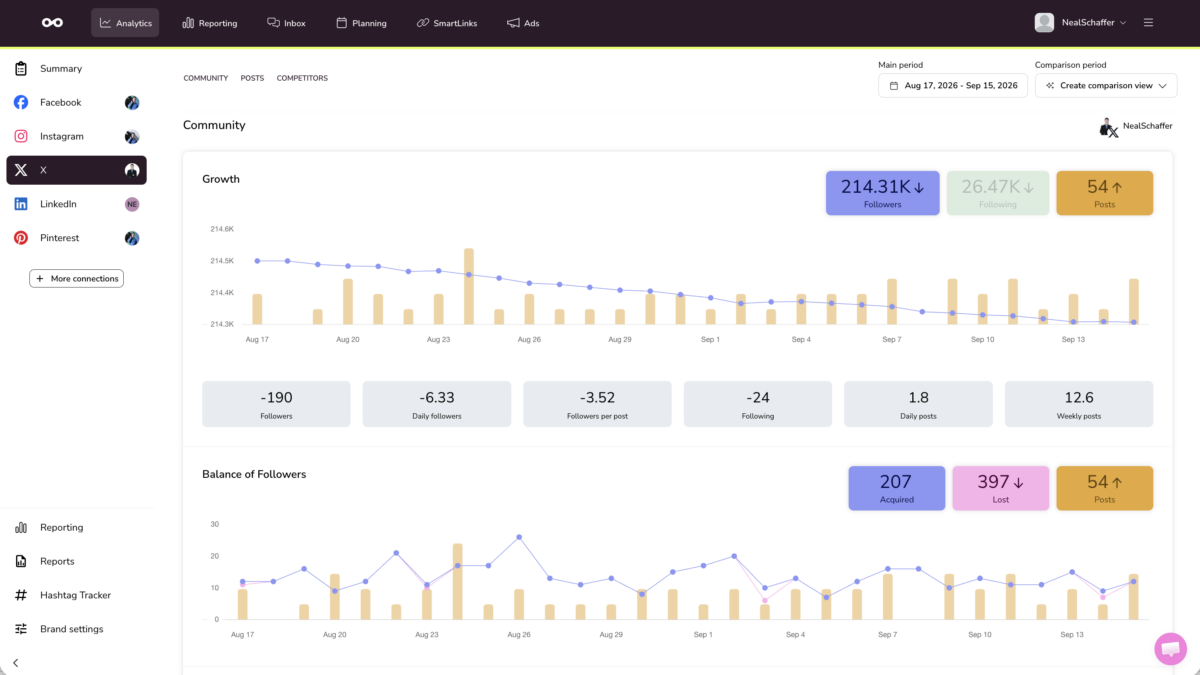
Metricool is where my X and Facebook scheduling lives, and where I read my X numbers. X is a paid add-on there rather than a normal channel, at $10 per month or $120 per year per connected X account, a rate that took effect on 13 July 2026.
I pay it anyway, for two reasons. Full analytics access is one. The MCP server is the other, and I will come back to that below.
3. Claude
Claude is the newest entry on this list and the one that replaced a habit rather than a tool. I write tweets by handing it a blog post and asking for the posts that come out of it. If you want the comparison between the two obvious options, start with Claude versus ChatGPT.
Those three cover creating and publishing. The scheduling dashboards below cover the same ground for people who need X sitting next to five other networks.
All four of the mainstream dashboards below still publish to X, but none of them treat it as a normal channel. Buffer and SocialPilot include it in their standard plans. Sendible schedules to it without letting you reply from the dashboard, and SocialBee names X profiles in both its publishing and its engagement modules.
| Dashboard | X publishing | Reply to X from the dashboard | Entry price |
|---|---|---|---|
| SocialBee | Yes, X profiles named | Yes, comments and mentions | $29/mo |
| SocialPilot | Yes, all plans | Not stated on the pricing page | $30/mo |
| Sendible | Yes, scheduling only | No, Facebook, Instagram and LinkedIn only | Priced per workspace |
| Buffer | Yes, threads and mentions | No, X not in the reply list | Free, then $6 per channel |
4. SocialBee
SocialBee names X (Twitter) profiles in its direct posting list, and its Engage module handles X comments and mentions. Standard plans run $29, $49 and $99 per month, with cheaper annual billing, plus agency tiers above that. There is a 14-day trial with no card and a 30-day money-back guarantee.
I ran SocialBee as my primary scheduler for a stretch before Metricool. It is still the one I would hand to somebody who wants content categories rather than a plain queue.
Make LinkedIn Your Best Source of Clients
My latest book helps professionals, entrepreneurs, and business owners turn LinkedIn from a static profile into a real source of clients and growth.
Maximizing LinkedIn for Business Growth gives you clear, practical steps to build a profile that gets noticed and a network that actually sends business your way.
Grab your copy on Amazon and put it to work this week. Click the cover or the button below to get started.

5. SocialPilot
I have never run SocialPilot, so treat this as a spec read rather than a recommendation from use. X appears in the supported platform list on all four plans, which start at $30 per month for 7 accounts and run to $200 for 50. Extra accounts are $4 each.
One thing on its pricing page did surprise me: MCP server integration is checked on every plan, including the $30 entry tier. Most tools gate that higher.
6. Sendible
Sendible is the one I have the longest history with and never adopted. I played with it for several years and visited their offices in London. I still recommend it often, but I never found the place where it fit my own workflow.
Read its feature table closely before you buy for X. X is listed as “schedule X/Tweets across your accounts,” while replying to comments covers Facebook, Instagram and LinkedIn only. Plans are priced by workspace rather than by seat, with unlimited users on every tier and 6 social profiles per workspace.
7. Buffer
I ran Buffer for a few months of tweets fairly recently, and it is the cheapest way onto this list. Pricing is per channel: the free plan carries 3 channels and 10 queued posts each, Essentials is $6 per channel per month, and Team is $12. The per-channel rate drops to $4 above ten channels on both paid plans.
Buffer supports X threads and X mentions when you compose. Its comment replies do not cover X, which follows the same pattern as Sendible. There is also a lifetime cap of eight unique channel connections on the free plan, which catches people who disconnect and reconnect to stay under the limit.
Publishing is the easy half. Measuring what happened is where X changed the rules hardest.
Where Do X Analytics Live Now?
Behind a paid X subscription, which is a change most roundups still get wrong. The old analytics.twitter.com dashboard no longer serves account analytics; X moved profile analytics to Premium subscribers in June 2024 and pointed everyone else at a signup prompt. Third-party analytics tools matter more as a result.
8. X Analytics
This is why I subscribe to X. The dashboard gives me impressions, engagement rate, follower splits and profile visits by month, and nothing outside the platform reconstructs those numbers as cleanly.
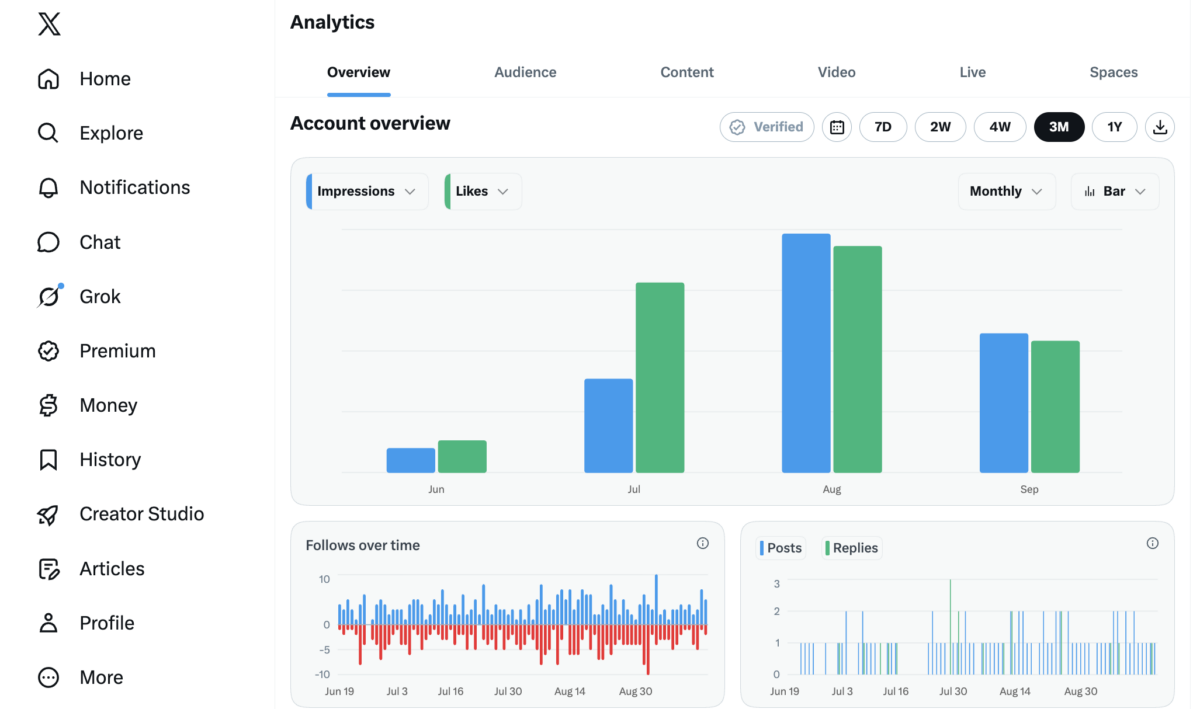
If you want the metric definitions before you start reading this screen, start with Twitter analytics for marketers.
9. Keyhole
Keyhole is now part of Muck Rack, and its social listening runs inside that platform. It still keeps a Twitter historical data product, which is the part worth knowing about, because historical X conversation data is expensive to get anywhere else. There is no public pricing; it is a demo-led sale.
I have used Keyhole from time to time for campaign analysis rather than as a daily tool.
10. Mention
Mention was acquired by Agorapulse and now sells under that banner. It monitors across what it describes as a billion sources in real time, with up to two years of data history, sentiment and share of voice.
I use it occasionally for the same job as Keyhole. One caution: its homepage no longer spells out X coverage in text, so confirm the sources list covers X for your use case before you pay.
Listening tells you what was said. The next group tells you who is saying it, and how many of those accounts belong to actual people.
Who Follows You, and Are They Real?
Follower research is the category the API repricing hit hardest, because reading follower records is the one thing X now bills per record. At a penny per follower, a single audit of a 228,000-follower account prices out at roughly $2,280 in raw API cost. That arithmetic explains why these tools changed shape.
11. Fedica (formerly Followerwonk and TwitterAudit)
Two slots on my old list pointed at one company. Followerwonk is part of Fedica now, and TwitterAudit was folded into the same platform in 2023. Fedica’s own X tools page says it combines Tweepsmap, founded in 2011, and Followerwonk, founded in 2009.
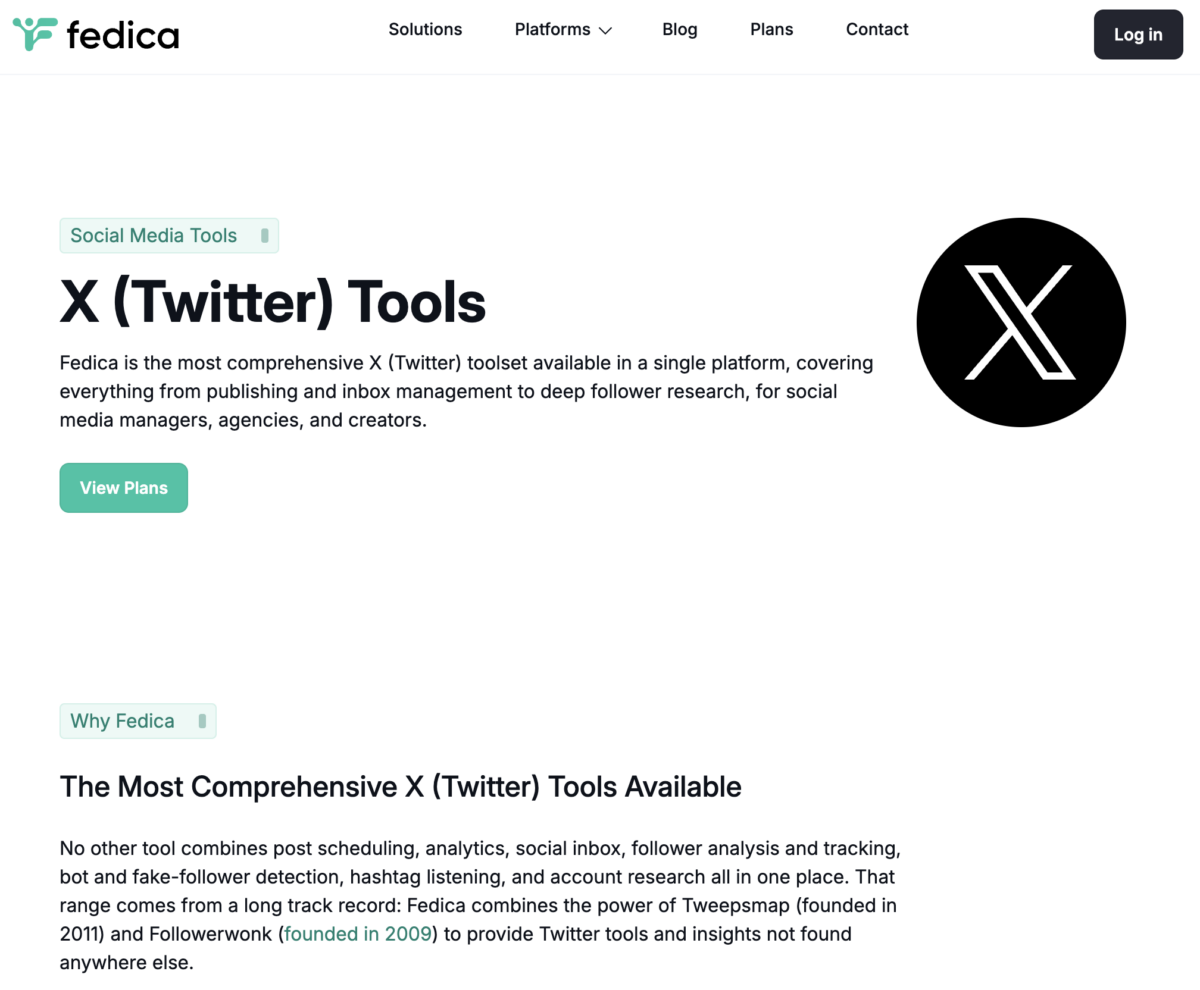
So if you were planning to cross-check one against the other, you are checking the same dataset twice. Bio search, follower comparison, follower analysis and sorting all run in the Fedica dashboard now. TwitterAudit’s first audit is still free, with paid limits sold as Fedica Audit tiers.
12. FollowerAudit
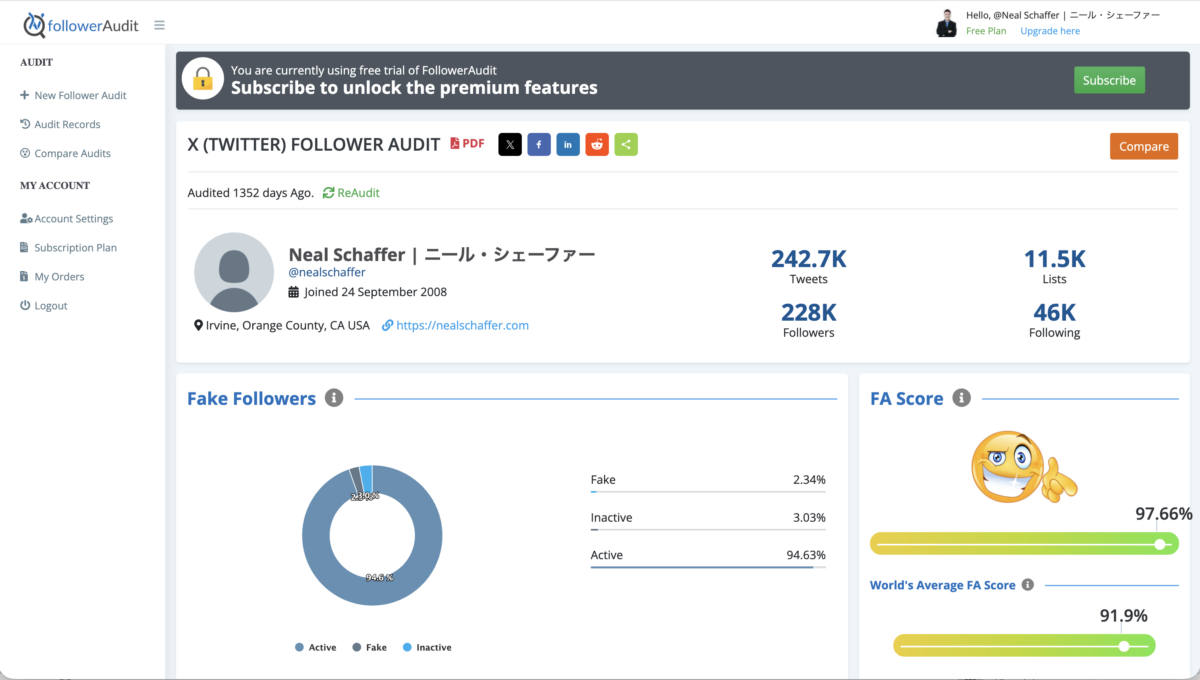
FollowerAudit is the independent option here, run by Algodom Media rather than Fedica, and it is still fully X-branded. It sorts followers into active, inactive and fake, and it will audit any public account, not only your own. That last part matters when you are paying someone to promote you.
13. SocialDog
SocialDog is the X-first tool on this list, and it is the one whose value I watched depreciate when X changed the API rules. It is still alive, and X support has come back to its free plan.
Read the tier table before you commit. Free, Personal and Professional each connect only one X account. Post engagement on the Business plan at $199 per month shows reposts only; likes, replies and quote posts arrive on Enterprise at $399. The site also warns that some features may not work above 30,000 followers.
Those three answer questions about accounts. The next group answers questions about topics.
Three tools cover the jobs that do not fit anywhere else: finding what is trending, finding what is being shared, and cleaning up an account that got away from you. I have used one of the three heavily, though for content research rather than for X, and I have never touched the other two.
14. Trends24
Trends24 shows live X trending topics for the last 24 hours, worldwide or by location, as a timeline, a tag cloud or a table. It is free, and it sells historical trending data as a separate paid product.
I have never used it myself. It gets a slot because it answers a question the platform makes harder every year, and because free tools deserve naming when they work.
15. BuzzSumo
BuzzSumo is the tool on this list I used most heavily, though for content research rather than for X specifically. It shows what is being shared and who is sharing it.
I am not linking it here. My own affiliate redirect for BuzzSumo returned an error when I checked it while writing this, so I would rather name the tool than send you somewhere broken. Search for it directly, and be aware that its X share data has been thinner since the API changes.
16. Circleboom
Circleboom sells two separate products with separate billing: a Twitter management tool for followers, unfollowers, account search and deleting old tweets, and a Publish tool that schedules across networks.
I have not run it. What makes it worth a slot in 2026 is a credential rather than a feature. Circleboom is listed as an Official X Enterprise Developer, and that is the category of access that survived the repricing.
Those sixteen are the ones still standing. The graveyard is just as informative.
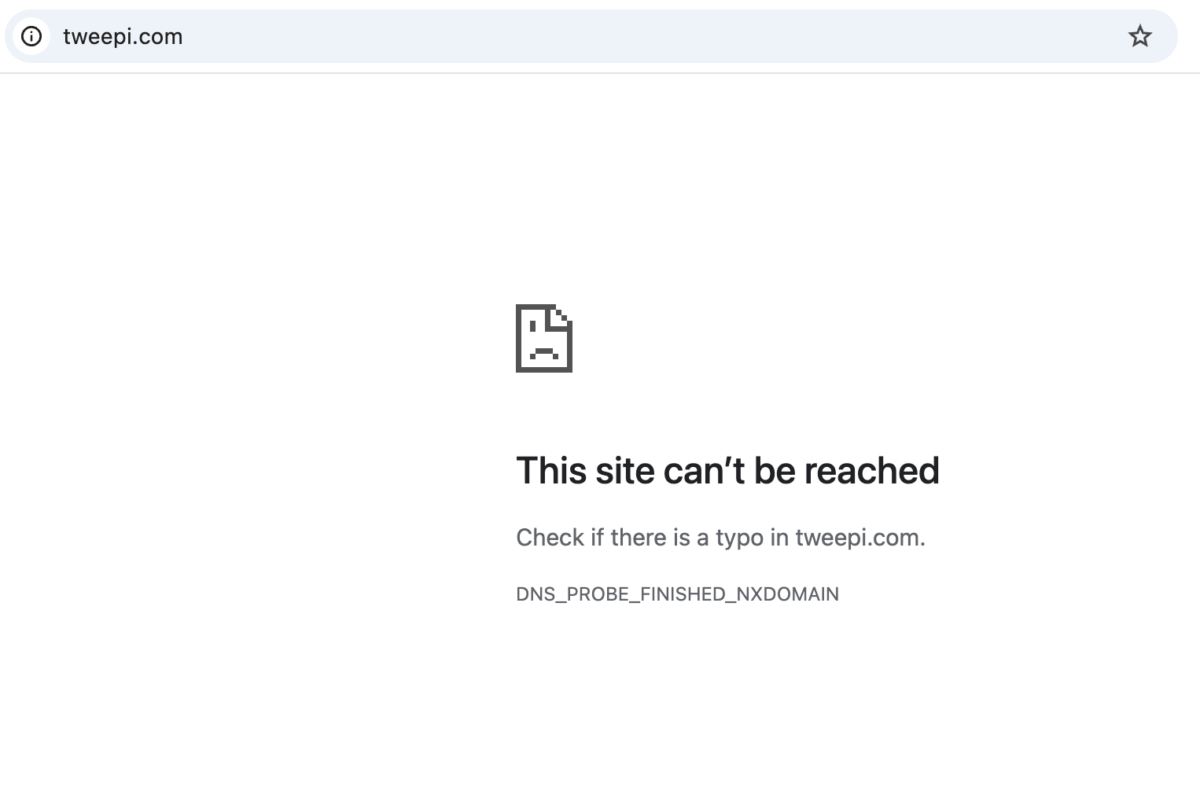
Three tools that appeared on this list in earlier versions no longer belong on it. Tweepi shut down in 2023 and its domain no longer resolves. Daily 140 posted its own sunset notice. Twitonomy is technically still online, but its entire feature set depends on the API access that got repriced.
Tweepi was the clearest casualty. Its own shutdown notice said the API pricing made the business model unfeasible, and it processed more than a thousand pro-rated refunds on 14 April 2023.
Twitonomy is the more interesting case, because it looks fine from the outside. The site loads, the copyright line reads 2026, and I can still sign in.
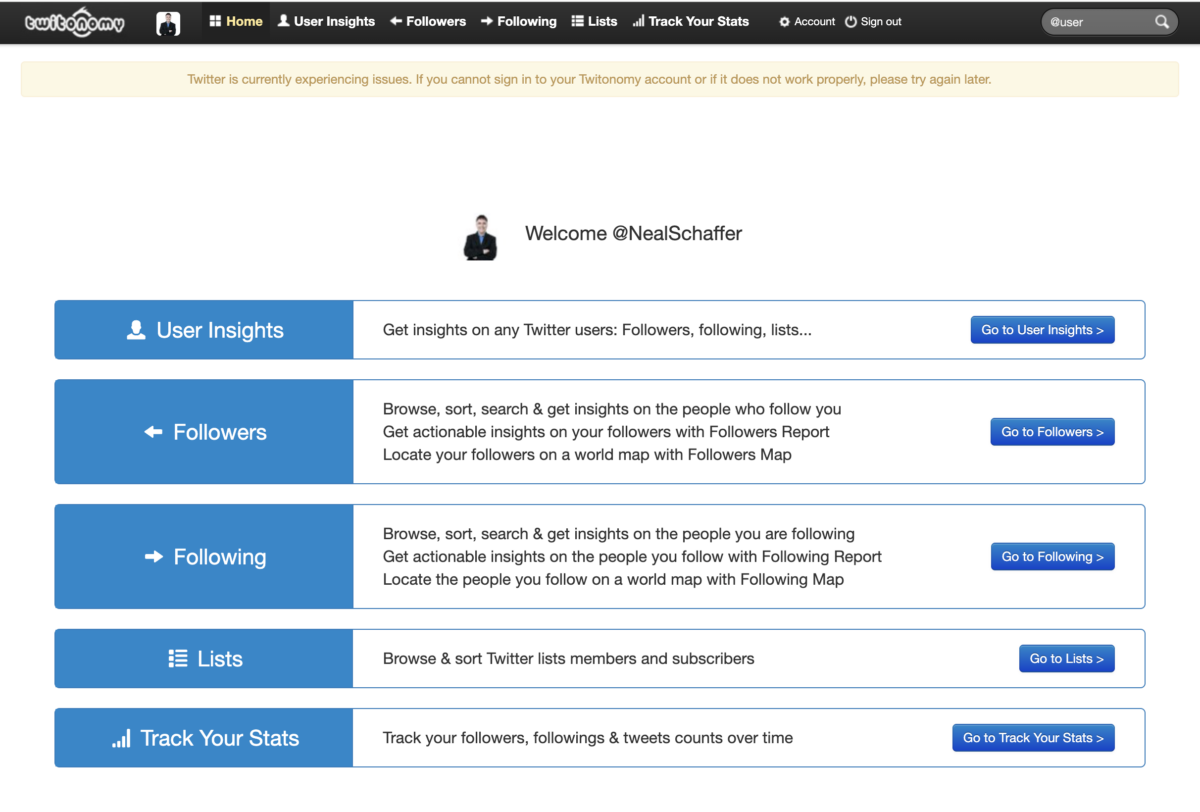
So when a list tells you a tool is alive, ask what it checked. A loading homepage is not a working product.
Which of These Can an AI Agent Drive?
Four, at the time of writing: Metricool, SocialPilot, Buffer and X itself. An MCP server lets an AI assistant operate the tool directly, so you ask for the numbers or the schedule instead of clicking through a dashboard. This is the column that separates a 2026 roster from a recycled one.
I only counted a tool here if its own documentation says so. I checked four third-party MCP roundups while researching this and they contradicted each other on Buffer and Metricool, and every one of them was published by a competing tool.
Ask your tool’s support team before you assume. The roundups will tell you anything.
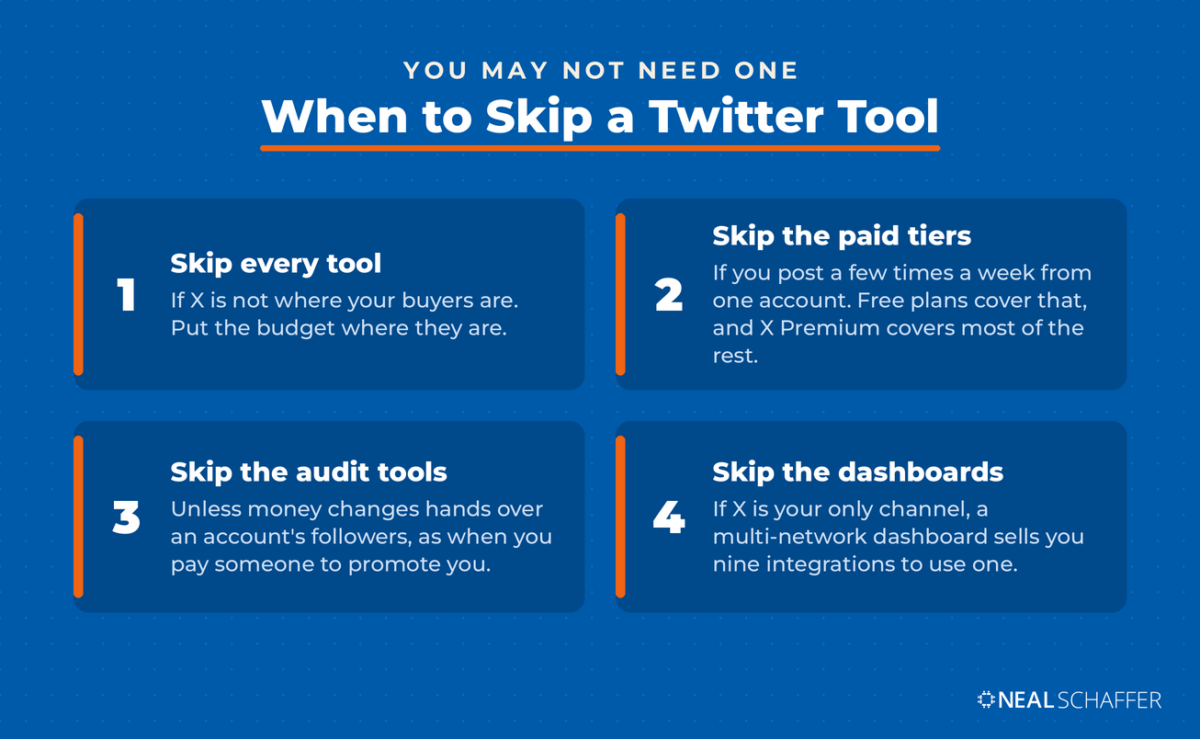
Plenty of people. Skip every tool here if X is not where your buyers are, because no tool on this list fixes that. Skip the paid tiers if you post a few times a week from one account. Skip the audit tools unless money is changing hands over an account’s followers. Spend the budget where your buyers actually are instead.
On the paid tiers: the free plans here cover a few posts a week from one account, and X Premium plus the native composer covers most of the rest.
On the audit tools: a fake-follower report on your own account is interesting once and actionable almost never. It earns its price when you are paying someone to promote you.
On the multi-network dashboards: if X is your only channel, you are paying for nine integrations to use one. The X-first tools also go deeper on follower work.
And before you pay for anything, check what the platform already gives you. Some of what people buy tools for is sitting in the native interface. And if you are still deciding whether the channel deserves a budget at all, start with the current X user numbers.
How Should You Pick One?
Pick one job first. Do not sign up for six tools this week. Decide what your Twitter marketing is worst at right now, whether that is coming up with tweets or knowing which ones actually worked, and take one tool from that group.
Then run the free tier for two weeks before you pay anything. Most of these tools give you enough on a free plan to tell whether the workflow fits how you already work. If a tool has not saved you time in two weeks, it will not save you time in six months.
My own list shrank from five tools to three that way. The two I dropped were not bad products. They were solving a job I had stopped doing.
“New tools, old rules.” That line is from my book Digital Threads, and it applies here as directly as anywhere. The pricing changed, the vendors consolidated, and the reason to use any of this did not move at all.
Yes. Trends24 is free for trending topics, SocialDog has brought X support back to its free plan, and Buffer’s free plan covers three channels with ten queued posts each. FollowerAudit and Fedica both offer a free first look at follower quality.
Yes. Account analytics moved behind X Premium, and analytics.twitter.com no longer serves the old dashboard. That is why I subscribe. Third-party tools like Metricool can pull X numbers, but its X support is a paid add-on at $10 per month per account.
Two rounds of API changes. The free API ended in 2023, which killed tools built on follower-graph reads, and X moved to pay-per-usage credits in February 2026. Tweepi’s own shutdown notice named the pricing as the reason it closed.
If you need scheduling and numbers in one place, a general dashboard with X support is the efficient pick, and Metricool is the one I pay for. If you already schedule elsewhere and want more from tweets that performed, Tweet Hunter does the recycling job better.
Yes. FollowerAudit and Fedica both let you audit any public account, not only your own. Budget for it, though: reading follower records is exactly the operation X now bills per record.
Start by naming the one job you want done this month, whether that is scheduling, recycling, follower research or measurement. Pick a single tool from that section, run its free tier for two weeks, and cancel it if your week does not change. One job, one tool, two weeks.
Working that way is a cheaper education than a stack of subscriptions you stop opening. It also tells you quickly whether the problem was the tool or the strategy.
Once the tool is in place, point it at a plan rather than at a posting habit. The audience research and posting approach these tools serve are in my Twitter marketing post.
If you want the wider set of tools I recommend across every channel, grab my free Digital & Social Marketing Tools Buyer’s Guide. And if you would rather have someone build and run the stack alongside your team, that is what my Fractional CMO services are for.
