


I’ve spent the last 15 years testing literally hundreds of digital marketing tools. Some saved me countless hours. Others? Complete waste of money.
Here’s what I’ve learned as someone who co-founded the first marketing technology conference for social media marketing called the Social Tools Summit, is a Fractional CMO, is also the author of six marketing books including Digital Threads (the modern digital marketing playbook), the host of the Your Digital Marketing Coach podcast, and someone who teaches digital marketing at universities including Rutgers Business School and UCLA Extension: The right tool won’t fix a broken strategy. But the wrong tool will absolutely slow you down.
Think about it. How many times have you signed up for a shiny new platform only to realize six months later you’re using maybe 10% of its features? I’ve been there. That’s why I’m sharing not just what these digital marketing tools do, but which ones actually matter for founders, entrepreneurs, and corporate marketers trying to get real results.
In 2025, the digital marketing market reached an approximate value of USD 653.65 Billion, according to Expert Market Research’s digital marketing report. The market is projected to grow at a CAGR of 9.20% between 2026 and 2035. Digital marketing gets 72% of the marketing budget. You need tools that justify their spot in that budget.
Key Takeaways
✅ Email marketing delivers among the highest ROI of any digital channel, making email tools one of your most valuable investments
✅ SEO platforms like Semrush and Ahrefs cost $129-250/month but pay for themselves when used for proper keyword strategy and competitive analysis
✅ Social media management tools range from $6/month (Buffer) to $249/month (Sprout Social), so match the tool to your actual team needs
✅ Free tools like Google Analytics and Google Search Console provide enterprise-level data at zero cost, and most marketers underuse them
✅ AI-powered content tools have transformed how marketers create, cutting production time and enabling smaller teams to compete with larger ones
What Are Digital Marketing Tools and Why Do They Matter?
Digital marketing tools are software platforms that help you plan, execute, measure, and optimize your online marketing efforts. They handle everything from finding keywords people actually search for to scheduling social posts at optimal times to tracking which emails get opened.

Here’s why this matters. Most marketers use multiple platforms every day, and without the right stack, you’re manually copying data between spreadsheets, missing posting schedules, and losing track of what’s working. If you’re still learning what digital marketing actually involves, start there first. Then come back here to build your toolkit.
I’ve organized this guide into eight categories based on how modern marketing teams actually work. Let’s get into it.
What Are the Best SEO and Keyword Research Tools?
The best SEO tools help you find what your audience searches for, track your rankings, and identify technical issues hurting your visibility. I’ve used all of these extensively, and each serves different needs.
1. Ahrefs
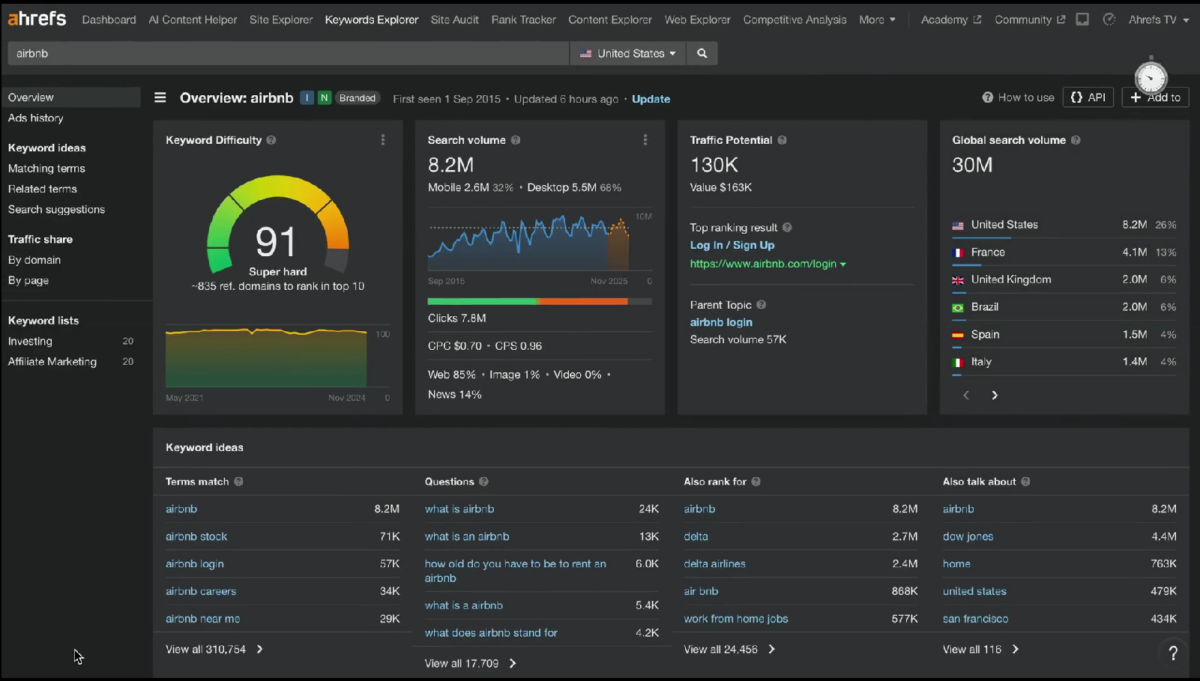
Known for its massive index of over 12 trillion backlinks, Ahrefs is a favorite among SEOs for building authoritative link strategies.
Key Features:
- Site Explorer for competitor backlink analysis
- Keywords Explorer with click-through rate data
- Content Explorer to find top-performing content in any niche
- Rank Tracker for monitoring position changes
Pricing: Ahrefs pricing begins at $129/month for the Lite plan, with Standard at $249/month for growing teams, as shown on Ahrefs’ official pricing page.
2. Semrush
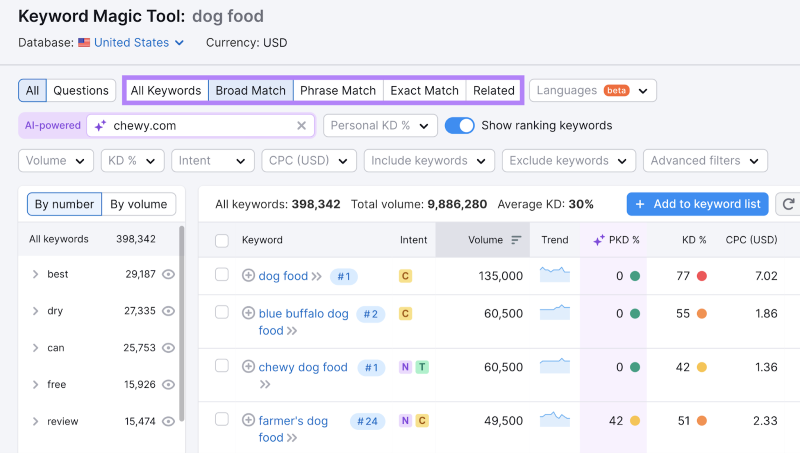
When I need an all-in-one platform that covers SEO, PPC, social, and content, Semrush is my go-to. It’s especially valuable if you’re running paid campaigns alongside organic efforts.
Key Features:
- Position tracking across devices and locations
- Site audit with 130+ technical checks
- Keyword gap analysis against competitors
- Content writing assistant for on-page optimization
Pricing: Semrush offers four main SEO Toolkit subscription tiers: Pro plan at $139.95/month, Guru plan at $249.95/month, Business plan at $499.95/month.
In October 2025, Semrush announced Semrush One, their flagship search solution pairing the core SEO Toolkit with the AI Visibility Toolkit. Basically, if your priority is brand visibility across all search platforms, this is a very appealing option.
Is Your LinkedIn Not Delivering Results?
Just released: my new book to help professionals, entrepreneurs, and business owners maximize LinkedIn for real growth.
With years of LinkedIn expertise, Maximizing LinkedIn for Business Growth offers actionable steps to build your brand, expand your network, and drive results.
Start leveraging LinkedIn like never before—grab your copy now! Click the cover or button below to buy on Amazon.

I’ve written extensively about marketing analytics tools on my blog if you want to dig deeper into measurement.
3. Google Search Console
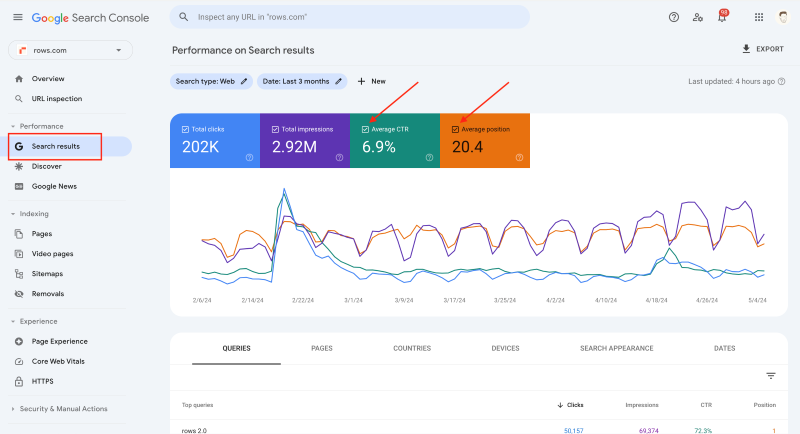
This is free. Let me say that again. Google gives you direct data about how your site appears in search results, what queries drive clicks, and which pages have indexing issues. If you’re not using this, you’re flying blind.
Key Features:
- Search performance data straight from Google
- Index coverage reports
- Core Web Vitals monitoring
- Mobile usability insights
Pricing: Free
4. Moz Pro
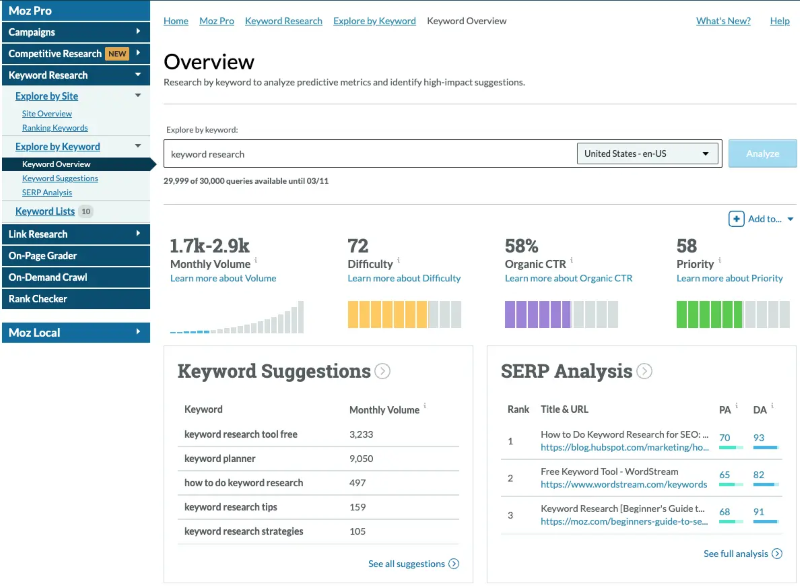
Moz pioneered Domain Authority as a metric, and while some debate its accuracy, the tool remains solid for agencies and in-house teams who want straightforward SEO management.
Key Features:
- Keyword research with difficulty scores
- Page optimization recommendations
- Custom reports for clients or stakeholders
- 30-day free trial (longer than most competitors)
Pricing: Standard at $99/month, Medium at $179/month
5. Surfer SEO
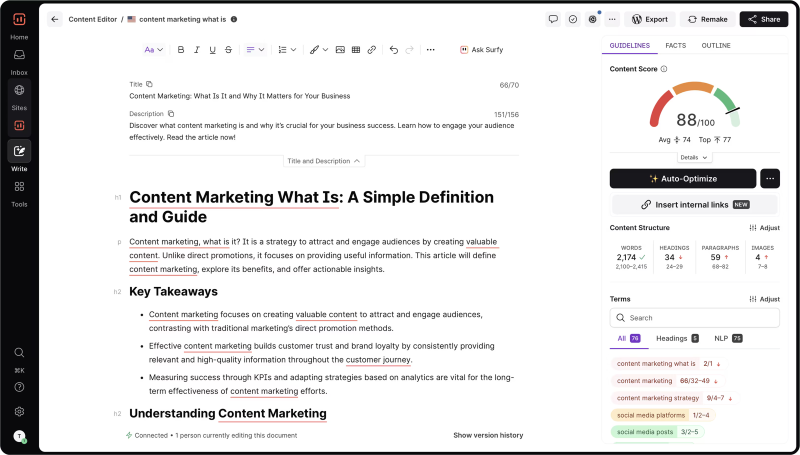
If you create content regularly, Surfer SEO helps you optimize before publishing. Their Content Editor analyzes top-ranking pages and tells you exactly what to include.
Key Features:
- Real-time content scoring
- NLP-based keyword suggestions
- SERP analyzer for competitive intelligence
- AI article generation add-on
Pricing: Essential at $99/month, Scale at $219/month
6. Ubersuggest
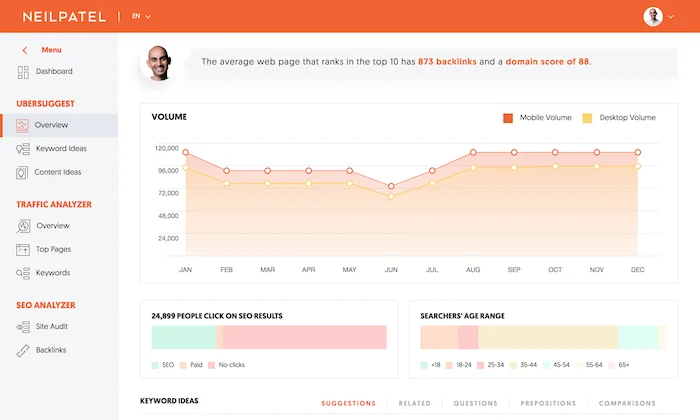
Neil Patel’s tool offers solid keyword research at a lower price point. Good for small businesses testing SEO before committing to premium tools.
Key Features:
- Keyword ideas with volume and difficulty
- Content suggestions based on top performers
- Site audit basics
- Chrome extension for quick insights
Pricing: Individual at $29/month, Business at $49/month
SEO Tools Comparison
| Tool | Starting Price | Best For | Free Trial |
|---|---|---|---|
| Ahrefs | $129/month | Backlink analysis and link building | No |
| Semrush | $139.95/month | All-in-one SEO, PPC, and content | 14 days |
| Google Search Console | Free | Direct Google search data | N/A |
| Moz Pro | $99/month | Beginners and agencies wanting simplicity | 30 days |
| Surfer SEO | $99/month | Content optimization before publishing | No |
| Ubersuggest | $29/month | Budget-conscious small businesses | Limited free version |
Which Social Media Management Tools Are Worth the Investment?
Social media management platforms consolidate multiple accounts into one dashboard for scheduling, monitoring, and reporting. The best ones now include social listening to track brand mentions and industry conversations. Understanding the relationship between digital marketing and social media marketing helps you choose the right tool for your needs.
7. Hootsuite
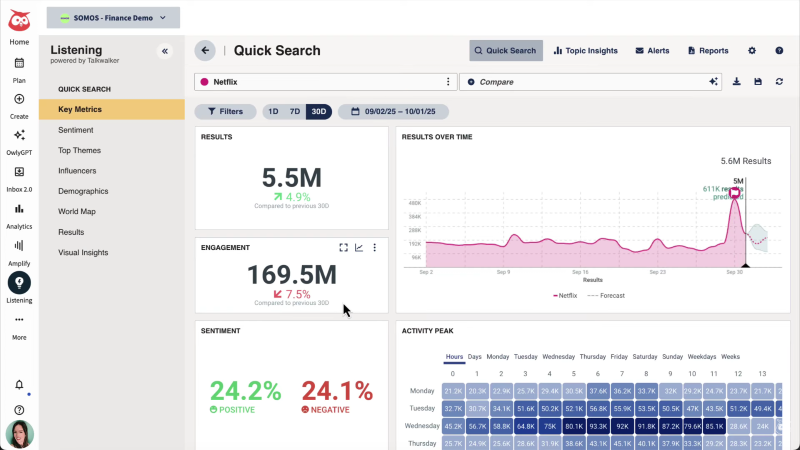
Hootsuite has been around since 2008, and while competitors have emerged, it remains one of the most feature-complete options for teams managing multiple brands.
Key Features:
- Publishing to all major platforms from one dashboard
- Unified inbox for engagement
- Advanced analytics and custom reports
- Team permissions and approval workflows
Pricing: Professional at $99/month, Team at $249/month
8. Buffer
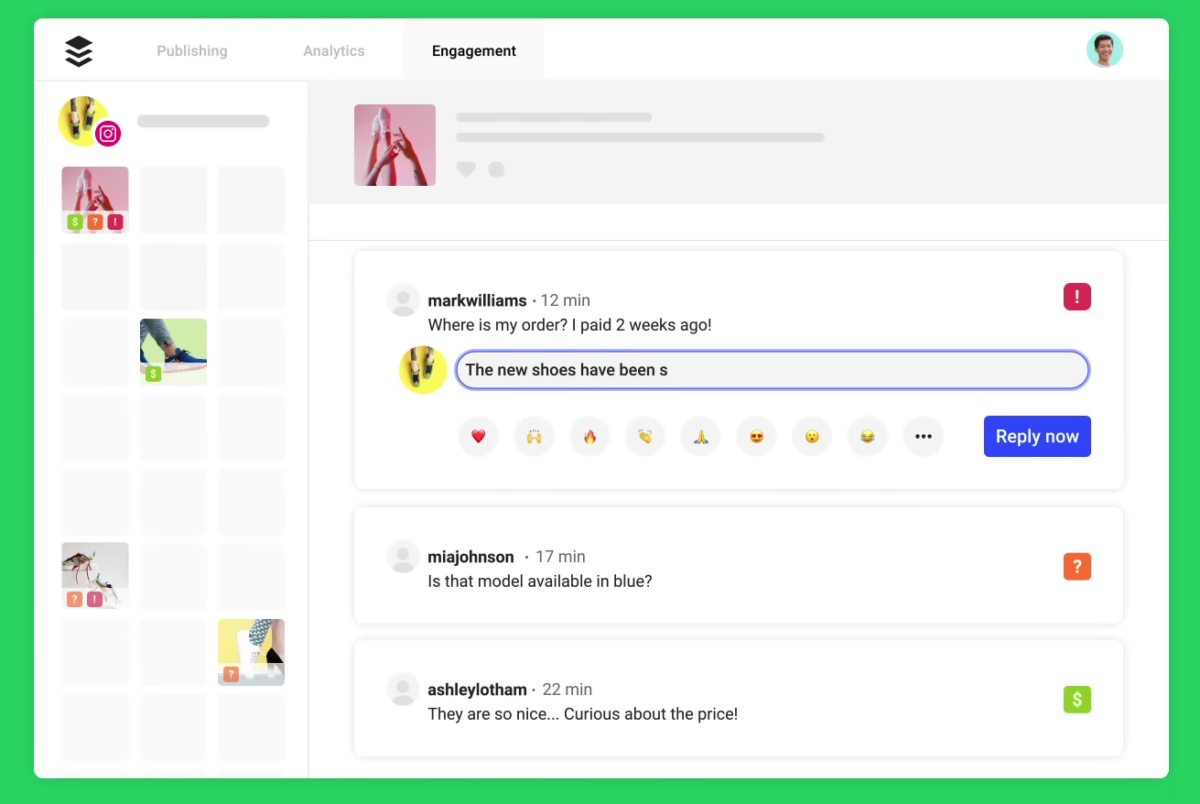
Buffer does scheduling well and keeps things simple. If you don’t need enterprise features, this is often enough.
Key Features:
- Intuitive post scheduling
- Basic analytics and engagement tracking
- Start Page (link-in-bio feature)
- Browser extension for quick sharing
Pricing: Essentials at $6/month per channel, Team at $12/month per channel
9. Sprout Social
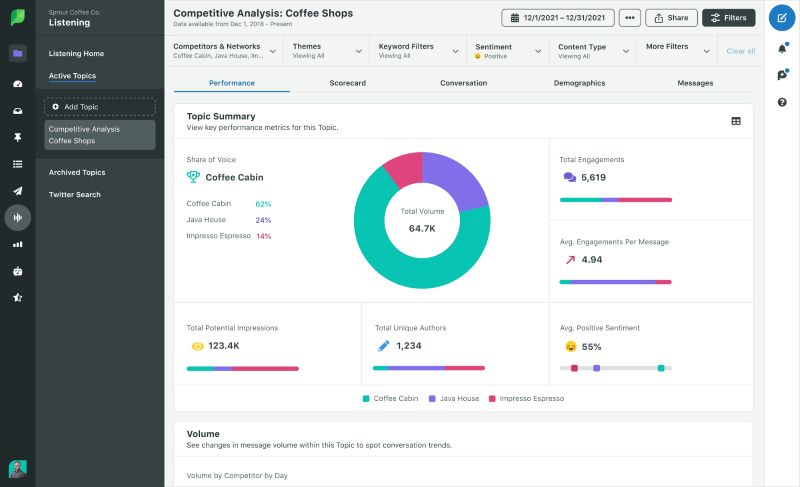
Premium pricing, but the analytics and collaboration features justify it for agencies billing clients. The social listening capabilities rival dedicated tools.
Key Features:
- Social analytics with benchmarking
- CRM-style contact management
- Advanced scheduling with optimal time suggestions
- Client reporting features
Pricing: Standard at $249/month per user
10. Brand24
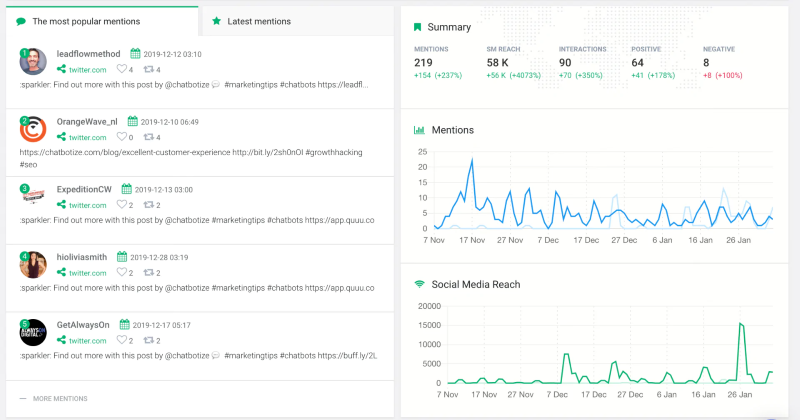
This is a listening tool, not a management platform. Use it to track mentions, sentiment, and share of voice across the web, social, and news.
Key Features:
- AI-powered sentiment analysis
- Mentions across 100+ languages
- Influence scoring for identified mentions
- Automated PDF reports
Pricing: Individual at $79/month, Pro at $149/month
Social Media Tools Comparison
| Tool | Starting Price | Best For | Social Listening |
|---|---|---|---|
| Buffer | $6/month | Solopreneurs and small teams | No |
| Brand24 | $79/month | Brand monitoring and sentiment tracking | Yes (primary feature) |
| Hootsuite | $99/month | Mid-size companies with multiple accounts | Yes |
| Sprout Social | $249/month | Agencies and enterprise teams | Yes |
How Do CRM and Marketing Automation Tools Compare?
CRM and marketing automation platforms serve as your single source of truth for customer data while automating repetitive tasks like email sequences and lead scoring. If you’re serious about marketing automation tools, understanding the differences between these platforms is essential.
11. HubSpot
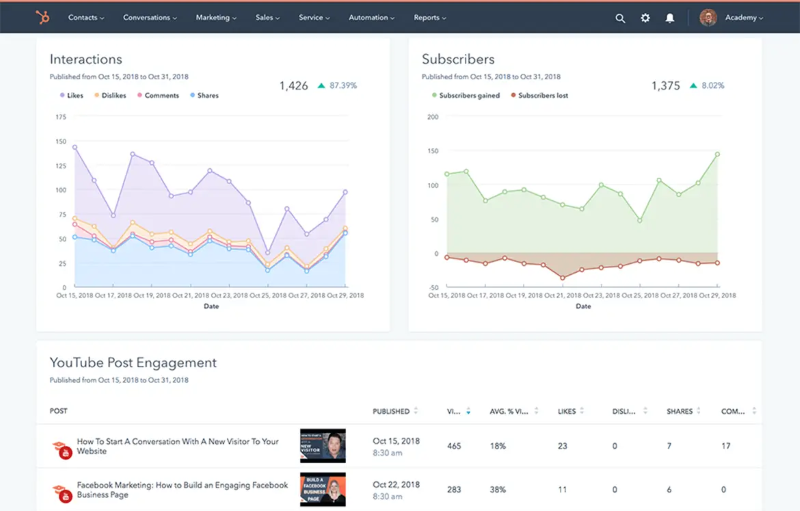
HubSpot changed the game by offering a free CRM tier that’s genuinely useful. Their paid marketing automation is excellent, though costs scale quickly as you add contacts.
Key Features:
- Free CRM with contact management
- Marketing automation workflows
- Landing page builder
- Reporting dashboard
Pricing: Starter at $15/month per seat, Professional at $800/month
12. Salesforce
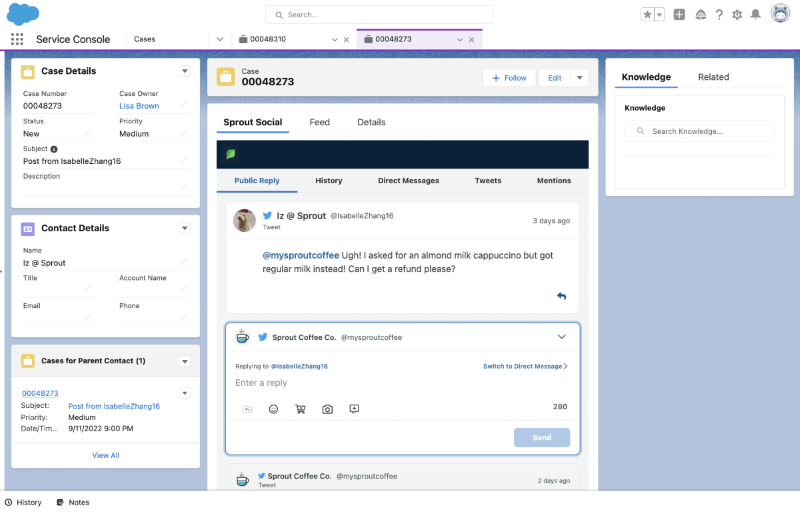
The enterprise standard. If you need deep customization and your organization already runs on Salesforce, their marketing cloud integrates directly.
Key Features:
- Highly customizable CRM
- Marketing Cloud for automation
- AI-powered insights via Einstein
- Extensive app marketplace
Pricing: Essentials at $25/user/month, Professional at $80/user/month
13. Zoho CRM
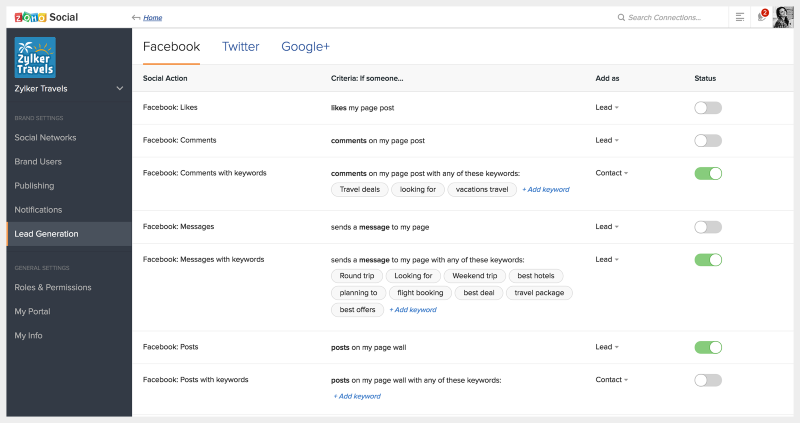
Outstanding value for small and mid-size businesses. The free tier supports up to 3 users, which is generous.
Key Features:
- Sales automation and pipeline management
- Workflow rules and assignment triggers
- Mobile app with full functionality
- AI assistant (Zia) for predictions
Pricing: Free for 3 users, Standard at $14/user/month
14. Marketo (Adobe)
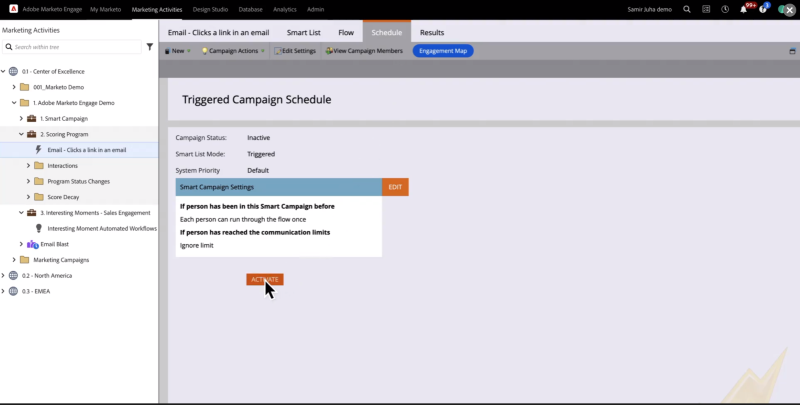
Enterprise-focused B2B marketing automation. Complex to implement but powerful once running.
Key Features:
- Advanced lead scoring
- Account-based marketing capabilities
- Revenue attribution
- Deep Salesforce integration
Pricing: Custom quotes (typically $1,000-5,000+/month)
15. Zapier
Not a CRM, but essential for connecting your marketing stack. Zapier moves data between tools automatically, eliminating manual exports and imports.
Key Features:
- 6,000+ app integrations
- Multi-step automations (Zaps)
- Filters and conditional logic
- No code required
Pricing: Free for 100 tasks/month, Starter at $20/month
CRM and Automation Tools Comparison
| Tool | Starting Price | Best For | Free Tier |
|---|---|---|---|
| Zoho CRM | $14/user/month | Budget-conscious small businesses | Yes (3 users) |
| Zapier | $20/month | Connecting tools without coding | Yes (100 tasks) |
| HubSpot | $15/month | Growing businesses wanting all-in-one | Yes (basic CRM) |
| Salesforce | $25/user/month | Enterprises needing deep customization | No |
| Marketo | $1,000+/month | Large B2B companies with complex needs | No |
What Email Marketing Systems Deliver the Best ROI?
The average email marketing ROI is between $36 and $40 for every dollar spent. Retail, e-commerce, and consumer goods businesses report the highest email ROI at $45 per dollar spent, according to Litmus’s State of Email research.
According to DemandSage’s email marketing statistics, 81% of small businesses use email as their primary customer acquisition channel. That’s why I always tell my clients to prioritize email over chasing social algorithms.
16. Mailchimp
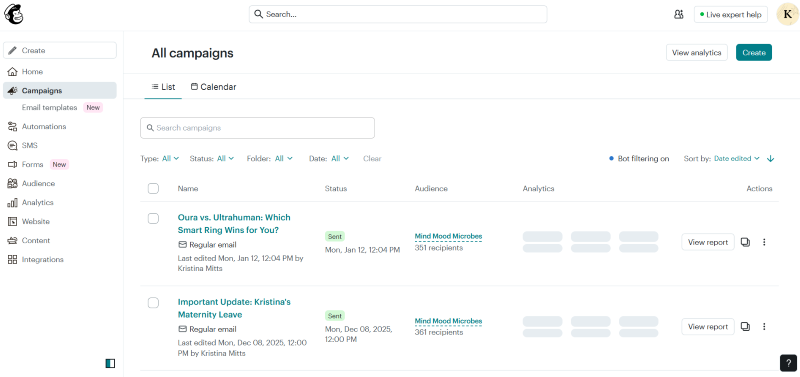
The most recognizable name in email marketing. Good for getting started, though pricing increases significantly as your list grows.
Key Features:
- Drag-and-drop email builder
- Basic automation workflows
- Landing pages and signup forms
- E-commerce integrations
Pricing: Free for 500 contacts, Essentials at $13/month
17. ActiveCampaign
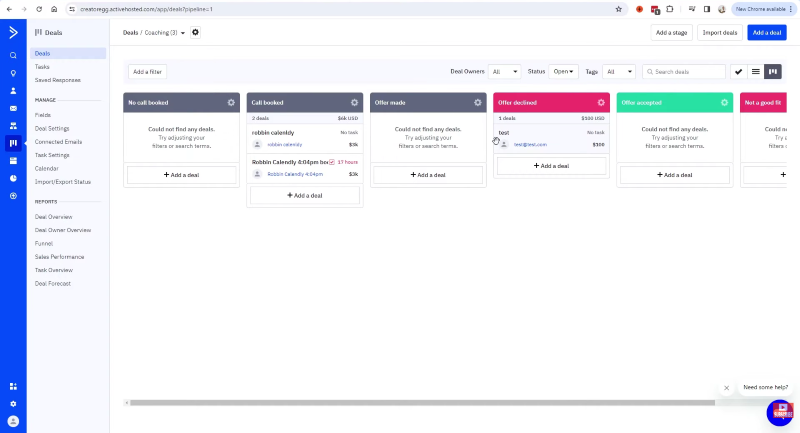
More powerful automation than Mailchimp, with CRM capabilities built in. Excellent for businesses with complex customer journeys.
Key Features:
- Visual automation builder
- Site tracking and behavioral targeting
- Predictive sending for optimal times
- Sales CRM included
Pricing: Starter at $29/month
18. Constant Contact
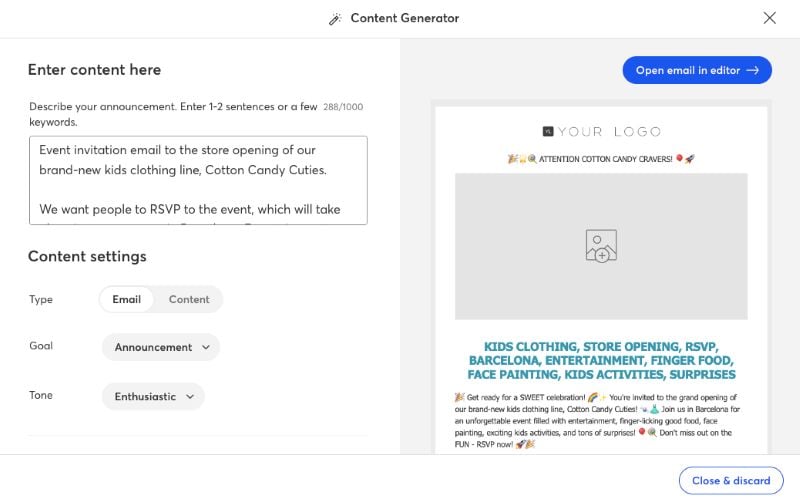
Simple and reliable, especially for small businesses and nonprofits. Not the most sophisticated, but gets the job done.
Key Features:
- Email templates by industry
- Event management tools
- Social posting add-on
- High deliverability rates
Pricing: Lite at $12/month
Email Marketing Tools Comparison
| Tool | Starting Price | Best For | Free Tier | Automation Level |
|---|---|---|---|---|
| Constant Contact | $12/month | Small businesses and nonprofits | No | Basic |
| Mailchimp | $13/month | Beginners and e-commerce | Yes (500 contacts) | Basic |
| ActiveCampaign | $29/month | Complex customer journeys | No | Advanced |
Which Content Creation and AI Tools Are Essential?
AI and design tools have fundamentally changed how marketers create content. What took days now takes hours. What required designers now takes a few clicks. I’ve covered AI in digital marketing extensively, and these tools represent the practical applications every marketer should consider.
19. Canva
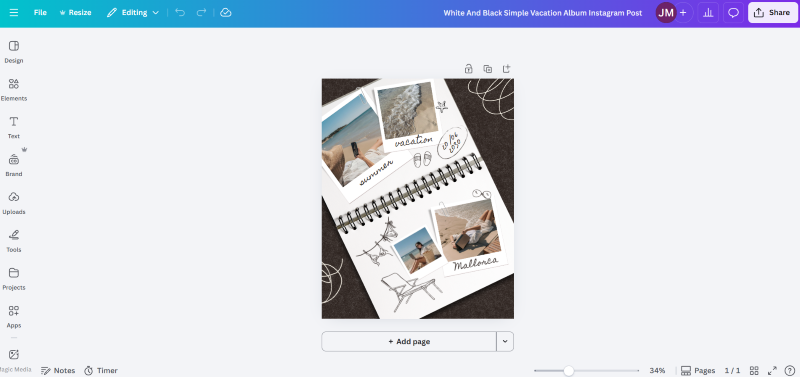
Canva democratized design. Even if you have no design background, you can create professional social graphics, presentations, and documents.
Key Features:
- Thousands of templates for every format
- Brand kit for consistency
- Magic Design AI for instant layouts
- Real-time collaboration
Pricing: Free, Pro at $13/month
20. Adobe Creative Cloud
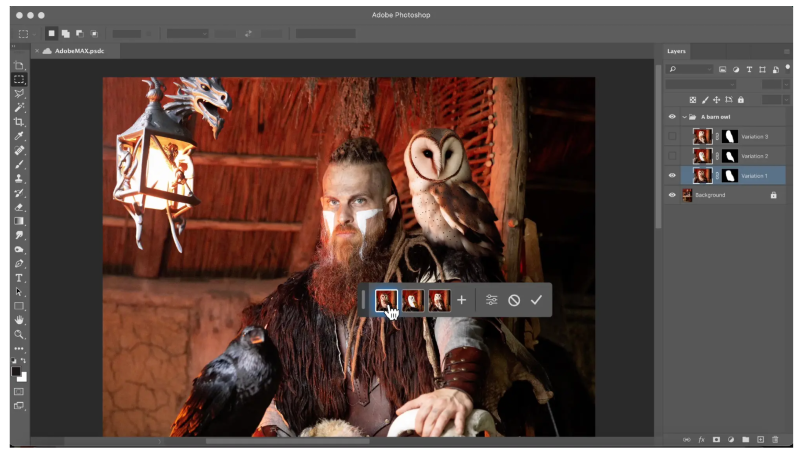
Still the professional standard for serious design work. Photoshop, Illustrator, Premiere, and the full suite remain unmatched for advanced projects.
Key Features:
- Industry-standard editing tools
- Adobe Stock integration
- Cloud storage and collaboration
- Cross-device workflows
Pricing: Single app at $23/month, All Apps at $60/month
21. ChatGPT
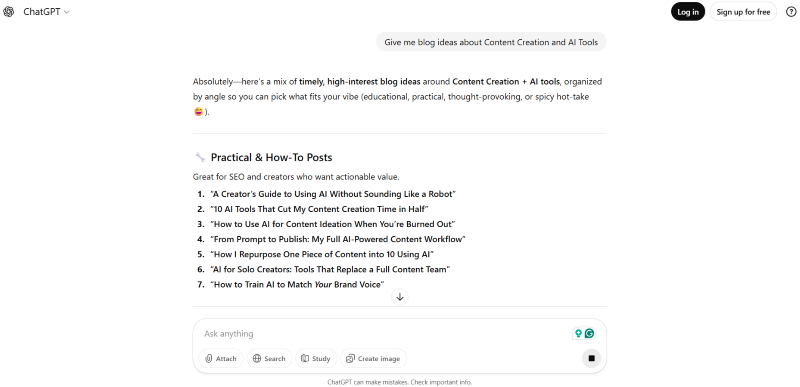
The fastest way to draft content, brainstorm ideas, and overcome writer’s block. I use it daily for first drafts and research.
Key Features:
- Conversational content generation
- Code assistance
- Document analysis
- Custom GPTs for specific workflows
Pricing: Free tier available, Plus at $20/month
22. BuzzSumo
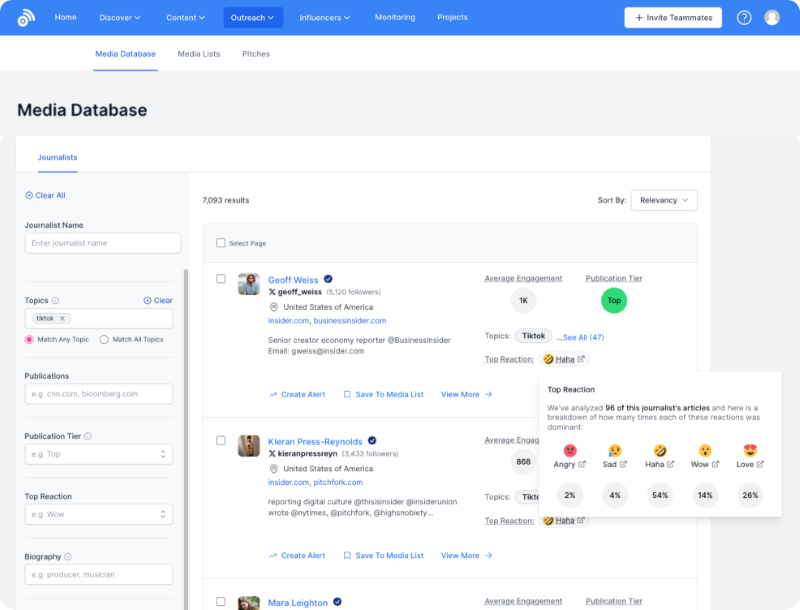
Research tool for finding what content performs in your niche. Essential for content strategy and competitive analysis.
Key Features:
- Content performance analytics
- Trending topic discovery
- Journalist and influencer database
- Backlink analysis
Pricing: Content Creation at $199/month
23. Grammarly
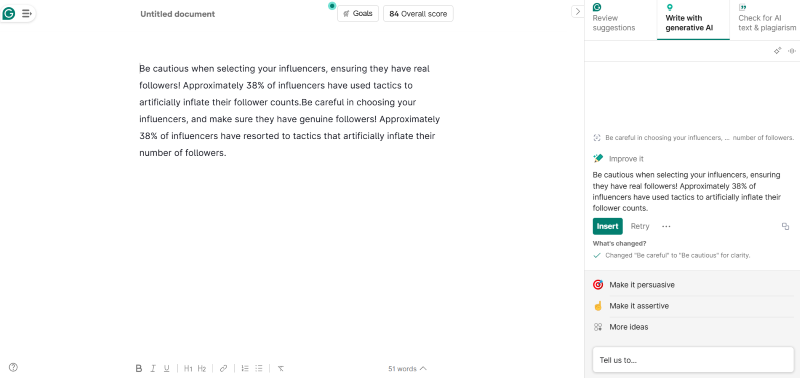
Catches errors and improves clarity. The business tier adds tone detection and style guides for team consistency.
Key Features:
- Grammar and spelling checks
- Tone and clarity suggestions
- Plagiarism detection
- Browser and app integrations
Pricing: Free, Premium at $12/month
Content Creation Tools Comparison
| Tool | Starting Price | Best For | Free Tier | Primary Use |
|---|---|---|---|---|
| Grammarly | $12/month | Writing clarity and error checking | Yes | Editing |
| Canva | $13/month | Non-designers creating graphics | Yes | Design |
| ChatGPT | $20/month | Drafting and brainstorming content | Yes | AI writing |
| Adobe Creative Cloud | $23/month | Professional designers and video editors | No | Design/Video |
| BuzzSumo | $199/month | Content research and competitive analysis | No | Research |
What Should You Know About Website Building and Analytics Tools?
Your website is your digital storefront. These tools help you build it and understand how visitors interact with it. Learning how to promote your website goes hand in hand with choosing the right platform.
24. WordPress
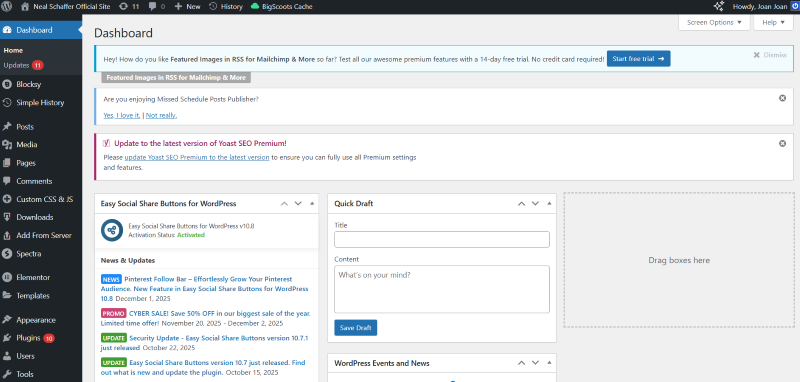
As of April 2025, 43.4% of the websites on the internet run on WordPress, according to WordPress.com’s market share report. That means almost every other website runs on WordPress, and it makes WordPress the most widely used website builder in the world.
Key Features:
- Open-source flexibility
- Thousands of themes and plugins
- SEO-friendly structure
- Full ownership of your content
Pricing: Free (hosting separate, typically $5-50/month)
25. Wix
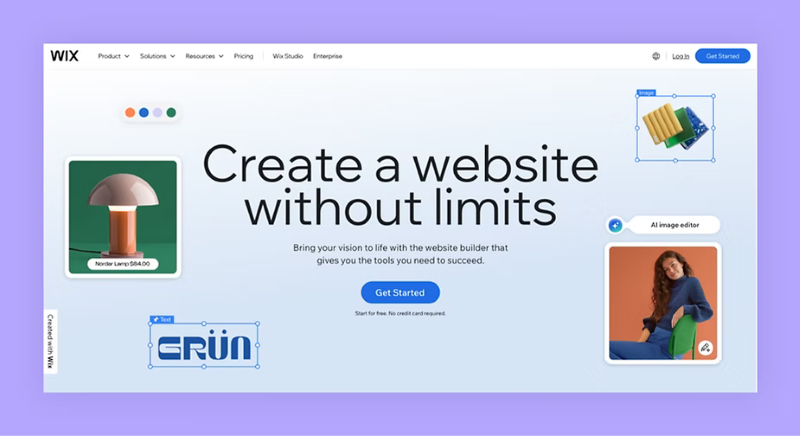
Easier than WordPress for beginners. Drag-and-drop building with AI assistance for quick site creation.
Key Features:
- Visual drag-and-drop editor
- AI website builder
- Built-in SEO tools
- App market for functionality
Pricing: Light at $17/month, Core at $29/month
26. Google Analytics
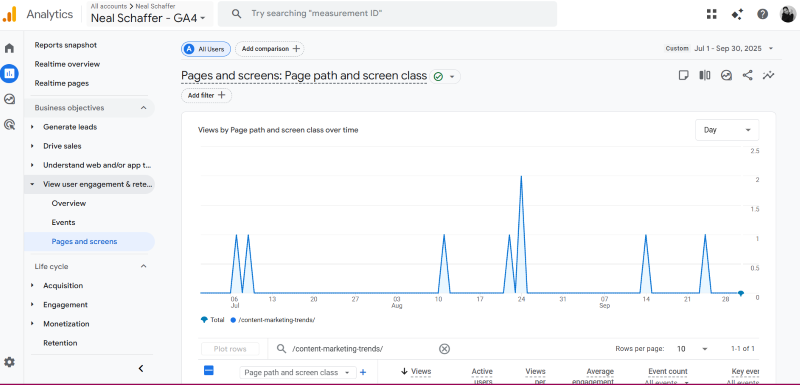
Free web analytics that tells you who visits your site, how they found you, and what they do once they’re there. For deeper digital marketing analytics, this is your foundation.
Key Features:
- Traffic source analysis
- User behavior tracking
- Conversion measurement
- Real-time reporting
Pricing: Free (GA360 for enterprise starts at $50,000/year)
27. Hotjar
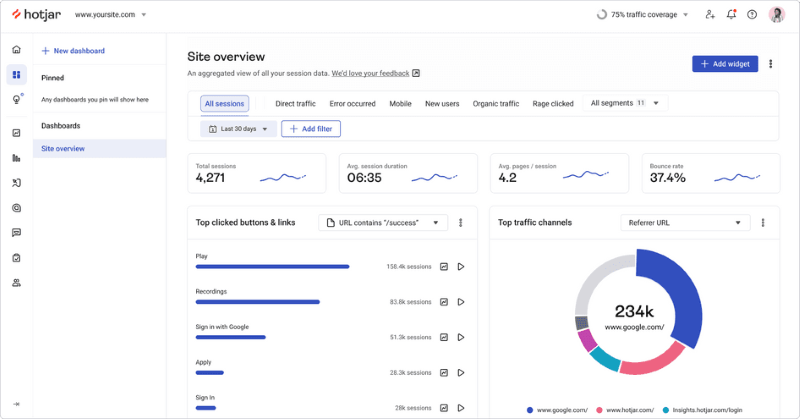
Heatmaps and session recordings show you exactly where people click, scroll, and drop off. Essential for conversion optimization.
Key Features:
- Heatmaps for click and scroll behavior
- Session recordings
- Feedback widgets and surveys
- Funnel and form analysis
Pricing: Free for 35 daily sessions, Plus at $39/month
Website and Analytics Tools Comparison
| Tool | Starting Price | Best For | Free Tier | Technical Skill Required |
|---|---|---|---|---|
| Google Analytics | Free | Traffic and conversion tracking | Yes (full) | Low |
| WordPress | Free + hosting | Maximum flexibility and ownership | Yes | Medium |
| Wix | $17/month | Beginners wanting drag-and-drop | Limited | Low |
| Hotjar | $39/month | Understanding user behavior visually | Yes (35 sessions/day) | Low |
What Team Productivity Tools Do Marketing Teams Need?
Marketing teams need tools that keep projects on track and communication clear. These platforms keep everyone aligned and are critical for marketing management.
28. Slack
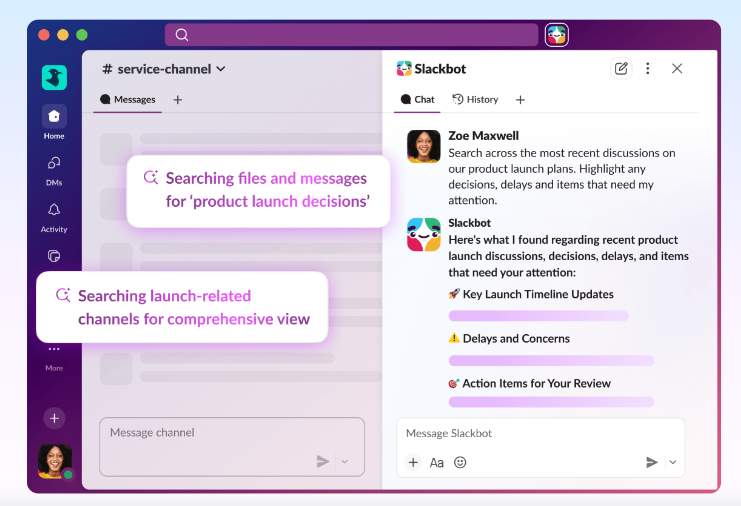
The default communication tool for modern teams. Channels replace endless email threads.
Key Features:
- Organized channels by topic
- Direct messaging and huddles
- App integrations (2,400+)
- Searchable message history
Pricing: Free, Pro at $7.25/user/month
29. Trello
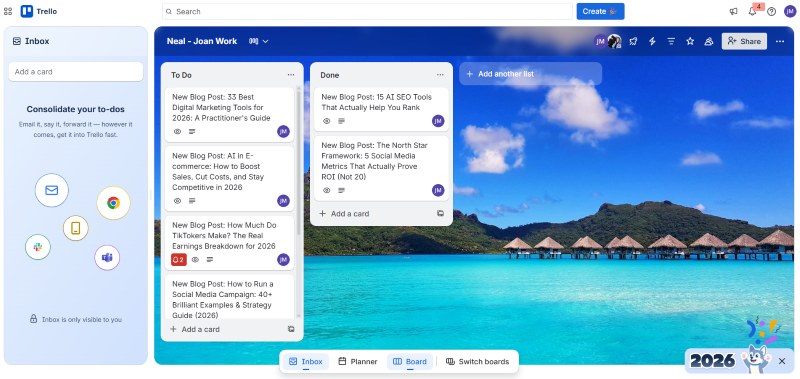
Visual project management using boards, lists, and cards. Simple enough for anyone to use immediately.
Key Features:
- Kanban-style boards
- Customizable workflows
- Power-ups for added functionality
- Mobile apps
Pricing: Free, Standard at $5/user/month
30. Zoom
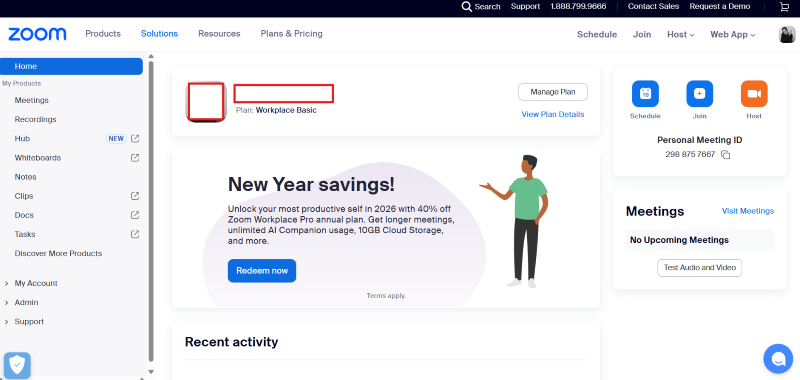
Video meetings became essential, and Zoom became the standard. Works reliably, which matters more than fancy features.
Key Features:
- HD video and audio
- Screen sharing
- Recording and transcription
- Webinar capabilities
Pricing: Free for 40-minute meetings, Pro at $13.33/user/month
31. ClickUp
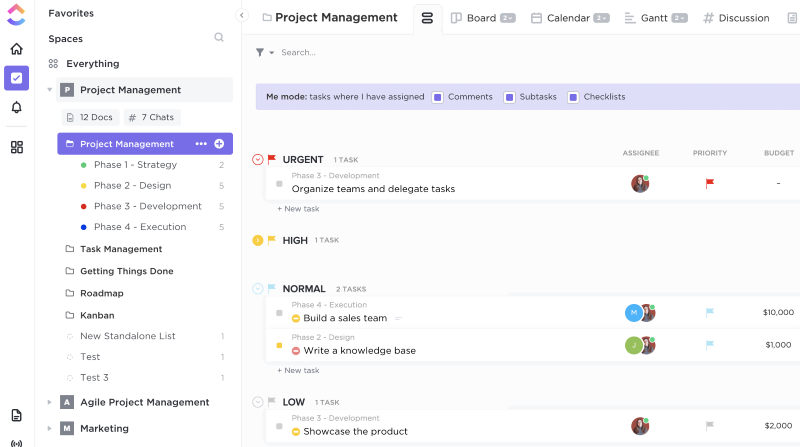
All-in-one project management that can replace multiple tools. Steep learning curve but powerful once mastered.
Key Features:
- Tasks, docs, goals, and chat in one place
- Multiple project views (list, board, Gantt)
- Time tracking built in
- Automations and integrations
Pricing: Free, Unlimited at $7/user/month
Team Productivity Tools Comparison
| Tool | Starting Price | Best For | Free Tier | Learning Curve |
|---|---|---|---|---|
| Trello | $5/user/month | Visual task management | Yes | Low |
| ClickUp | $7/user/month | Teams wanting all-in-one solution | Yes | High |
| Slack | $7.25/user/month | Team communication | Yes | Low |
| Zoom | $13.33/user/month | Video meetings and webinars | Yes (40 min limit) | Low |
Where Can You Find Freelance Marketing Talent?
When you need extra hands without hiring full-time, these platforms connect you with specialized talent. If you’re considering working with a digital marketing agency instead, that’s another option worth exploring.
32. Fiverr
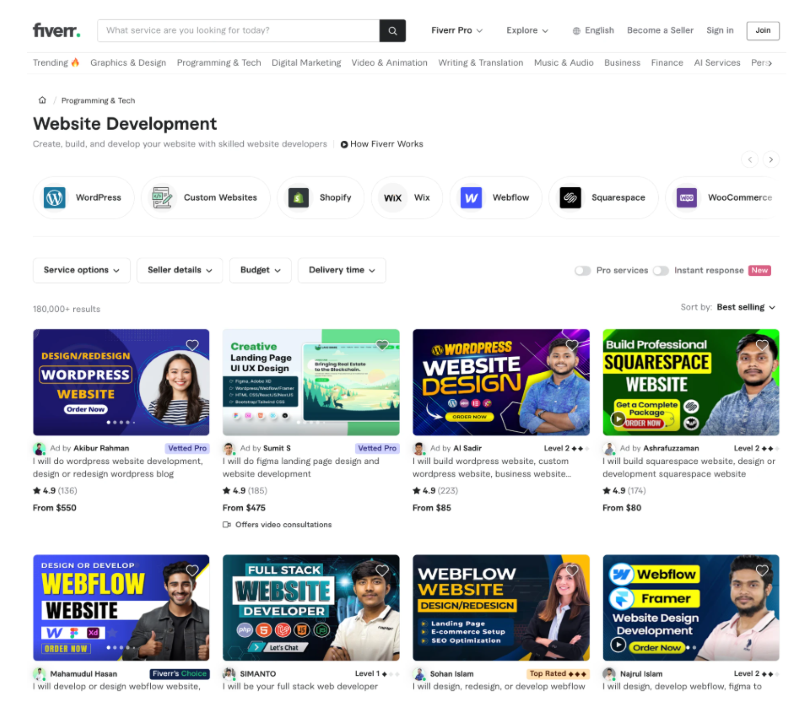
Find freelancers for design, writing, video editing, and technical tasks. Quality varies, but reviews help you filter.
Key Features:
- Gig-based pricing (know cost upfront)
- Seller ratings and portfolios
- Secure payment system
- Fiverr Business for teams
Pricing: Gigs start at $5, 20% platform fee
33. Upwork
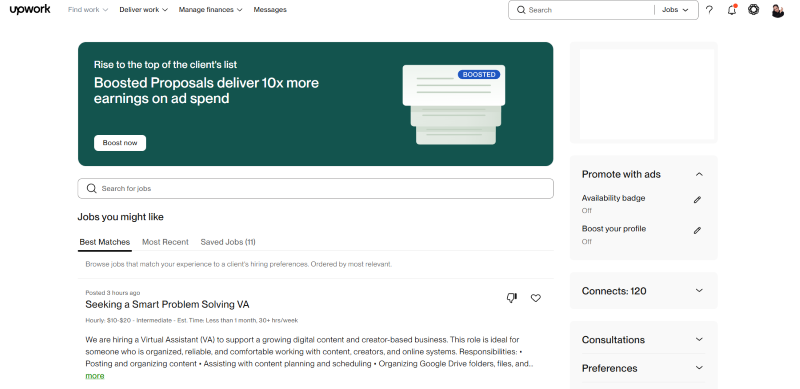
More substantial projects and ongoing relationships. Good for finding dedicated contractors.
Key Features:
- Hourly and project-based contracts
- Escrow payment protection
- Time tracking for hourly work
- Talent search with skill verification
Pricing: Free to post jobs, 5% client fee
Freelance Platform Comparison
| Platform | Best For | Pricing Model | Platform Fee |
|---|---|---|---|
| Fiverr | Quick, defined tasks with fixed pricing | Gig-based (fixed price) | 20% (paid by seller) |
| Upwork | Ongoing projects and long-term relationships | Hourly or project-based | 5% (paid by client) |
How Should You Choose the Right Digital Marketing Tools?
After testing hundreds of tools, here’s what I recommend. And if you’re wondering how to become a digital marketer, mastering these tools is a solid starting point.
Start with the free versions. Google Analytics, Google Search Console, Canva, and HubSpot CRM cost nothing and provide tremendous value.
Match the tool to your stage. A solopreneur doesn’t need Sprout Social at $249/month. Buffer at $6/month probably does the job.
Consider integration. Tools that talk to each other save hours of manual work. Check if your preferred platforms connect via Zapier or native integrations. Understanding digital marketing platforms and how they connect is key to building an efficient stack.
Calculate real ROI. A $300/month SEO tool that helps you rank for keywords bringing $10,000 in monthly revenue is cheap. A $50/month tool you never use is expensive.
Stay informed about marketing technology trends so you’re not caught off guard when your current tools become obsolete.
Recommended Tool Stacks by Budget
| Budget Level | Recommended Stack | Monthly Cost |
|---|---|---|
| Starter | Google Analytics, Search Console, Canva Free, Mailchimp Free | $0 |
| Growing | Buffer, Ubersuggest, ActiveCampaign, Trello | $60-100 |
| Professional | Semrush, Hootsuite, HubSpot Starter, Slack Pro | $300-500 |
| Enterprise | Ahrefs or Semrush, Sprout Social, HubSpot Professional, ClickUp | $1,000+ |
Frequently Asked Questions About Digital Marketing Tools
Start with Google Analytics (free), Google Search Console (free), Canva (free tier), and an email marketing platform like Mailchimp (free up to 500 contacts). These cover the fundamentals of tracking, design, and direct communication without any upfront cost. Master these before adding paid tools.
Small businesses typically spend $100-500/month on their core stack. This might include an SEO tool ($100-150), social media scheduler ($20-50), and email platform ($30-100). Scale up as your revenue justifies it. Avoid committing to annual plans until you’ve tested the tool monthly first.
Email marketing platforms consistently deliver the highest returns. SEO tools also provide strong ROI when used to drive organic traffic, though results take 3-6 months to materialize. According to Omnisend’s email marketing statistics report, 49% of marketers say that organic search has the best ROI.
No. Focus on one or two tools per category that match your primary marketing channels. A content-focused business might invest heavily in SEO and content tools while keeping social minimal. Match your tools to your strategy, not the other way around.
Review quarterly. Tools evolve, your needs change, and new options emerge. Many marketers overpay for features they don’t use or stick with legacy tools when better alternatives exist. The best marketing books often cover strategic thinking that helps you evaluate these decisions.
Building Your Marketing Stack for Success
The best digital marketing tools are the ones you actually use. I’ve seen marketers pay for enterprise suites while their teams still email spreadsheets back and forth.
Start simple. Master one tool before adding another. Let your growing needs drive your expanding stack, not the fear of missing out on features.
And remember: tools amplify strategy. Get the strategy right first. Then find the tools that support it.
If you’re looking to build out your marketing knowledge while choosing tools, grab a free preview of my book Digital Threads which covers how all these digital marketing channels work together. For hands-on guidance as you implement, consider joining my Digital First Group Coaching Community where I help entrepreneurs and small business owners build effective marketing systems.
What tools are you currently using? I’d love to hear what’s working in your marketing stack. Connect with me here or on LinkedIn to continue the conversation.
Actionable advice for your digital / content / influencer / social media marketing.
Join 13,000+ smart professionals who subscribe to my regular updates.
