


Let’s face it: content marketing is hard, and it ain’t getting any easier. Every business, from decades-old establishments to enthusiastic startups, is fighting for attention online. Original, engaging content is in demand more than ever, and every successful content marketer must find that sweet spot between understanding their audience and creating content that will attract and retain their attention while being educational and not too self-promotional.
And now there’s a new wrinkle. AI-generated content has flooded the web, Google’s AI Overviews appear on roughly 60% of searches today, and the gap between teams who pick the right tools and teams who pick the wrong ones is wider than I’ve ever seen it.
I’ve spent the last 15+ years building content programs as a Fractional CMO, teaching digital marketing at Rutgers Business School and UCLA Extension, and writing six books, including Digital Threads, my latest modern marketing playbook for small businesses and entrepreneurs. The tools below are the ones I either use myself right now or routinely recommend to the founders, marketers, and clients I work with.
I am not a user of ALL of these tools, but I do especially recommend the ones that I currently use. I will mark those with a “*” after the name so you know which ones have actually earned a spot in my workflow.
For your convenience, I have organized these content marketing tools into the following categories:
- AI Content Generation
- Keyword & SEO Research
- Idea Generation & Content Curation
- Writing & Editing
- Visual & Design
- Social Media Distribution
- Email Distribution
- Content Optimization for AEO and GEO
- AI Visibility Tracking
- Analytics
Key Takeaways
✅ AI changed which tools matter most. Per the 2026 Content Marketing Institute B2B Content and Marketing Trends report, 95% of B2B marketers now use AI-powered marketing applications, and 89% use them specifically for content creation, which means an AI assistant belongs in your stack before any other category in 2026.
✅ You don’t need 25 tools, you need the right 6 to 10. Most small teams operate well with one SEO tool, one AI writer, one design tool, one scheduler, one email platform, one analytics tool, and one CMS. Everything else is a “nice to have.”
✅ Free tiers are stronger than ever. Ahrefs Webmaster Tools, Google Trends, Adobe Express, Hemingway, and Google Analytics 4 alone can carry a solo creator surprisingly far.
✅ The biggest lift comes from the writer, not the tool. Among B2B marketers whose content strategy improved in 2026, 74% credited strategy refinement and only 51% credited new technology, per CMI’s research. New tools amplify good strategy; they don’t replace it.
✅ Pick tools that fit your actual workflow, not someone else’s. Enterprise tools sold as “all-in-one” frequently solve problems small teams don’t have, and small-team favorites buckle under enterprise governance requirements.
✅ My personal stack is closer to 10 tools than 25. I’ll call out exactly which ones I pay for, and which ones I’d quietly drop if I had to cut my marketing budget by a third.
Who This Post Is For (and Who It’s Not For)
A direct answer for content marketers shopping for a stack in 2026: this is for solopreneurs, in-house marketing teams of 1 to 10 people, and Fractional marketing leaders (like myself) building a starter stack. If you’re inside a 1,000-person enterprise with procurement processes and existing martech contracts, this post will give you a useful sanity check, but you’ll want enterprise content operations tooling that I don’t review here.
This post is also NOT a good fit if you’re looking for a definitive “best AI writer for SEO” head-to-head review, an affiliate-only ranking of the cheapest plans, or a comparison table that scores every tool on 47 features. I’ve published category-specific deep-dives separately, and I’d rather point you to a working stack than a feature-completeness scorecard.
What Are the Best AI Content Generation Tools?
The best AI content generation tools in 2026 are general-purpose assistants like ChatGPT and Claude paired with a marketing-specific platform such as Jasper. Generalist AI handles brainstorming, drafts, and editing. Specialist platforms handle brand voice, templates, and team workflows. Most teams need one of each, not five competing options.
The same CMI report notes that 87% of B2B marketers using AI for content creation say productivity has improved, but only 58% say content quality has improved, and 12% say quality actually decreased. The lesson I keep repeating to clients: AI helps you type faster, not think better. The tool category below assumes you’re using AI to accelerate work you already understand, not to outsource thinking.
1. ChatGPT *
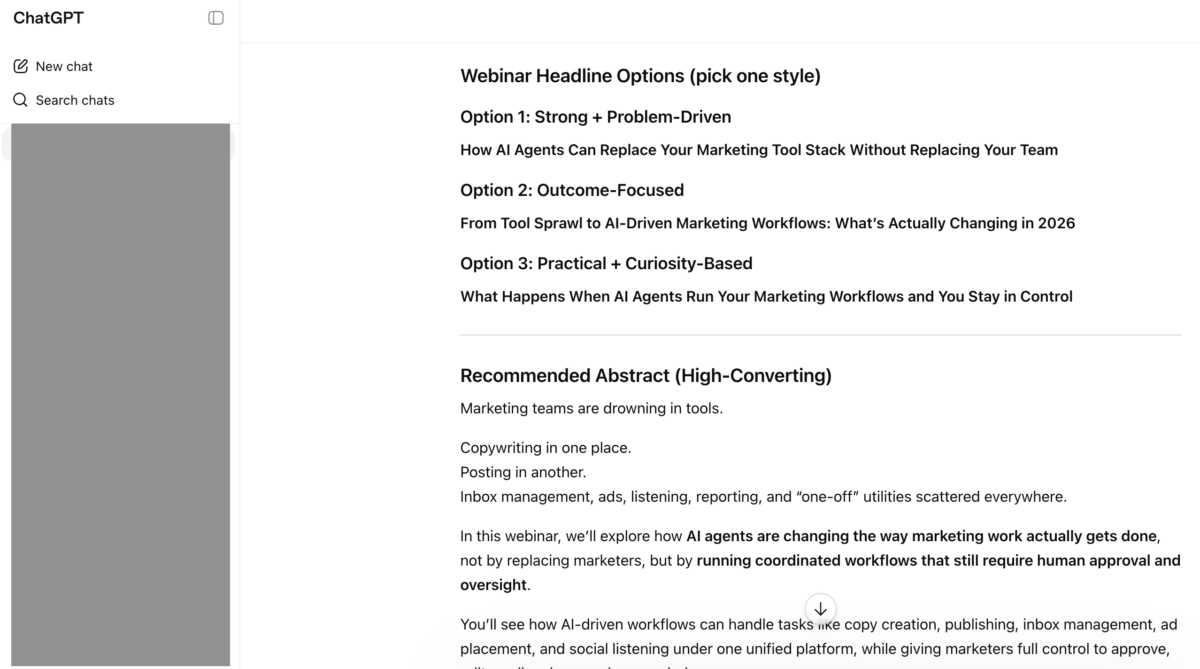
ChatGPT is OpenAI’s general-purpose AI assistant, and at this point, calling it “a content marketing tool” undersells what it actually is. One of my most-used workflows: asking ChatGPT to generate webinar and landing page headline variations across distinct copy angles (problem-driven, outcome-focused, curiosity-based), then pairing the best one with a drafted abstract I can edit down. I also use it for repurposing content (turning a blog post into a LinkedIn carousel, a podcast hook, or an email subject line), summarizing long research documents, and producing first-draft meta descriptions.
What I like most: the conversational refinement. You can hand it a draft and say “make this sound more conversational and less like a press release” and it will. What I like less: ChatGPT will confidently hallucinate statistics and citations if you ask it for data without grounding the conversation in source material. Never trust an AI-generated stat without verifying it at the primary source.
I currently use ChatGPT as part of my core content workflow, particularly for first-pass drafting, ideation, and producing the kind of headline-and-abstract output you see above.
2. Claude *
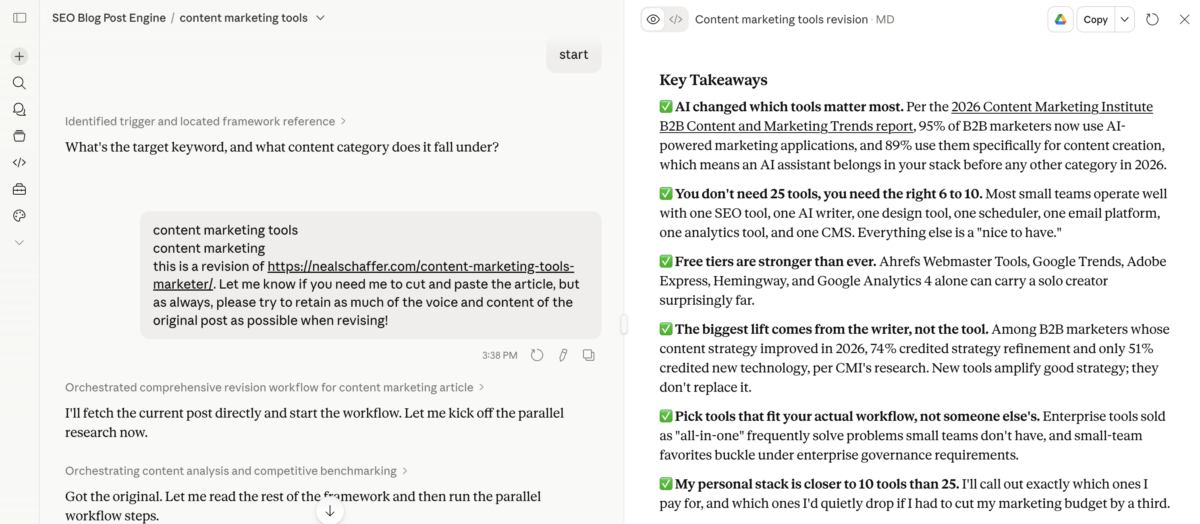
Claude, built by Anthropic, is the AI assistant I reach for when I need a longer, more nuanced piece of writing. In my experience, Claude tends to produce prose that requires less editing to sound human, and it follows complex instructions (e.g., “use this specific tone, avoid these specific words, write in third-person except in this section”) more reliably than other tools I’ve tested.
Claude’s larger context window is genuinely useful for content marketers who want to feed in a full transcript, a competitor article, and a style guide all at once and ask for a draft that respects all of them. The trade-off: Claude can be slower for short, snappy outputs where ChatGPT feels more responsive.
Trying to Keep Up with Digital Marketing?
Just released: my new book to help small businesses, entrepreneurs, and marketers master digital marketing in today’s digital-first world.
Drawing on my Fractional CMO experience, Digital Threads simplifies complex strategies into clear, actionable steps for success.
Transform your business today—grab your copy! Click the cover or button below to buy on Amazon.

I currently use Claude for longer-form work and for any task where voice consistency matters most.
3. Jasper
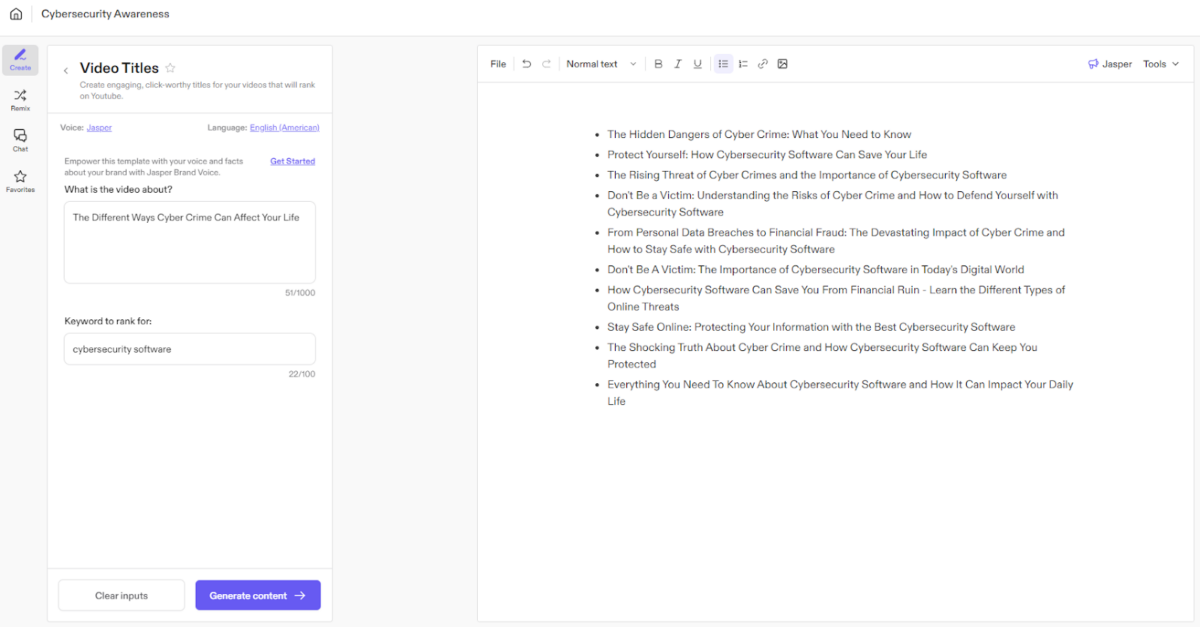
Jasper is one of the most established marketing-focused AI writing platforms, and it’s built specifically for content teams who need brand voice consistency at scale. Where generalist AI assistants give you a clean canvas, Jasper gives you pre-built templates for blog posts, ad copy, product descriptions, and email sequences. It also lets you save brand voices, define audience profiles, and run team-level approval workflows.
A bit of personal context: I was an early Jasper user and an active evangelist for the platform when it first launched. Over time I migrated most of my own writing work to ChatGPT and Claude, mostly because the functionality and pricing fit a solo operator or small business owner better than Jasper did. That isn’t a knock on Jasper. It is a recognition that the product matured into something purpose-built for larger marketing teams and enterprise content operations, which is exactly where it shines today.
Jasper is best for marketing teams of three or more who are producing high volumes of content across multiple channels and need governance around what gets published. Solo creators can usually get the same output from ChatGPT or Claude at a fraction of the cost, which is the path I personally landed on.
What Are the Best Keyword and SEO Research Tools?
The best keyword and SEO research tools for content marketing are Semrush, Ubersuggest, and Ahrefs. Each handles keyword discovery, competitor research, backlink analysis, and site audits. The main differences are pricing, depth of data, and which audience the tool was built for. Most serious content marketers settle on one and learn it deeply rather than juggling two.
Content marketing begins with the content creation process, and before you create a piece of content, you need to plan out what to create. Enter keyword analysis tools, which will provide you with a plethora of data to help guide you.
4. Semrush
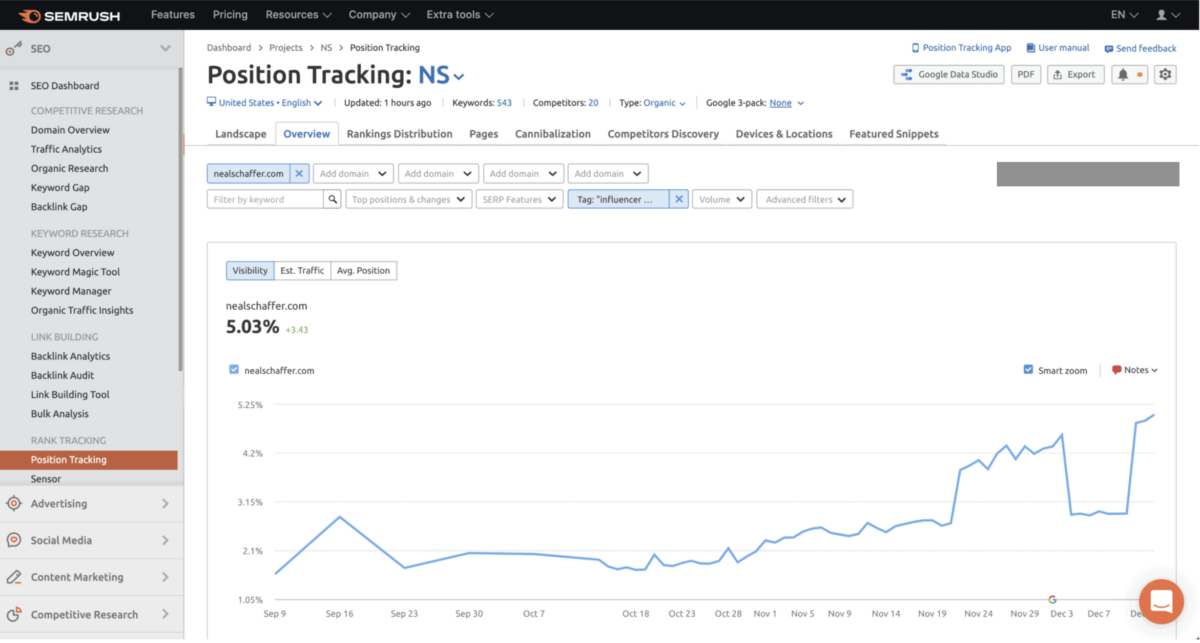
Semrush is an all-in-one toolkit that gives you detailed insight into nearly everything you need to know about search and content marketing. How does your competitor’s search ad look? What keywords are they bidding on? Semrush answers both. You can also look at the keywords your own site is ranking for over time. Drop in a URL and you’ll have a stack of keyword data you probably never knew existed.
You may even uncover keywords that your competitors don’t know about yet. Semrush offers other features like backlink checks, ranking tracking, content audit support, and AI Visibility tracking (which has become essential as AI search platforms now drive a meaningful share of brand discovery). With Semrush’s data-driven approach, your content marketing efforts become more focused and more measurable.
A bit of personal context: Semrush remains the most full-featured SEO platform on the market. For my own work I migrated to Ubersuggest because the pricing-to-features ratio fit a solo operator and small business workflow better, which I cover next. Semrush is still my recommendation when a team needs depth across every SEO discipline at once.
5. Ahrefs *
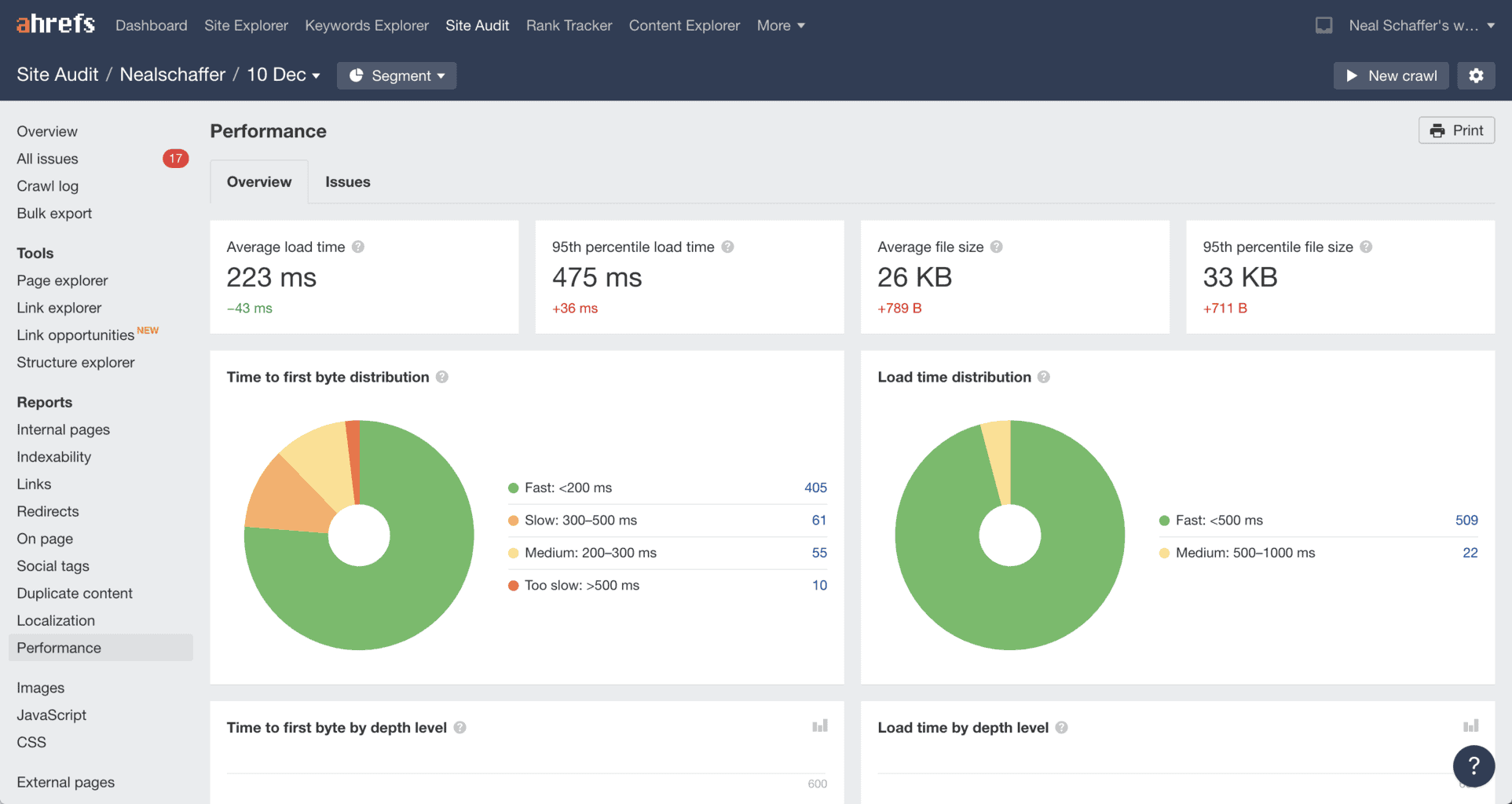
If you want to outrank your competitors, Ahrefs is one of the best content marketing tools you can use. As a content marketer creating all types of content, you need to understand why your competitors rank high so you can build a better content strategy. Ahrefs is built for exactly that. You can monitor your niche, research your competitors, track mobile rankings, see locations per website, and watch update frequency on competing pages.
Once you create content and market it, Ahrefs can be used to measure how it fared: How often was the content shared? Did you get any backlinks? This tool crawls billions of web pages every day so you have current information.
If you’re on the sidelines about Ahrefs because of its price, Ahrefs offers a free Webmaster Tools account that you can use for your own website and limited research. You’re welcome.
I currently use the free Ahrefs Webmaster Tools account specifically for the Site Audit feature, which I consider the strongest piece of the Ahrefs platform for blog publishers. For technical SEO checks across an existing content library, it’s a no-brainer addition to your stack even if your primary keyword research happens in another tool.
6. Ubersuggest *
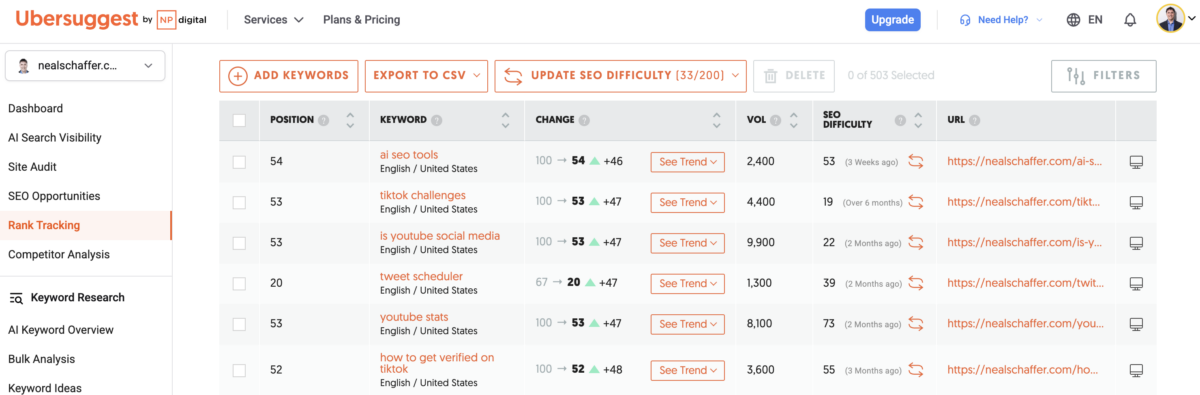
Ubersuggest, built by Neil Patel, is an SEO research tool designed specifically with solopreneurs, small businesses, and small marketing teams in mind. It handles keyword research, content ideas, competitor analysis, site audits, backlink tracking, and SERP analysis at a price point well below the enterprise SEO platforms. Ubersuggest also offers a lifetime plan option, which is rare in the SEO tool space and genuinely valuable for solo operators who would rather avoid yet another recurring subscription.
The interface is straightforward enough that you don’t need a dedicated SEO specialist on the team to get value from it. For most small business blog content planning, the keyword data and competitor research depth in Ubersuggest is more than sufficient. Where it doesn’t try to compete: enterprise-grade backlink intelligence and the deeper agency-level reporting workflows you’d get from Semrush or Ahrefs at the top of their plans.
I currently use Ubersuggest as my primary keyword research and SEO tool after migrating off of Semrush. For my own workflow and the kind of work I do with small business Fractional CMO clients, the pricing-to-features ratio came out clearly in Ubersuggest’s favor.
What Are the Best Tools for Content Idea Generation?
The best tools for content idea generation in 2026 combine search trend data (Google Trends), audience research (SparkToro), real-time content monitoring (Feedly), and People Also Ask question discovery (AlsoAsked). Together they answer four different questions: what people search for, who your audience actually listens to, what is getting published in your space right now, and what related questions your content should cover.
7. Google Trends
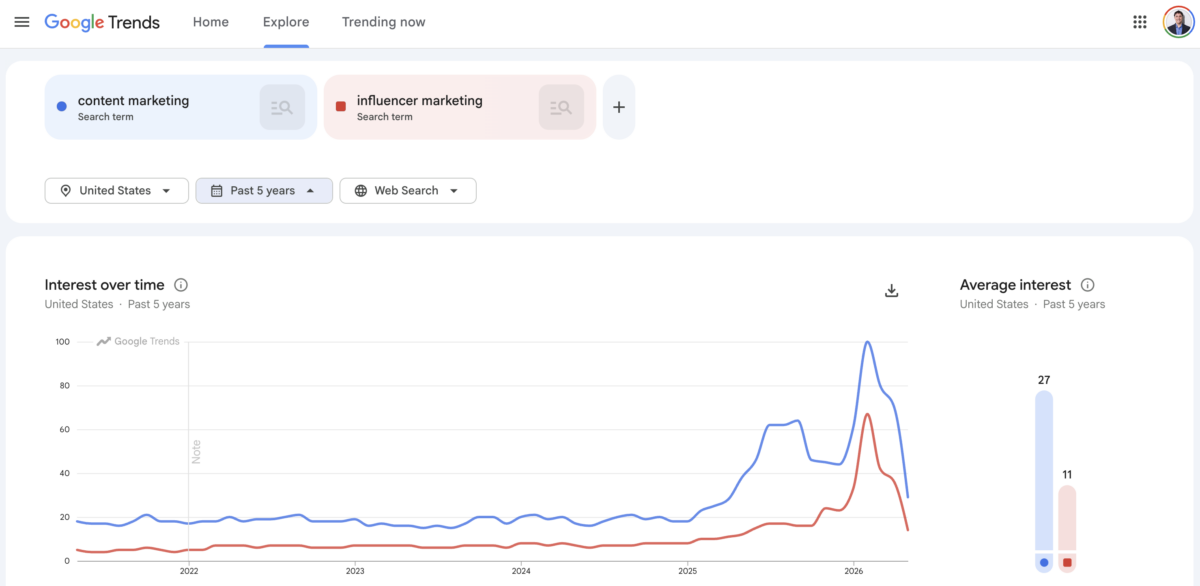
Google Trends is one of those content marketing tools that you’ll find hard not to use once you start using it. It helps you understand your target audience’s behavior and interests, offering a glimpse into what the world has been searching for since 2004. Sort by news, image, web, YouTube, products, geographical areas, categories, and time span, and compare up to five search items at once.
You can find the volume of traffic from a related keyword phrase and gain genuine content planning insights for free. Google Trends also offers Top Charts, Hot Searches, and Explore Trends. With a little creativity, it can yield significant search marketing insights at zero cost.
8. SparkToro
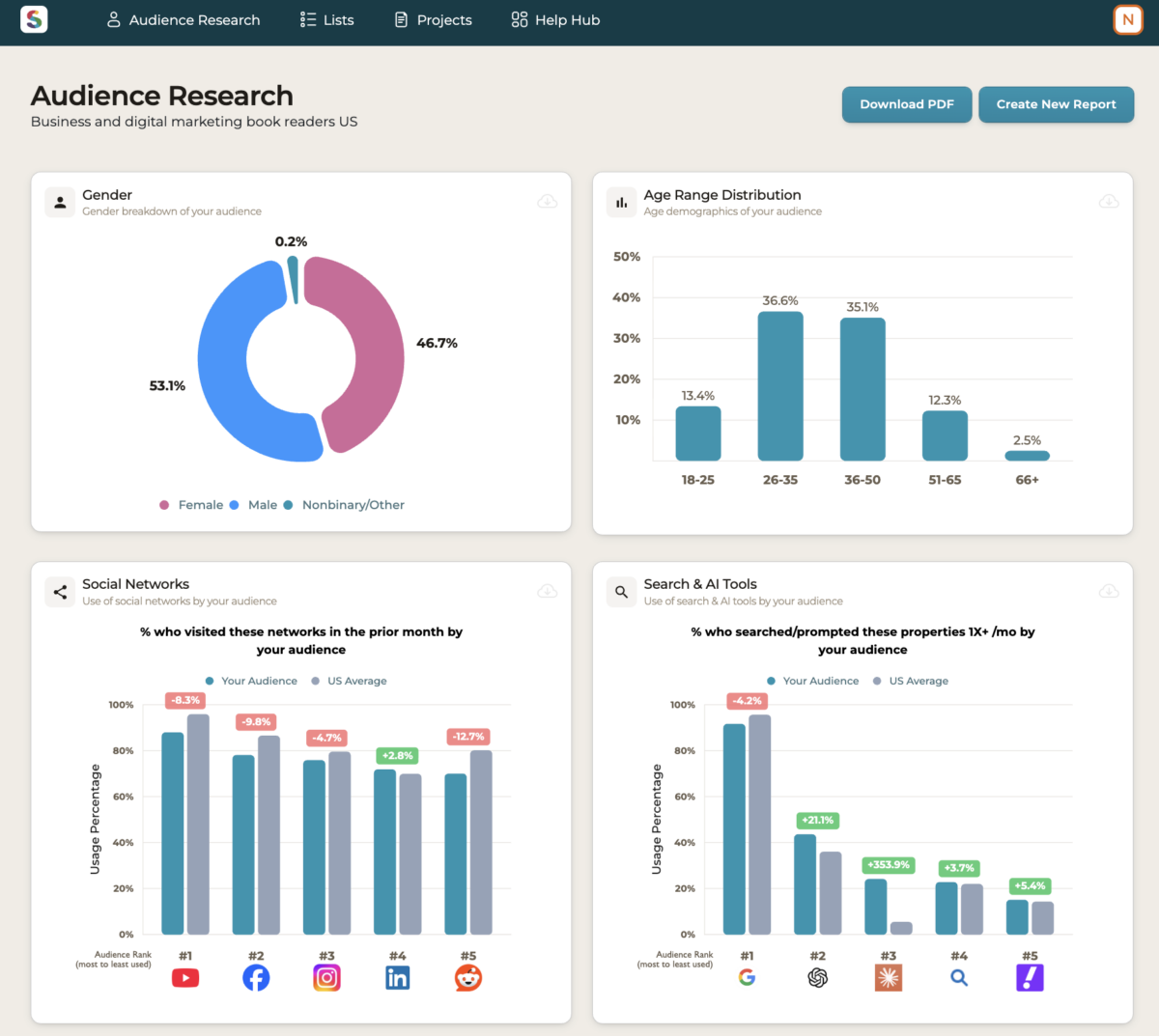
SparkToro is an audience research tool built by Rand Fishkin (founder of Moz) and his team. Where Google Trends tells you what people are searching for, SparkToro tells you who they are: the podcasts they listen to, the YouTube channels they subscribe to, the websites they read, the hashtags they use, and the publications they trust. For content marketers trying to figure out where their audience actually pays attention online, that is a fundamentally different angle than search data alone provides.
SparkToro offers 5 free credits per month, which is enough to do meaningful research on a specific audience segment before deciding whether to commit to a paid plan. I occasionally use those free credits when I am doing deep audience research for a specific project or a new content angle. For most small business marketers, that free tier is an excellent starting point to learn how the tool thinks before any upgrade decision. SparkToro is the audience research tool I most often recommend to people building a content strategy from scratch.
9. Feedly *
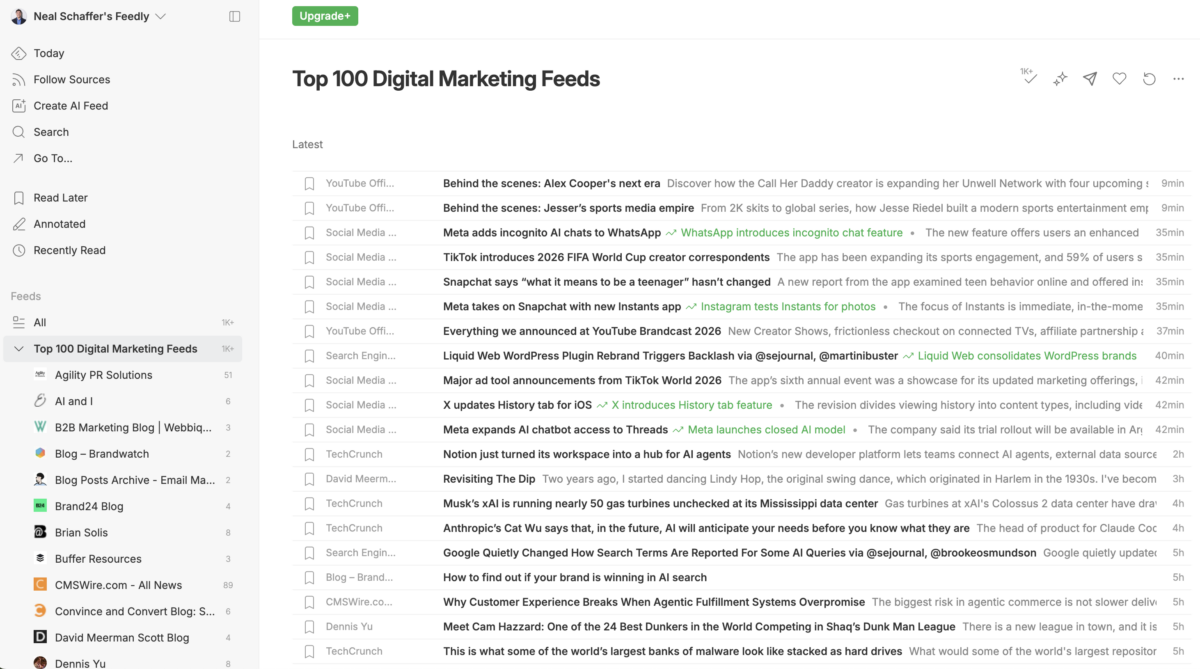
Feedly is one of the most widely used RSS readers and content curation tools in the market, and it is the tool I currently use to monitor everything from competitor blog posts to industry newsletters to specific journalists and analysts I want to track. Feedly organizes feeds into Boards, which act as themed collections you can build and refine over time. The platform’s AI assistant, Leo, learns what topics matter to you and surfaces relevant content from sources you have not explicitly subscribed to, which is useful when a trend is forming in your niche and you want to catch it early.
Where Feedly really shines for content marketers is the mobile app, which makes morning content review fast even on a phone, and the integrations with tools like Notion, Slack, and Buffer that let you push interesting content directly into your content marketing strategy workflow.
I currently use Feedly as my main RSS and content monitoring application.
10. AlsoAsked
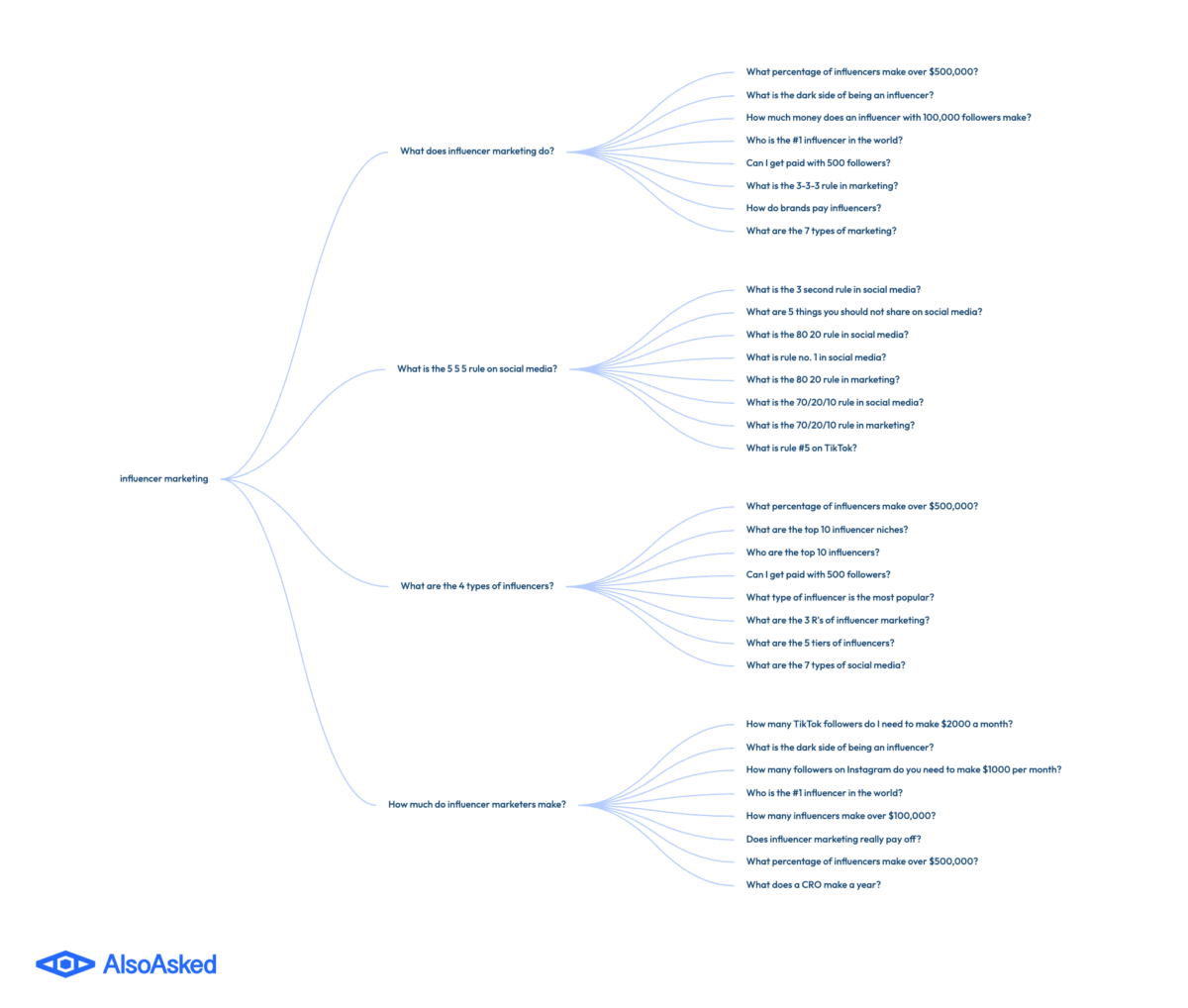
AlsoAsked is a tool built specifically for harvesting Google’s “People Also Ask” data at scale. You enter a seed keyword, and AlsoAsked maps out the related questions Google is surfacing in search results, plus the follow-on questions that appear when you click into them. The output is a visual question tree that maps how Google understands the conversation around your topic.
For content marketers writing for AEO and GEO, this kind of question data is increasingly important. AI engines like ChatGPT, Perplexity, and Google’s AI Overviews pull from the same People Also Ask layer that AlsoAsked surfaces, so a content brief informed by this data is more likely to address the questions an AI system will look for when it generates an answer for a user.
One honest note: I have not spent serious time in AlsoAsked yet, but I keep hearing strong recommendations for it from content marketers and SEOs whose judgment I trust. It is firmly on my testing list. If you are already deep into AEO and GEO planning, it is worth your time before mine.
What Are the Best Content Writing and Editing Tools?
The best content writing and editing tools combine grammar checking (Grammarly), readability analysis (Hemingway), plagiarism detection (Copyscape), and SEO on-page guidance (Yoast). Together they cover the four checks every piece of content should pass before publishing: is it correct, is it clear, is it original, and is it findable.
Once you have good ideas for content, here’s how to get the words down and polished.
11. Grammarly
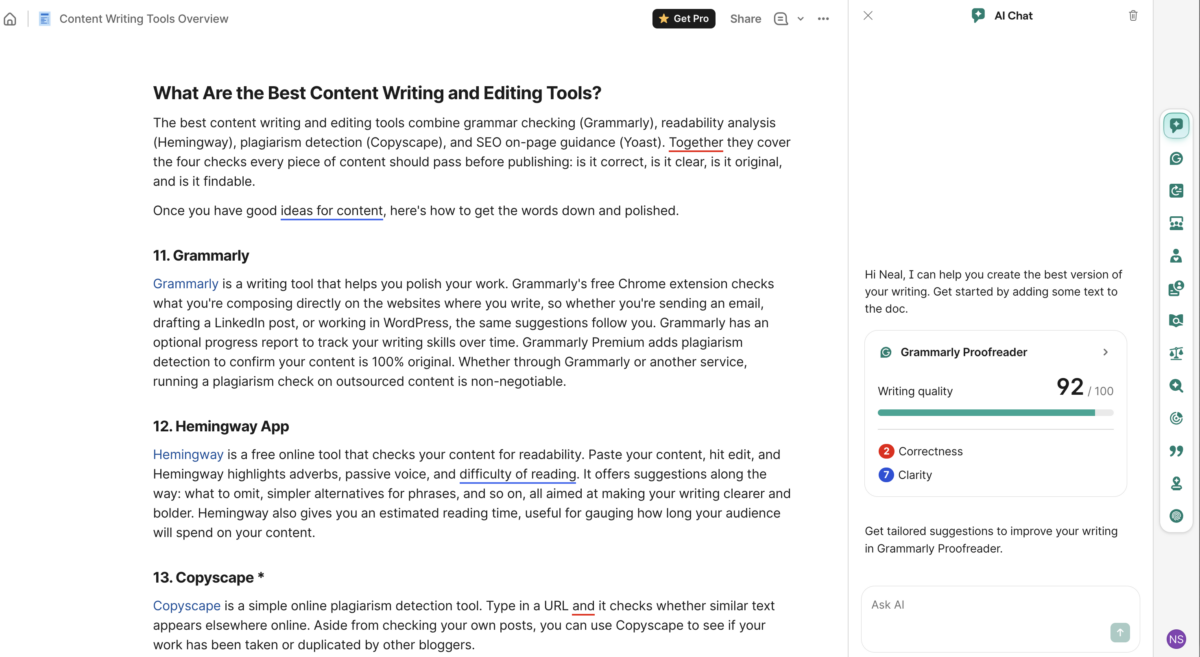
Grammarly is a writing tool that helps you polish your work. Grammarly’s free Chrome extension checks what you’re composing directly on the websites where you write, so whether you’re sending an email, drafting a LinkedIn post, or working in WordPress, the same suggestions follow you. Grammarly has an optional progress report to track your writing skills over time. Grammarly Premium adds plagiarism detection to confirm your content is 100% original. Whether through Grammarly or another service, running a plagiarism check on outsourced content is non-negotiable.
Honest note on my own usage: I do not run Grammarly as part of my daily workflow, but it remains the most widely adopted writing tool in the category and the one I recommend most often to people who want grammar and clarity feedback inside whatever app they happen to be writing in. The screenshot above is from a one-time check I ran on this very post to evaluate the current version of the Proofreader.
12. Hemingway App
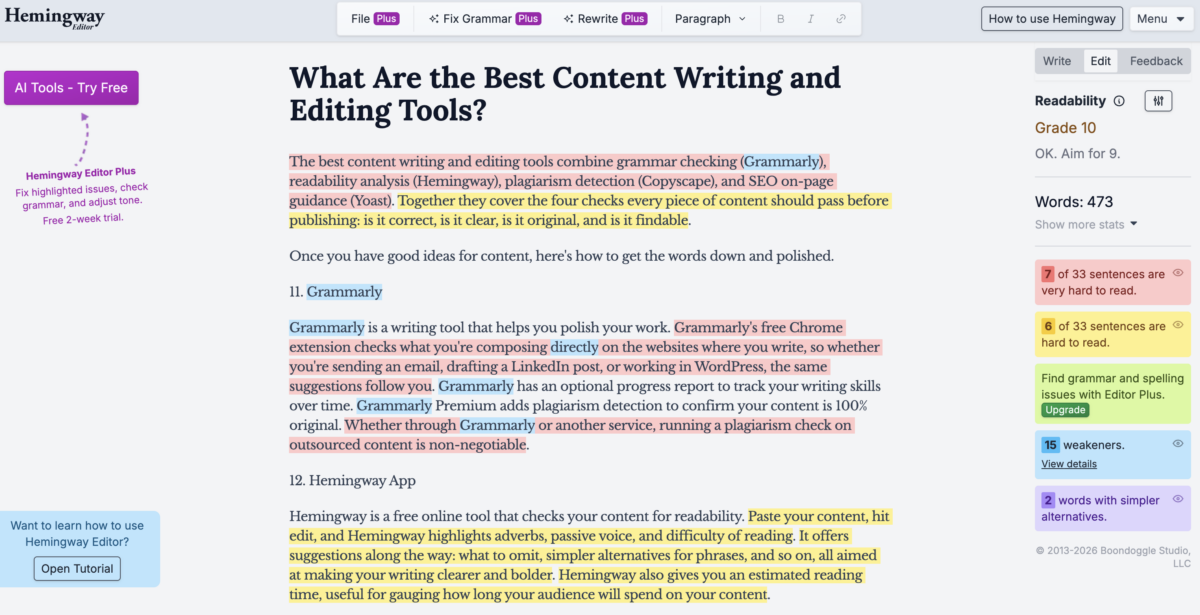
Hemingway is a free online tool that checks your content for readability. Paste your content, hit edit, and Hemingway highlights adverbs, passive voice, and difficulty of reading. It offers suggestions along the way: what to omit, simpler alternatives for phrases, and so on, all aimed at making your writing clearer and bolder. Hemingway also gives you an estimated reading time, useful for gauging how long your audience will spend on your content.
Honest note on my own usage: I do not run Hemingway regularly, but the readability scoring framework it popularized has shaped how I think about long-form writing for marketing audiences. The screenshot above is from a one-time pass I ran on this very post to evaluate how the section scored under the Hemingway grading.
13. Copyscape *
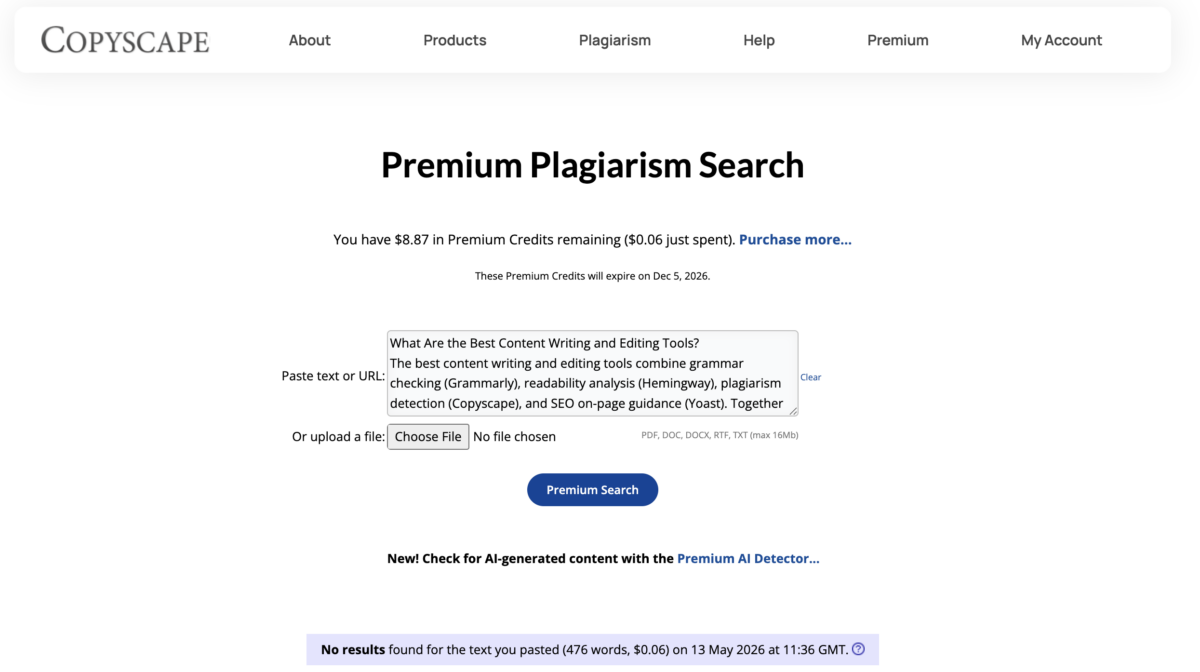
Copyscape is a simple online plagiarism detection tool. Type in a URL and it checks whether similar text appears elsewhere online. Aside from checking your own posts, you can use Copyscape to see if your work has been taken or duplicated by other bloggers.
Because I have a lot of contributing bloggers on my website, I use Copyscape to make sure all content is 100% unique. If you work with freelancers or outside services to source content in whole or even partially, I highly recommend Copyscape so you don’t accidentally publish duplicate content that hurts your search visibility.
14. Yoast *
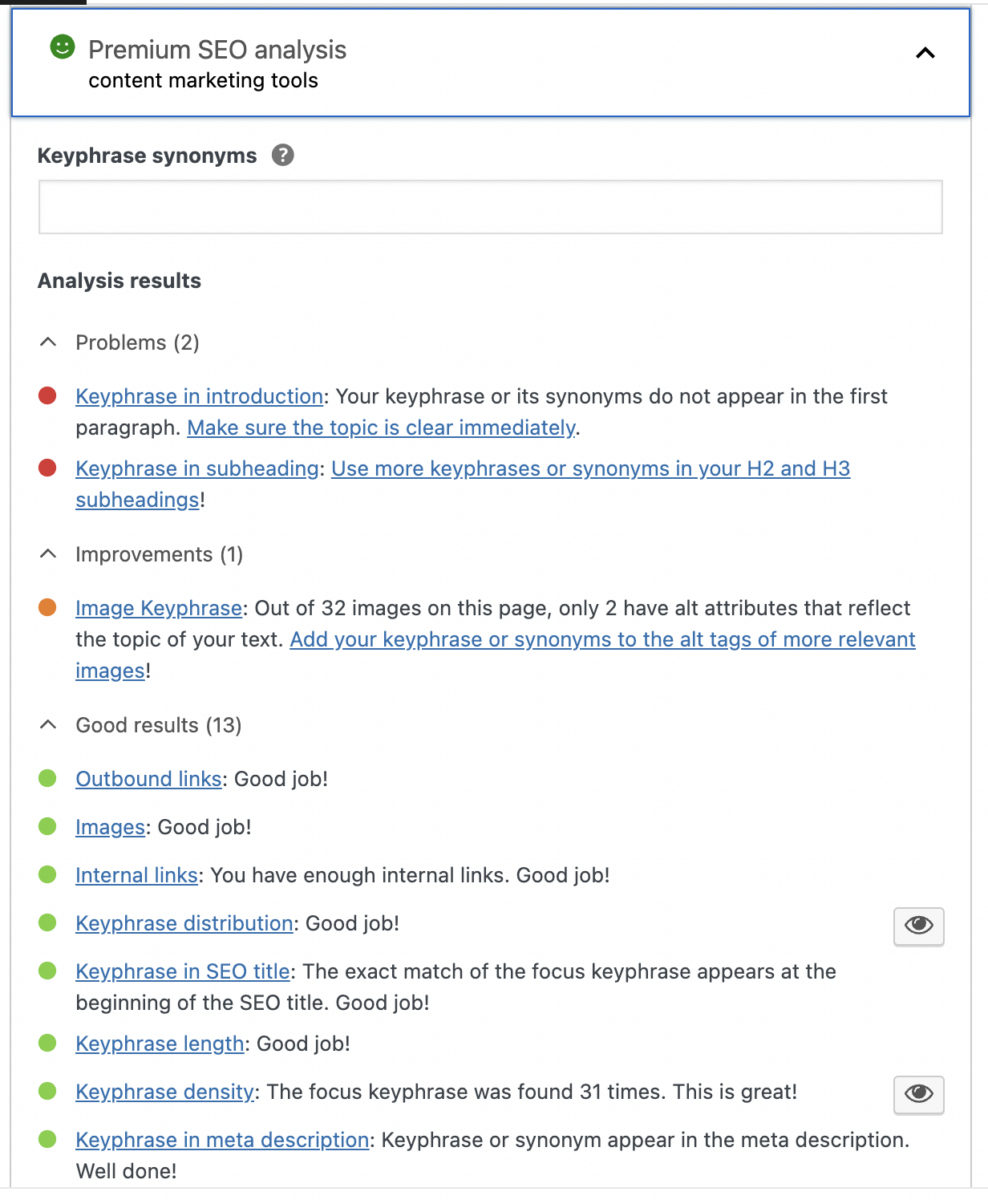
Yoast is a plugin used to improve the SEO of specific pages or entire websites. Although Yoast handles keyword optimization, it also looks at the structure and delivery of your content so your pages get distributed on search engines as effectively as possible. Yoast is most commonly associated with WordPress, but you don’t need a WordPress site to benefit from it, because the plugin works directly through your browser. Yoast’s offerings are divided into different areas of focus, including local SEO, news, and more, which lets you target multiple areas of exposure.
Yoast is easy to use, with a three-color system that indicates how effective your pages are at scoring high on SEO evaluations. It also shows how your site and individual pages display in Google searches. I use Yoast on every post I publish.
What Are the Best Visual and Design Tools for Content Marketers?
The best visual and design tools for content marketers in 2026 are Adobe Express for template-based design work and Napkin.ai for AI-generated visuals from plain text. Adobe Express handles social graphics, newsletters, web banners, and brand-consistent design. Napkin.ai turns written content into diagrams, flowcharts, and illustrations automatically. Most content marketers will want one of each in their stack.
15. Adobe Express *
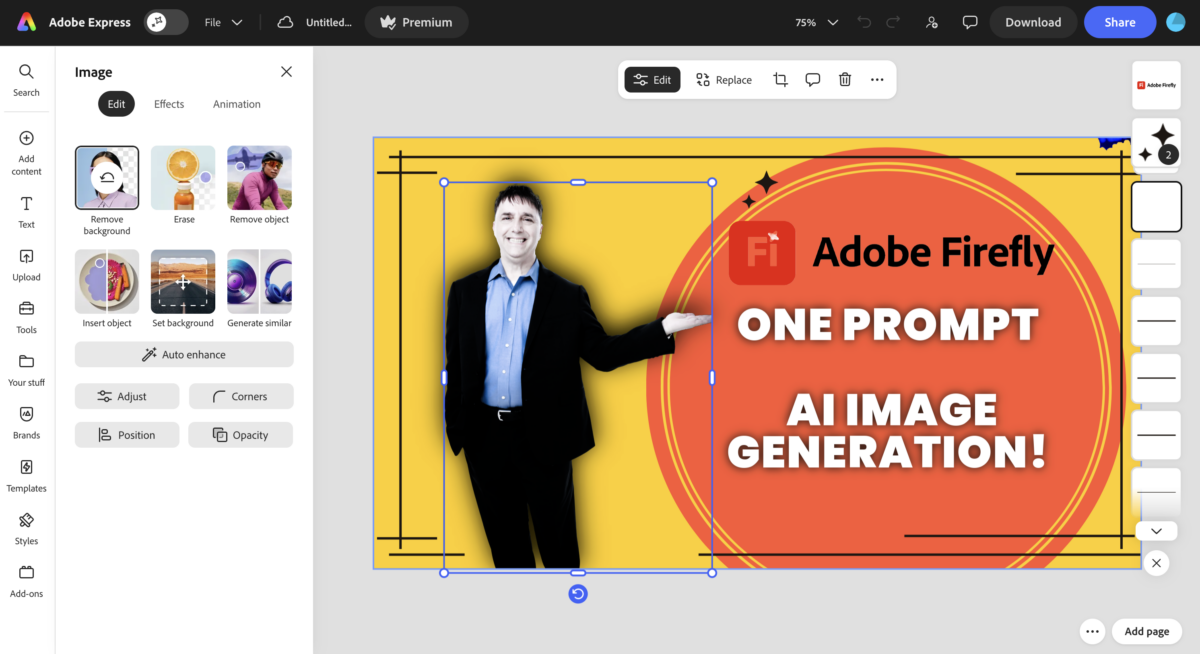
Adobe Express is a visual and graphics design tool that doubles as a content marketing tool. You can use it to create social graphics for Instagram, Pinterest, TikTok, and LinkedIn, design newsletters and email headers, build web banners and ad creatives, and develop text-laden images that meet modern SEO and AEO requirements. Adobe Express combines clean visuals with SEO-friendly text features, integrates with the broader Adobe Creative Cloud, and offers AI-powered features like Generative Fill that template-only tools cannot match.
If your main content distribution channels include Pinterest, Instagram, or any platform where images carry most of the load, Adobe Express is the design tool I recommend most often, especially for solo creators and small business owners who want professional output without hiring a dedicated designer.
Full disclosure: I am an Adobe Express Brand Ambassador, which means I have a formal relationship with the company. I want to be transparent about that, and I also want to be clear about the direction of that relationship. Adobe Express became my main design tool first, and the ambassador role followed. I am not recommending it because of the relationship. The relationship exists because I was already recommending it. If I had migrated off Adobe Express the way I migrated off Canva, BuzzSumo, or Semrush, this entry would say so.
I currently use Adobe Express as my main graphics editing app.
16. Napkin.ai *
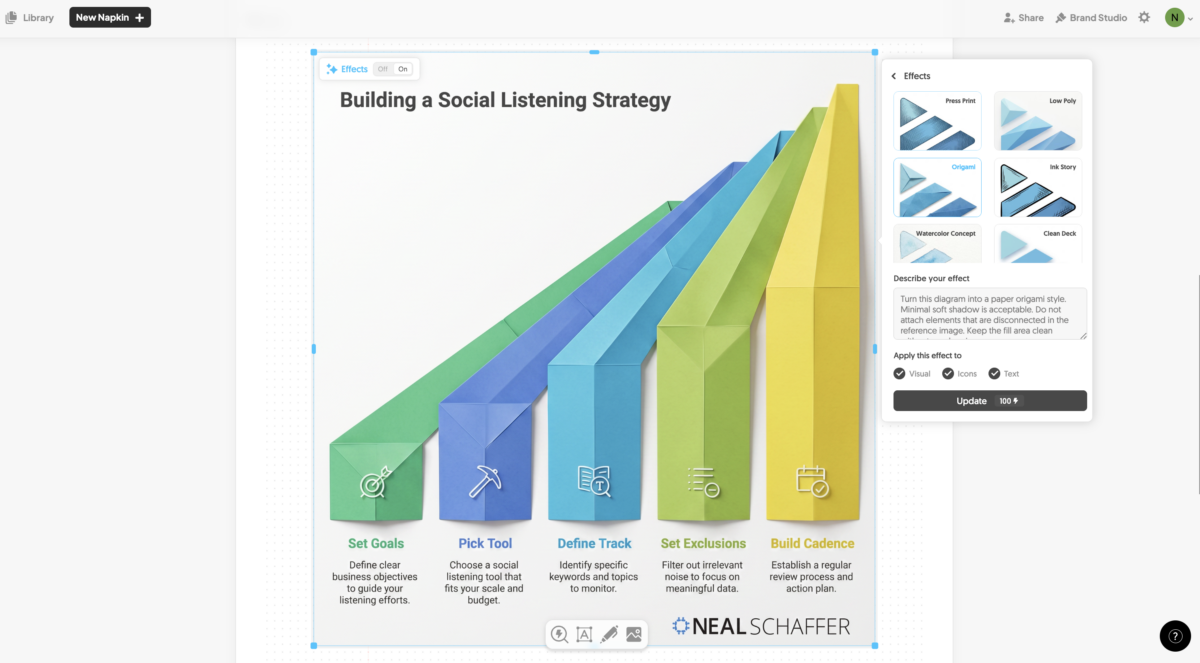
Napkin.ai is an AI-powered visual generation tool that takes plain text and converts it into diagrams, flowcharts, infographics, and illustrations. Paste a paragraph from your blog post or a list of bullet points into Napkin.ai, and the tool offers multiple visual interpretations you can select, customize, and export. Unlike Adobe Express and other template-based design tools where you assemble visuals from components, Napkin.ai generates the visual itself from your actual words.
For content marketers in 2026, this fills a real gap. Most long-form blog posts benefit from custom diagrams that explain a concept, but commissioning a designer for every post is slow and expensive, and template-based tools require you to already know what visual you want before you start designing. Napkin.ai inverts that workflow entirely. You start with your text, and the tool proposes visuals you might not have thought to create.
I currently use Napkin.ai whenever I need a custom diagram, mind map, or illustration that template-based tools cannot produce in the time available. It does not replace Adobe Express in my stack. The two tools complement each other and solve different problems.
What Are the Best Social Media Distribution Tools?
The best social media distribution tools for content marketers in 2026 are Buffer, ContentStudio, and SocialBee. Each lets you schedule across multiple platforms, monitor engagement, and report on performance. The right pick depends on whether you want simplicity (Buffer), AI-powered workflows and feature depth (ContentStudio), or category-based content recycling for evergreen reach (SocialBee).
You have your content ready. How will you get it to your key audience? These tools make distribution far easier than posting manually.
17. Buffer
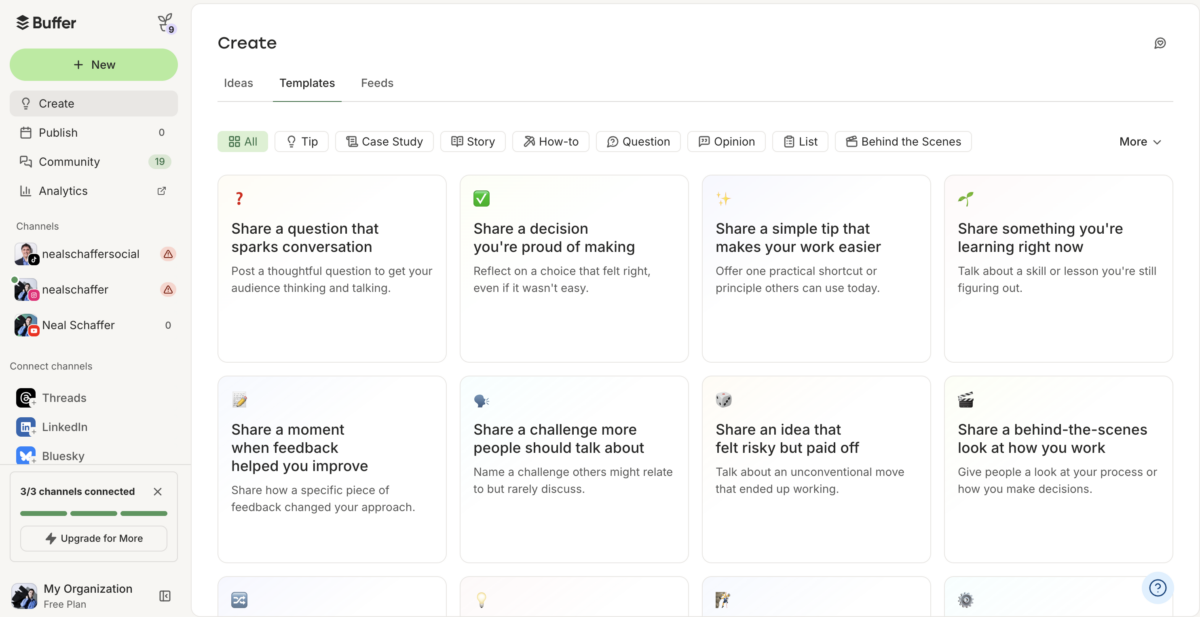
Buffer is a social media management tool that lets you run social campaigns from start to finish: plan and create campaigns, schedule them, engage with your audience, and analyze what was published. Buffer provides a single point of contact for audience communication and engagement, which means team members can interact directly with their audience through the Buffer platform.
Buffer’s free tier is generous enough to genuinely work for solo creators, and the paid tiers are reasonably priced for small teams. The interface is also one of the most forgiving in the category, which makes it the tool I most often suggest to people who have never used a scheduler before.
I have used Buffer in the past and still recommend it, especially for solo creators and small businesses just starting to systematize their social posting.
18. ContentStudio *
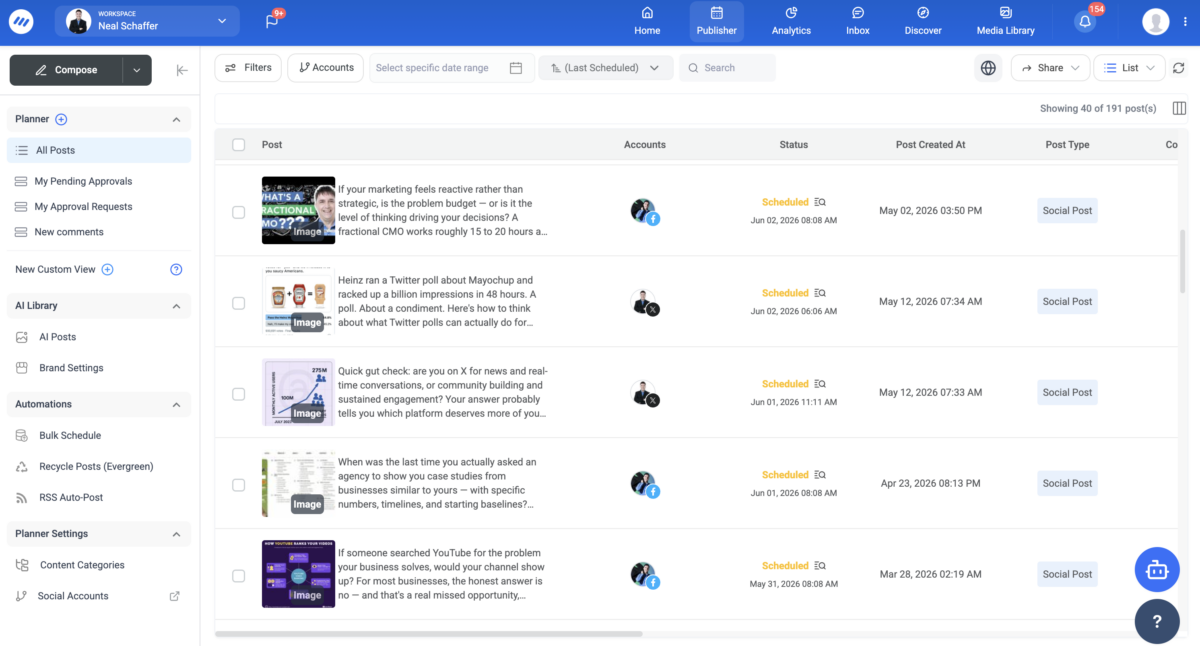
ContentStudio is a social media management and content marketing platform that handles scheduling, content discovery, social inbox, analytics, and AI-powered post generation in one place. Where Buffer focuses on simplicity and the enterprise tools focus on reporting depth, ContentStudio sits in the middle with a strong feature-to-price ratio and a UI built around content workflows rather than just calendar slots.
What sets ContentStudio apart for content marketers in 2026: built-in AI writing tools that respect your brand voice, content discovery that surfaces trending articles in your niche, automation recipes that let you trigger posts based on RSS feeds or other events, and a social inbox that consolidates messages across platforms. The platform handles the full social media content creation and distribution workflow inside one interface.
I currently use ContentStudio as my primary social media distribution tool. After cycling through multiple schedulers over the years, the feature depth and pricing made it the right fit for the kind of multi-channel content work I do, and the AI features have meaningfully cut down the time I spend on social posting each week.
19. SocialBee
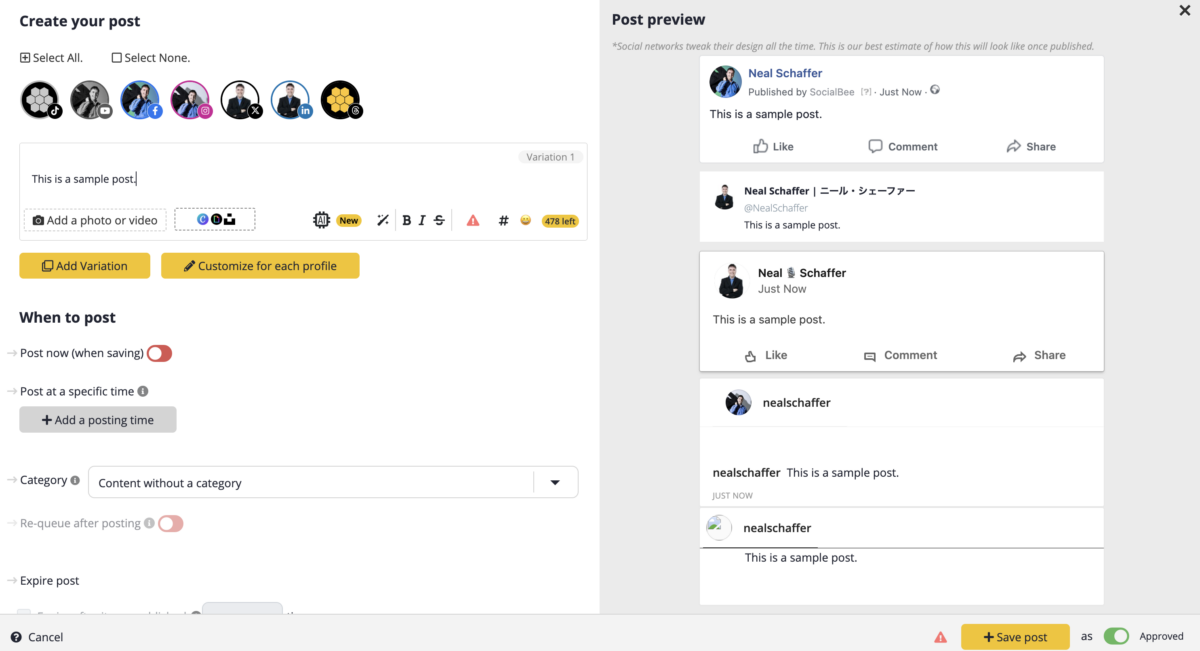
SocialBee is a social media management tool built around the concept of category-based content scheduling. Instead of scheduling one post at a time, you create content categories (for example, “thought leadership,” “promotional,” “curated articles”) and SocialBee cycles posts from those categories into a recurring schedule. The result: evergreen content keeps recirculating without you manually re-queuing it, which is genuinely powerful for solo creators and small teams trying to maintain consistent presence.
SocialBee also offers AI-powered post generation, audience-specific posting times, and concierge services where their team can manage your social presence for you. The platform is particularly well-suited to creators with a large back catalog of content they want to keep working for them long after publish day.
I have used SocialBee heavily in the past and still recommend it, particularly for solo creators and small businesses who want their best content to keep working for them. The category-based approach is a different mental model from Buffer’s queue-based scheduling and worth at least testing.
What Are the Best Email Distribution Tools for Content?
The best email distribution tools for content marketers in 2026 are Kit for creators focused on growing an audience-first newsletter business and ActiveCampaign for marketers who need deeper automation, behavioral triggers, and CRM features. Kit prioritizes simplicity and creator-friendly workflows. ActiveCampaign prioritizes automation depth across marketing and sales.
Social media isn’t the only place to distribute your content. Email is another great option, and arguably the most underrated channel in 2026 because you own the list and the algorithm can’t take it away.
20. Kit *
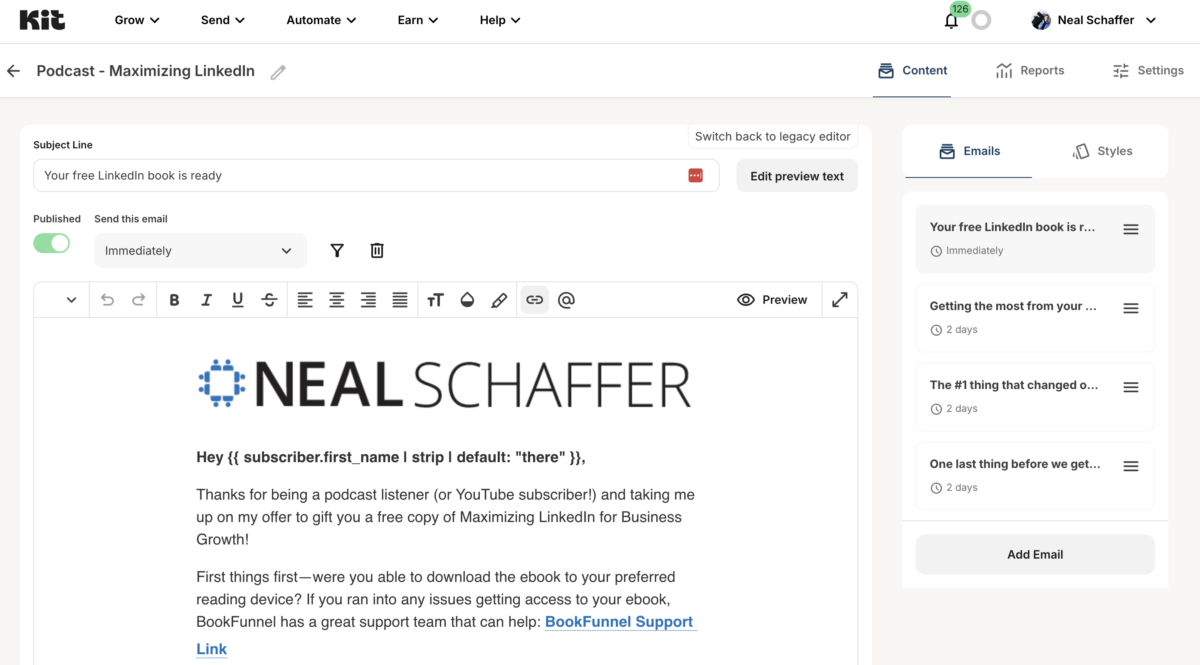
Kit (formerly ConvertKit) is the email platform built specifically for creators, newsletter publishers, and small business owners who treat email as their primary audience channel. Kit handles list growth (with landing pages and sign-up forms), email sequences, broadcast newsletters, segmentation, and creator commerce features like paid subscriptions, all without the complexity of a full marketing automation platform.
Kit’s free tier is genuinely capable for early-stage creators, and the paid tiers scale reasonably as your list grows. The Kit Creator Network and recommendations system are also worth knowing about, since they help newer creators get discovered by audiences from related newsletters, which is a growth lever traditional email platforms don’t offer. For readers coming from Mailchimp, Kit is the natural next step when you start treating your email list as the most important asset in your business.
I currently use Kit as my primary email platform after working through earlier generations of email tools. For creators, authors, podcasters, and small business owners building an audience-first business, Kit hits the right balance between simplicity and capability.
21. ActiveCampaign
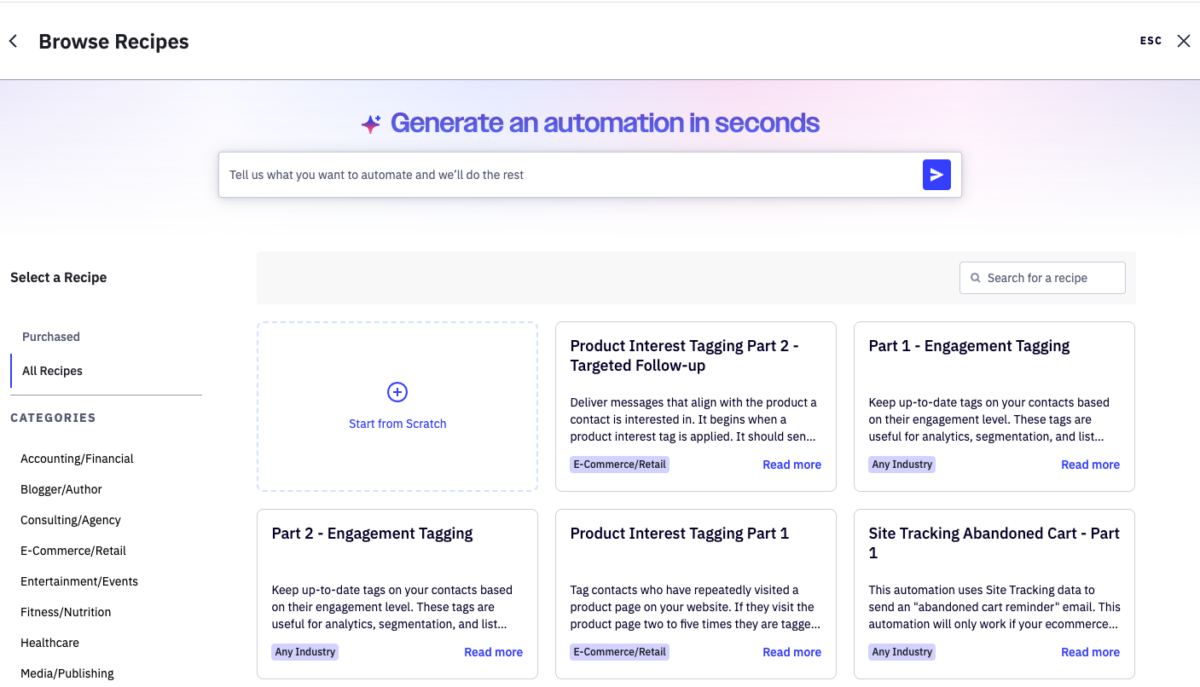
ActiveCampaign is a marketing automation and content marketing platform with CRM features that goes deeper than most creator-focused email tools. Where Kit prioritizes simplicity, ActiveCampaign prioritizes automation depth: behavioral triggers, conditional logic, lead scoring, sales pipeline management, and integrations with hundreds of other tools.
ActiveCampaign is the platform I most often recommend to small businesses that need email to do more than just send newsletters: nurturing sequences tied to specific customer behaviors, recovery campaigns for abandoned shopping carts, drip campaigns for trial users, and lead routing based on intent signals. The AI features added to the platform in the past year, including predictive content and predictive sending, are genuinely useful additions that move beyond the marketing buzzword tier and are part of why I would put ActiveCampaign back on a shortlist for clients evaluating email platforms in 2026.
I have used ActiveCampaign in the past and continue to recommend it, particularly to small businesses with multi-step customer journeys and to anyone evaluating email platforms specifically for the recent AI capabilities. The platform’s depth comes with a learning curve. For marketers who can invest the time, the payoff is significant.
What Are the Best Tools for Content Optimization for AEO and GEO?
The best content optimization tool for AEO and GEO in 2026 is Frase, which combines SERP analysis, content brief generation, and AI-powered writing assistance into a single workflow. Frase analyzes top-ranking competitor content for any target keyword and helps you write briefs that cover the topics and questions readers (and AI engines) expect to find on a page about that topic.
22. Frase
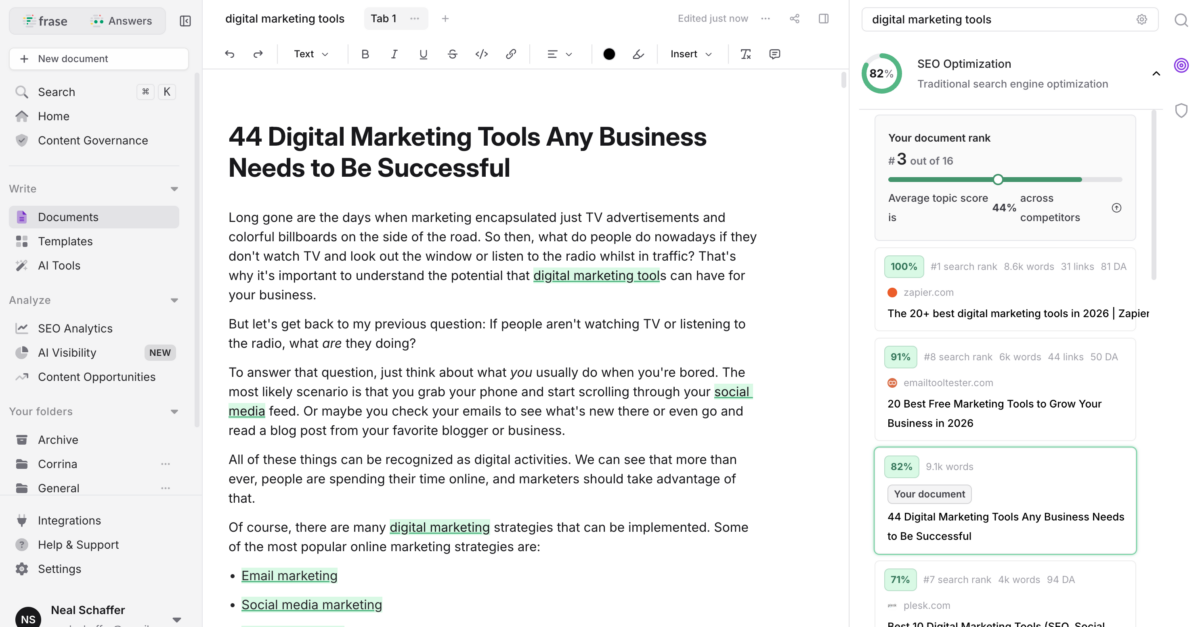
Frase is a content optimization platform that helps you research, write, and optimize content based on what already ranks for a target keyword. Drop in a keyword and Frase pulls SERP data, extracts the topics and questions competitor pages cover, generates content briefs based on what matters most for ranking, and lets you score your draft against the competitive set as you write.
For content marketers in 2026, this kind of SERP-data-driven content optimization is increasingly important. AI engines like ChatGPT, Perplexity, and Google’s AI Overviews tend to pull from pages that thoroughly address a topic, including the related subtopics and questions humans search for. Frase makes that depth of coverage measurable rather than something you guess at while drafting.
I have heavily used Frase in the past and still recommend it, particularly for content marketers writing in competitive SEO categories where understanding which topics to cover is half the battle. Surfer SEO is a comparable alternative worth evaluating alongside Frase if you want to compare workflows before committing to one.
What Are the Best AI Visibility Tracking Tools?
The best AI visibility tracking tools for content marketers in 2026 are still being figured out as the category evolves rapidly. Small businesses and solo creators should be testing Otterly.AI, Peec AI, and Rankability as accessible starting points. Teams already on Semrush or Ahrefs should activate the AI visibility features built into those platforms before paying for a standalone tool.
23. AI Visibility Tracking (Otterly.AI, Peec AI, Rankability, plus Semrush and Ahrefs add-ons)
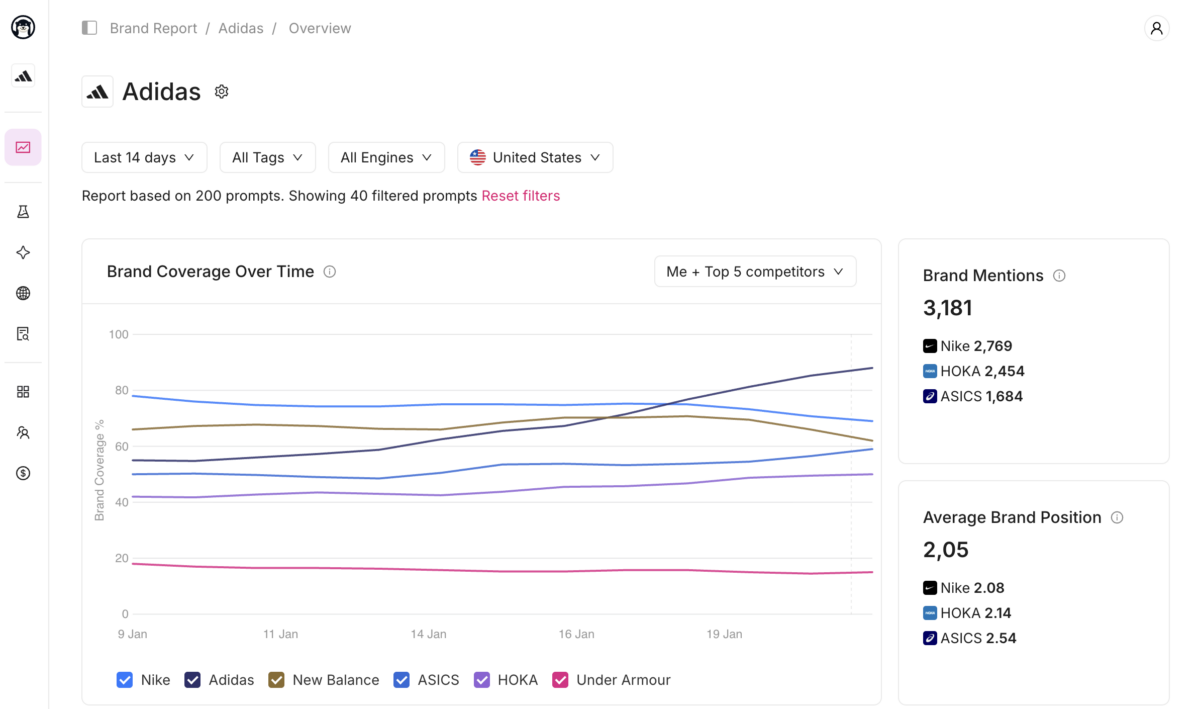
The AI visibility tracking category exists because traditional SEO metrics no longer capture how brands appear in AI search. You can rank position one in Google and still be completely absent from ChatGPT, Perplexity, or Google AI Overviews. AI visibility trackers measure brand mentions and citations across AI engines, monitor how often you appear for buyer-intent prompts, and surface what users are actually asking AI about your category. As of 2026, this is a new category with a rapidly evolving set of tools, no clear winner yet, and pricing that varies widely.
One important caveat before naming tools: AI engines cite the same kinds of content humans share. Original data, clear structure, expert authorship, and primary sources. None of that comes from a tracking tool. It comes from the strategy and quality behind the content. AI visibility trackers tell you whether your work is showing up in AI search. They do not get it there. That work is everything else in this post.
For small businesses and solo creators, the three tools I would point readers to as accessible starting points are:
- Otterly.AI: starts around $29 per month and is often cited as the easiest entry point into AI visibility monitoring. Tracks ChatGPT, Perplexity, and Gemini, with a free trial that lets you evaluate before paying.
- Peec AI: positioned explicitly for smaller brands and starting around €89 per month. Strong on simpler, faster reporting without the complexity of enterprise platforms.
- Rankability: starts around $79 per month for solo creators and combines AI Overview tracking with traditional SEO rank tracking in one workflow.
For readers already paying for Semrush or Ahrefs, the AI Visibility add-ons inside those platforms (Semrush AI Toolkit and Ahrefs Brand Radar) are the right starting point before adding a separate subscription. No sense paying twice for the same category of data.
Pricing in this category is approximate as of mid-2026 and can shift quickly. Always confirm current pricing on each vendor’s site before subscribing.
Full disclosure on this section: I am still testing my way through these tools and have not yet committed to a single AI visibility tracker for my own stack. The category is moving fast enough that recommending a permanent winner today would be premature. What I do recommend is that every content marketer in 2026 should be experimenting with at least one of these tools, because the data they surface is the only way to know whether your AEO and GEO work is actually paying off.
What Are the Best Analytics Tools for Content Marketing?
The best analytics tools for content marketing are Google Analytics 4 for traffic, conversions, and audience behavior at the page level, and Microsoft Clarity for heatmaps, scroll maps, and session recordings that show how readers actually interact with your content. GA4 tells you what happened. Microsoft Clarity tells you why, and Clarity is free with no session limits.
How successful is your content marketing? There’s a tool for that.
24. Google Analytics *
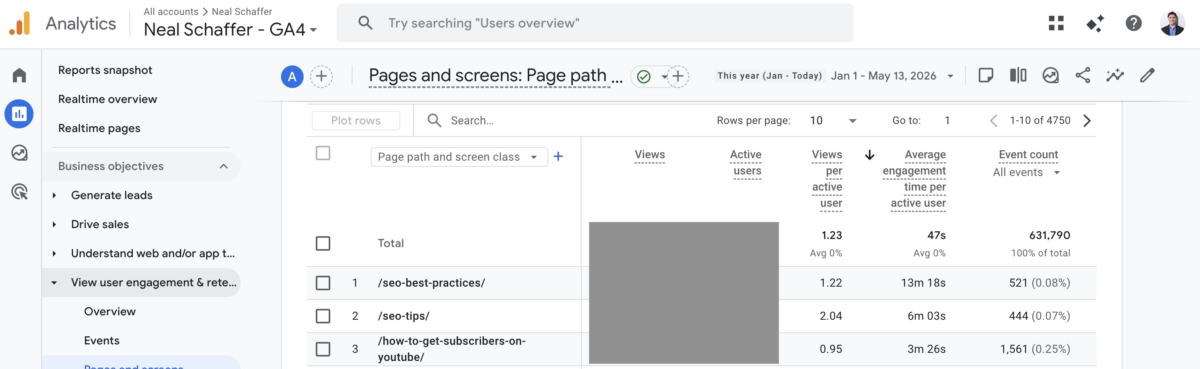
Tracking analytics for your published content can be overwhelming. Your audience prefers different content types, and many readers will consume your content for years before they convert.
Google Analytics helps you understand whether your content marketing strategy is actually working. Google Analytics surfaces the data that tells you which content is most popular, which format performs best in search, how often you should publish, the times of week or month people visit, and whether your content results in conversions.
For a content marketer, Google Analytics is a best friend, offering endless opportunities for analysis. Google has built a serious platform to gather data and update it in real-time. The catch: all that data is useless if you haven’t set up the goals and events that match your business objectives. Take the time to configure GA4 properly or it will give you mountains of pageviews and zero insight.
25. Microsoft Clarity
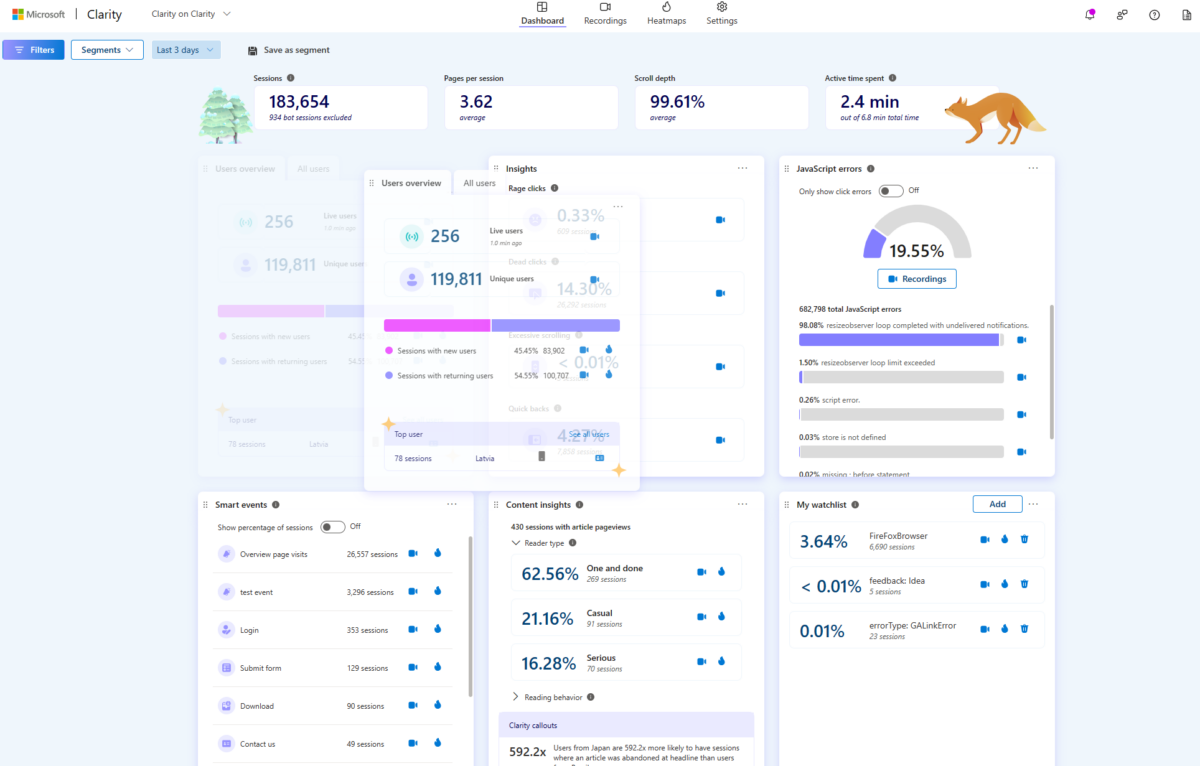
Microsoft Clarity is a free behavioral analytics tool from Microsoft that delivers heatmaps, scroll maps, session recordings, and click tracking with no session limits and no paid tiers gating the useful features. For content marketers who want to see how readers actually interact with a long-form blog post (where they pause, where they scroll past, where they click, where they bounce), Clarity provides the data most blog publishers used to pay Hotjar or comparable tools for.
The tradeoff: as a Microsoft product, Clarity will surface data inside the Microsoft advertising and Bing ecosystem, which some teams care about and others do not. The free pricing makes that tradeoff easy to evaluate. For most small business blog publishers, the answer is that free behavioral analytics is too valuable to skip.
Based on what I have heard from other content marketers and small business owners, Microsoft Clarity has earned its place as the free alternative to Hotjar that is worth installing on every blog. I have not used it personally as my main behavioral analytics tool, but the strength of the recommendations from people I trust puts it on this list rather than the paid alternatives it has replaced for many publishers.
Quick Reference: All 25 Tools by Category
| Category | Tool | Free Tier? | Neal Uses? |
|---|---|---|---|
| AI Generation | ChatGPT | Yes | Yes |
| AI Generation | Claude | Yes | Yes |
| AI Generation | Jasper | Trial | No (previously) |
| SEO Research | Semrush | Limited | No (migrated) |
| SEO Research | Ahrefs | Webmaster Tools | Yes (Site Audit) |
| SEO Research | Ubersuggest | Yes | Yes |
| Ideas | Google Trends | Yes | Yes |
| Ideas | SparkToro | Yes (5 credits/mo) | Occasionally |
| Ideas | Feedly | Yes | Yes |
| Ideas | AlsoAsked | Trial | Not yet |
| Writing | Grammarly | Yes | No |
| Writing | Hemingway | Yes | No |
| Writing | Copyscape | Pay per scan | Yes |
| Writing | Yoast | Yes | Yes |
| Design | Adobe Express | Yes | Yes |
| Design | Napkin.ai | Yes | Yes |
| Social | Buffer | Yes | Previously |
| Social | ContentStudio | Trial | Yes |
| Social | SocialBee | Trial | Previously |
| Kit | Yes | Yes | |
| ActiveCampaign | Trial | Previously | |
| Content Optimization | Frase | Trial | Previously |
| AI Visibility | Otterly.AI/ Peec AI / Rankability | Trial/Free options | Testing |
| Analytics | Google Analytics | Yes | Yes |
| Analytics | Microsoft Clarity | Yes | Not yet |
How These Tools Compare on Core Features
For readers trying to narrow down a category, here is how the headline tools stack up at a glance:
| Tool Category | Best for Solo Creators | Best for Small Teams | Best for Enterprise |
|---|---|---|---|
| SEO Research | Ubersuggest | Ubersuggest or Ahrefs | Semrush + Ahrefs paired |
| AI Writing | ChatGPT or Claude | Claude + Jasper | Jasper with brand voice |
| Design | Adobe Express Free + Napkin.ai | Adobe Express Premium | Adobe Creative Cloud |
| Distribution | ContentStudio or SocialBee | Buffer | Enterprise schedulers like Sprout Social |
| Kit (free tier) | Kit or ActiveCampaign | Hubspot or Marketo | |
| Content Optimization | Frase | Frase or Surfer SEO | Frase or Surfer SEO Enterprise |
| AI Visibility | Otterly.AI | Peec AI or Rankability | Semrush AI Toolkit + Ahrefs Brand Radar |
| Analytics | GA4 + Microsoft Clarity | GA4 + Microsoft Clarity | GA4 + enterprise BI layer |
My Honest Take on Where AI Fits
Ann Handley, chief content officer at MarketingProfs, summed it up better than I can in the 2026 CMI B2B research report:
“Efficiency is only the first chapter of the AI marketing story, not the ending. Actually, maybe it’s the prologue. AI is like giving every marketer a turbo-charged typewriter. Hooray! We can all crank out words faster. But the bigger prize is what we do with the time saved: the slower, deeper work of thinking. The bold ideas. The genuine human that no machine can automate.” (Ann Handley, chief content officer, MarketingProfs)
That’s the exact framing I bring to every Fractional CMO engagement. AI is in the stack. AI is not the stack. The teams that are winning in 2026 use AI to free up time for strategy, original thinking, and the kind of quality content that AI alone cannot produce.
I should also mention one observation from my own work this year. The same CMI report shows that the share of marketing budget going to AI tools jumped to 45% in 2026, the highest single category. Owned media and experiential marketing came in next at 32% and 33%. But human resources (salaries, training, development) sat dead last at 9%. That gap tells me a lot about where the next wave of disappointment will come from: teams buying tools they cannot operate well.
Frequently Asked Questions
Most small businesses operate well with seven or eight tools: one AI writing assistant (ChatGPT or Claude), one SEO research tool (Ubersuggest, Ahrefs Webmaster Tools, or Semrush), one design tool (Adobe Express), one scheduler (SocialBee or ContentStudio), one email platform (Kit or ActiveCampaign), and free analytics via Google Analytics plus Microsoft Clarity. Anything beyond that is optional until specific bottlenecks force the addition.
Yes, for solo creators and very small teams, free tiers can carry you surprisingly far in 2026. Ahrefs Webmaster Tools, Ubersuggest, Google Trends, Adobe Express, Hemingway, ChatGPT (free tier), Kit (free tier), Google Analytics 4, and Microsoft Clarity are all genuinely capable. The free stack breaks down once you need team workflows, advanced automation, or higher API limits.
There’s no single winner, and anyone who tells you otherwise is selling something. ChatGPT and Claude are the strongest general-purpose AI assistants, and most content marketers benefit from access to both. Jasper is the strongest marketing-specific platform for teams who need brand voice consistency and templated workflows. I personally use both ChatGPT and Claude as part of my daily workflow.
No, but content marketers who effectively use AI will replace those who don’t. The CMI productivity numbers above show that AI clearly accelerates output, yet content performance gains lag far behind. The takeaway: AI speeds up the work, but the strategy, taste, and judgment still has to come from a human who understands the audience.
I recommend a full stack audit every three months due to the rapid pace of change with innovations in artificial intelligence. Check what you’re paying for, what you actually use, and whether any “indispensable” tools are still earning their keep. I’ve cut more than one annual subscription after realizing I hadn’t logged in for three months. The same discipline applies to enterprise teams sitting on dormant licenses.
Start Building a Smarter Content Marketing Stack
With these 25 content marketing tools as your menu, you can build a stack that fits your team size, budget, and channels rather than buying everything at once. The goal isn’t 25 logins. The goal is seven to ten tools that you actually use and that compound your output over time.
If you want to go deeper on the data behind what’s working in content marketing right now, my running collection of content marketing statistics is worth bookmarking and revisiting quarterly.
If you’re a small business owner or entrepreneur trying to put it all together into a coordinated digital strategy, download a free preview of Digital Threads, which lays out the full framework I use with Fractional CMO clients. And if you’d like hands-on help building or auditing your content marketing program, reach out about Fractional CMO services and we can talk through what fits your situation.
Actionable advice for your digital / content / influencer / social media marketing.
Join 13,000+ smart professionals who subscribe to my regular updates.
