


Your LinkedIn profile picture serves as your digital handshake on the platform that becomes the default website for most professionals. Because we are visual animals, your headshot creates that crucial first impression before you ever meet someone. Think about it: when you receive a connection request or check out a potential business partner’s profile, what’s the first thing you notice? Their photo.
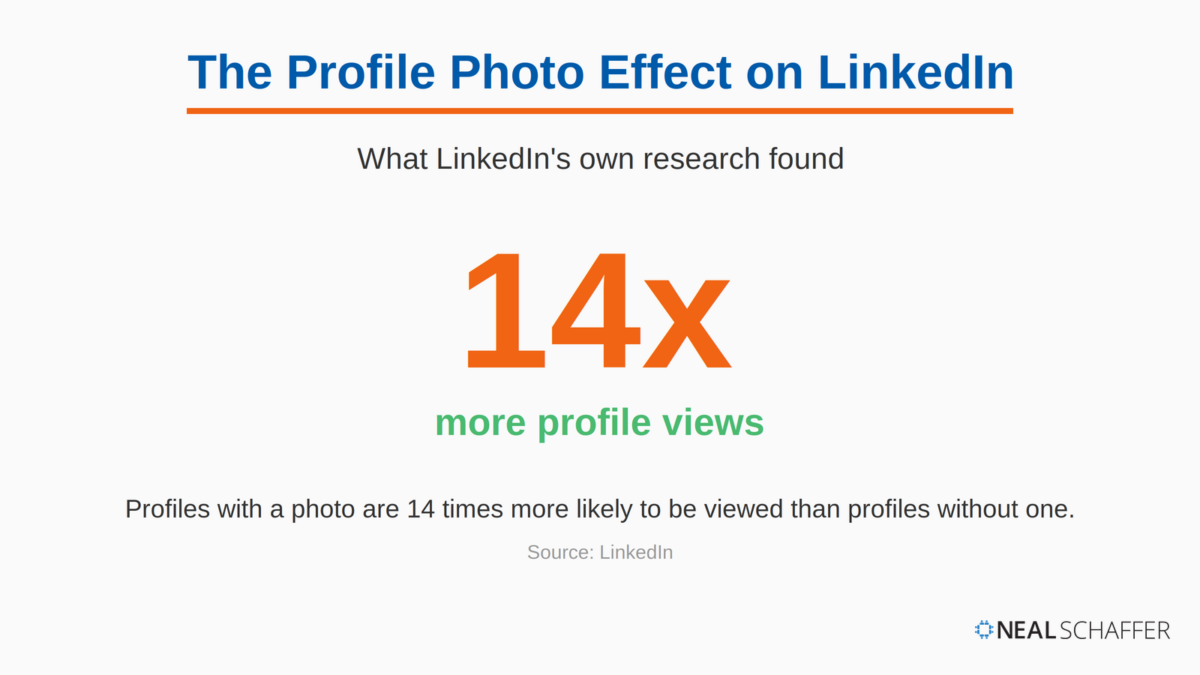
The quality of your LinkedIn headshot directly impacts your professional opportunities. LinkedIn profiles with professional headshots receive 14 times more profile views than those without.
This LinkedIn statistic alone should convince you to invest time and resources into creating a quality headshot. Your photo serves as more than a visual element. It is a marketing tool that can open doors to new connections and opportunities, as I write about in Maximizing LinkedIn for Business Growth.
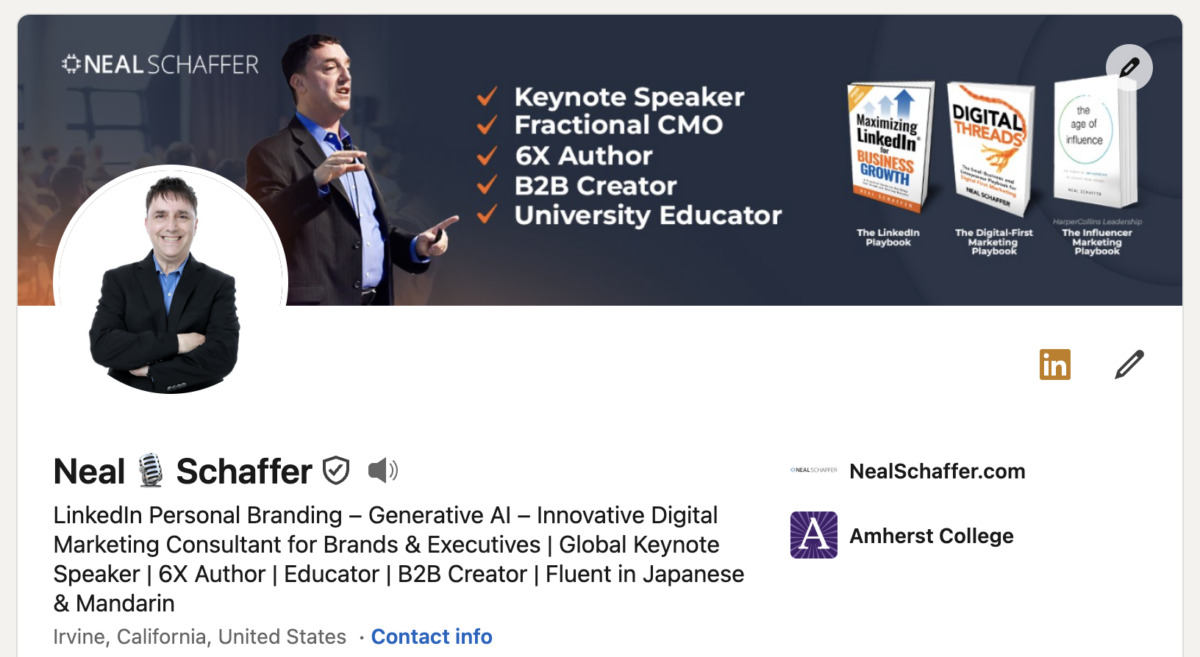
I invest in a professional headshot every two years or so. As an author and speaker, there is always a need to have images that help me put my best foot forward professionally. The beauty of a professional headshot session is that I get to pick my best shot for my LinkedIn profile photo (shown below), and I walk away with a variety of photos and poses to use on my website, YouTube thumbnails, and everywhere else online.
Key Takeaways
✅ A professional LinkedIn headshot is a recent, well-lit photo of your head and shoulders, with your face filling at least 60% of the frame against a simple, uncluttered background.
✅ Your photo does measurable work: profiles with professional headshots receive 14 times more views than profiles without one.
✅ You do not need a photographer. A smartphone with portrait mode, soft window light, and a tripod at eye level can produce a headshot that holds its own against studio work.
✅ Dress slightly more formally than your everyday work attire, in well-fitting solid colors that keep attention on your face.
✅ Update your headshot every two to three years, or whenever it stops looking like the person who would walk into the meeting.
Why LinkedIn Headshots Matter
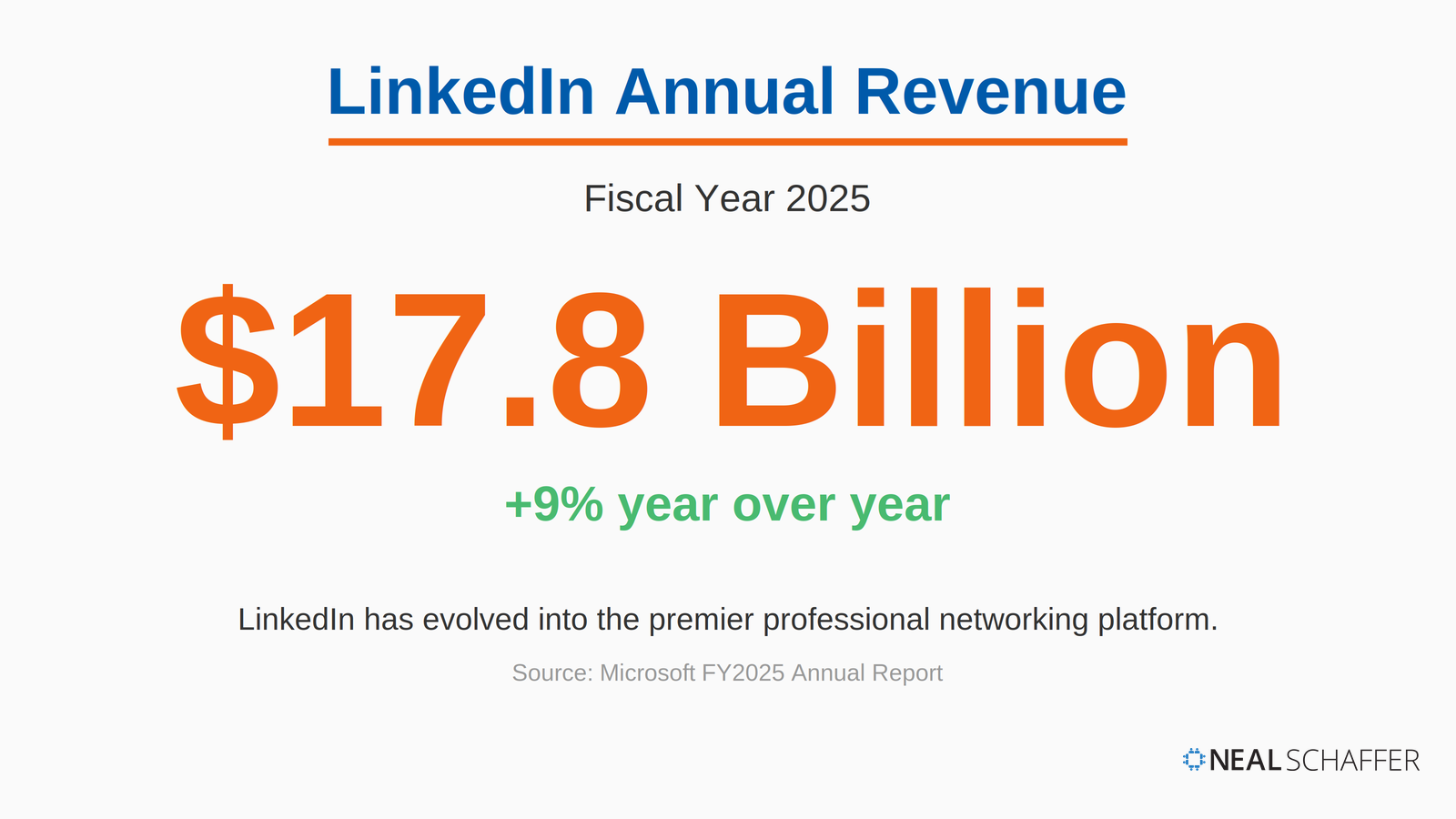
LinkedIn has evolved into the premier professional networking platform, with its annual revenue reaching $17.8 billion in fiscal year 2025, a 9% year-over-year increase.
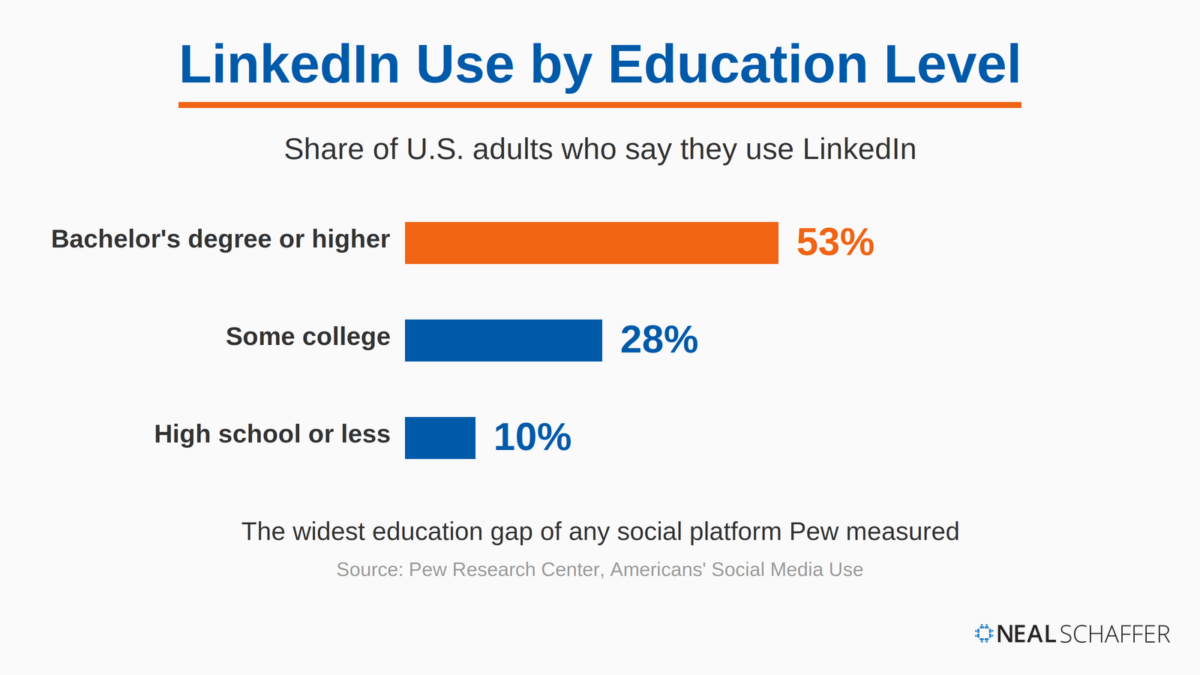
Among American adults with at least a bachelor’s degree, 53% use LinkedIn, the widest education gap Pew Research Center has measured across social platforms.
Your headshot plays a crucial role in how you’re perceived. Princeton research found that viewers judge traits like trustworthiness and competence after seeing a face for just 100 milliseconds, and specific choices in dress and expression measurably shift those judgments.
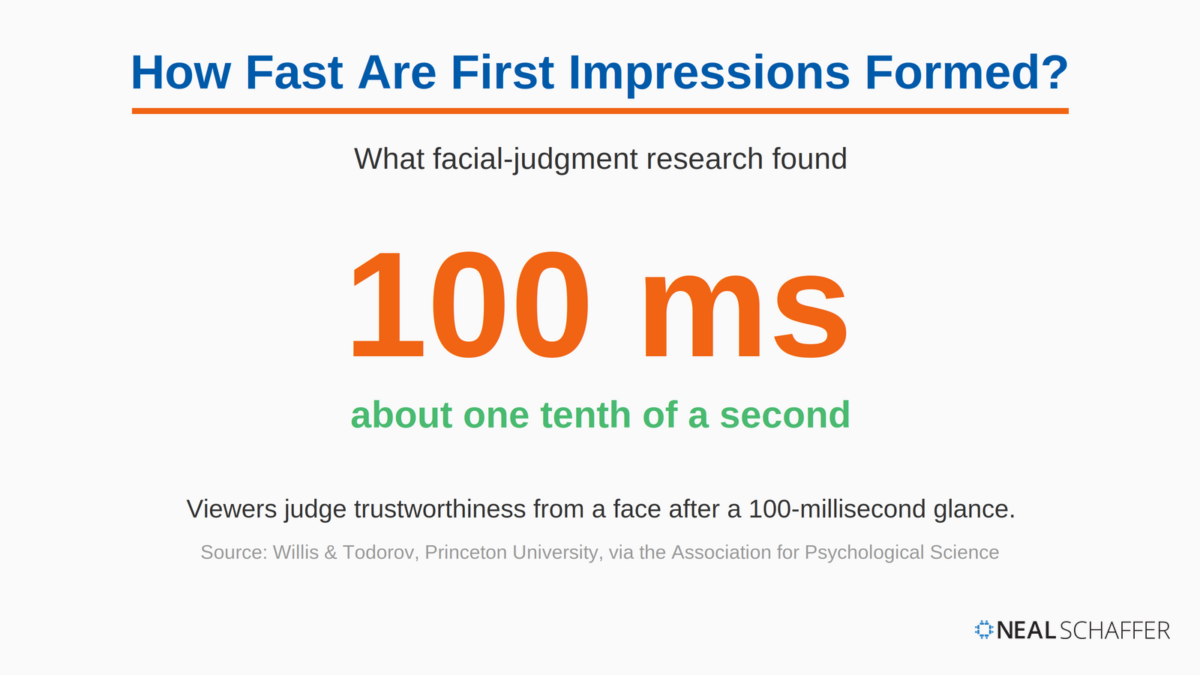
When someone views your profile, your photo creates an immediate impression of your professionalism, approachability, and attention to detail. A high-quality, professional headshot signals that you take your career seriously and understand professional presentation.
| Impact Factor | Statistic | Benefit to Your Career |
|---|---|---|
| Profile Visibility | 14x more profile views | Greater exposure to potential employers and clients |
| First Impressions | Formed in about 100 milliseconds | Your photo gets judged before a word of your profile is read |
| Audience Quality | 53% of U.S. degree holders use LinkedIn | An educated professional audience evaluating your photo |
As the table shows, a quality headshot is a career asset, not a cosmetic detail. It earns you more profile views and shapes the split-second judgments of an educated professional audience. It also works hand in hand with the rest of your LinkedIn profile.
What Makes a Professional LinkedIn Headshot?
A professional LinkedIn headshot is a recent, well-lit photo of your head and shoulders where, per LinkedIn’s own guidance, your face fills at least 60% of the frame, set against a simple background, in attire that matches your industry. If your profile picture checks those boxes, you are already ahead of most LinkedIn members.
One honest note: if you scroll back up to my profile screenshot at the top of this post, you’ll see I don’t follow that guideline myself. My photo crops wider, showing my crossed arms rather than filling the frame with my face. I actually like the vibe of the image, and it shows more of the signature black suit I wear on stage when I give keynote speeches. LinkedIn’s guidance is the right default, especially when nobody knows your face yet. Once you understand what the rule is protecting, which is recognizability at small sizes, you can break it on purpose rather than by accident.
And that is really the standard I want you to measure your current photo against. Before you book a photographer or experiment with your smartphone, run through these five criteria:
- Recency: the photo looks like you do today, not five years ago
- Lighting: your face is evenly lit, with no harsh shadows or blown-out highlights
- Framing: head and top of shoulders, cropped so your face dominates the frame
- Background: simple and uncluttered, so nothing competes with your face
- Attire: what you would wear to meet your most important client
The rest of this guide breaks down how to get each of these right, whether you hire a professional or do it yourself.
LinkedIn Photo Technical Requirements
LinkedIn accepts JPG or PNG profile photos up to 8MB, with a minimum size of 400 x 400 pixels. Meeting these specifications ensures your photo displays properly across desktop, mobile, and every context where your profile picture appears on the platform.
Before diving into styling and posing, one brief mention about refreshing your headshot on a regular basis.
LinkedIn recommends keeping your profile photo current to ensure people know what you look like if they were to meet you tomorrow. Many suggest that you should consider updating your headshot every 2-3 years to maintain accuracy, and I would agree that this is a good rule of thumb. This practice ensures your online presence matches your current appearance.
Regular updates help maintain profile authenticity and show that you actively manage your professional presence. This builds trust with potential connections who may eventually meet you in person.
The table below collects the specifications in one place for quick reference.
| Technical Specification | LinkedIn Requirement | Best Practice |
|---|---|---|
| File Format | JPG or PNG | JPG for photos, PNG for graphics with text |
| File Size | Maximum 8MB | 1-2MB for optimal loading speed |
| Dimensions | 400 x 400 pixels minimum | 1000 x 1000 pixels for future-proofing |
| Display Size | Appears as 400 x 400 on desktop | Check appearance on both mobile and desktop |
What to Wear for Your LinkedIn Headshot
Dress slightly more formally than your everyday work attire, in well-fitting solid colors that keep attention on your face. Your clothing choice significantly impacts the effectiveness of your LinkedIn headshot, and the goal is to look professional while remaining authentic to your industry and personal brand.
One playful data point: when the photography startup Snappr ran its photo-scoring algorithm across tens of thousands of LinkedIn profiles, lawyers ranked as the profession with the highest-quality profile photos. Photographers, in a twist the study’s authors admitted was surprising, scored worst.
Is Your Digital Marketing All Over the Place?
My latest book helps small businesses, entrepreneurs, and marketers bring search, email, and social together into one digital marketing strategy that actually compounds.
Drawing on my work as a Fractional CMO, Digital Threads turns complicated tactics into a clear, practical plan you can follow, whatever your budget or team size.
Grab your copy on Amazon and start weaving your own digital threads. Click the cover or the button below to get started.

The data backs up the instinct to dress up. In PhotoFeeler’s analysis of more than 60,000 ratings across 800 profile photos, formal dress out-scored every other factor on perceived competence and influence, raising those scores by an average of +0.94 and +1.29 on their rating scale.
The appropriate attire still varies by industry, and no study breaks this down, so treat the table below as my own recommendations from more than fifteen years of advising professionals on their LinkedIn presence. Creative professionals can express more personality, while those in finance or law typically benefit from more traditional clothing choices.
| Industry | Recommended Attire | Colors to Consider | Elements to Avoid |
|---|---|---|---|
| Finance/Banking | Suit and tie, formal blouse | Navy, charcoal, black, white | Flashy accessories, busy patterns |
| Technology | Business casual, smart casual | Blues, grays, neutrals | Overly casual t-shirts, hoodies |
| Creative Fields | Contemporary professional attire | Bold colors acceptable | Anything that distracts from your face |
| Healthcare | Professional attire or lab coat | Blues, whites, subtle tones | Scrubs (unless showing clinical role) |
| Consulting | Business professional | Navy, gray, classic tones | Casual Friday attire |
When in doubt, dress one notch more formally than your industry’s daily norm. Nobody ever lost credibility for looking slightly too polished in a headshot.
Regardless of industry, choose clothing that fits well and creates a polished appearance. Avoid extremely bright colors or busy patterns that draw attention away from your face. Solid colors typically photograph better than complex patterns.
Consider how your clothing choice aligns with your personal brand. Your headshot should reflect the professional image you want to project while remaining authentic to who you are.
Choosing Colors That Photograph Well
In my experience, navy and medium blues are the safest choices for a LinkedIn headshot. They photograph well under almost any lighting, they flatter most skin tones, and they read as professional across every industry.
Black can work but sometimes appears harsh in photographs, especially against dark backgrounds. Gray offers a softer alternative that still communicates professionalism. White brings clarity and simplicity but requires careful lighting to avoid washing out your complexion.
For those seeking to show creativity while maintaining professionalism, consider incorporating color through modest accessories rather than bold clothing choices.
How to Pose for a Professional Headshot
Over the years of sitting for my own professional photo shoots, I have picked up a lot of direction from the photographers behind the camera, and the advice below combines what they have taught me with what the research shows.
Pose with your shoulders turned a touch away from the camera, your chin slightly forward and down, and a genuine smile with relaxed eyes. Small adjustments to your posture, angle, and expression can dramatically improve how approachable and confident you appear in your headshot.
Your facial expression creates an immediate emotional response. A genuine smile activates the muscles around your eyes, creating what photographers call “smiling eyes.” PhotoFeeler’s research on profile photos quantified this: a smile with visible teeth boosted perceived likability by an average of +1.35, along with smaller gains in competence and influence, while a closed-mouth smile delivered roughly half the likability benefit. The same study found that a slight squint of the eyes, which photographers call the squinch, raised scores across all three traits, and that sunglasses or hair covering the eyes dragged scores down.
Body positioning also matters, even in a cropped headshot. Slightly turning your shoulders rather than facing the camera directly creates a more dynamic and engaging pose. This subtle angle adds dimension and often appears more natural.
| Posing Element | Recommendation | What to Avoid |
|---|---|---|
| Facial Expression | Genuine smile with relaxed eyes | Forced smiles, stern expressions |
| Head Position | A slight, natural tilt, if possible | Extreme angles, looking down |
| Body Angle | Shoulders turned slightly away from the camera | Straight-on, rigid positioning |
| Chin Position | Slightly forward and down | Pulled back (creates double chin) |
| Posture | Straight back, relaxed shoulders | Hunched shoulders, stiff posture |
If you remember only one of these, make it the chin: slightly forward and down feels strange in the moment and looks dramatically better in the result.
The Psychology of Eye Contact
Direct eye contact with the camera creates a connection with viewers. Princeton researchers Janine Willis and Alexander Todorov found that people form judgments about a stranger’s face within a tenth of a second, and of all the traits they tested, the instant read on trustworthiness matched people’s unhurried judgments most closely. Reflecting on the findings, the researchers put it simply: “Maybe as soon as a face is there, you know whether to trust it.” Your direct gaze is doing that work for you in the instant someone lands on your profile.
Practice your expression before the photo session. Find the sweet spot between a full smile and a slight smile that feels natural and professional. The goal is to appear approachable yet credible. Overly serious expressions can seem unapproachable, while exaggerated smiles may undermine professionalism.
Remember that tension shows in photos. Before your shot, take a deep breath, relax your shoulders, and reset your facial muscles. This helps prevent the strained look that can come from holding a pose too long.
Working with a Professional Photographer
A professional headshot photographer brings expertise in lighting, composition, and posing that is difficult to replicate on your own, and provides objective direction on your expression and presentation. If your role involves high-stakes visibility, the investment usually pays for itself in the quality of the final image.
I will be honest: since I travel to Japan frequently, I take advantage of the abundance of photo studios there that offer “profile photo” shoots for professionals. It’s actually a lot of fun as the photographer guides my poses and gives me feedback on gestures and positions and what looks good. If you are going to invest in a professional photo shoot, I highly recommend that you first interview a few photographers and find one that will provide you a similar experience.
Selecting the Right Photographer
When choosing a headshot photographer, review their portfolio specifically for corporate and professional headshots. Their style should align with the image you want to project.
Ask about their process. Quality headshot sessions typically include multiple outfit changes, lighting setups, and poses. This variety gives you options to select your ideal professional image.
- Review photographers’ portfolios for consistent quality
- Ask about their experience with professionals in your industry
- Confirm what’s included (number of final images, retouching services)
- Discuss usage rights for the final images
- Ask about preparation recommendations
These considerations help ensure you select a photographer who can deliver professional results aligned with your career goals. The right photographer becomes a partner in crafting your professional image.
Preparing for Your Professional Session
Communication before your session helps ensure excellent results. Share your industry, goals, and intended use of the photos with your photographer. This context helps them tailor their approach to your specific needs.
Bring multiple professional outfit options to your session. This provides flexibility and allows you to select the most photogenic options under the studio lighting.
Quality headshot photographers will guide you through different expressions and poses during the session. Be open to their direction, even if some suggestions feel unnatural. What feels awkward can often look natural on camera.
AI-Generated LinkedIn Headshots: A New Alternative
Looking for a quick way to upgrade your LinkedIn profile without hiring a photographer? AI-generated headshots offer a convenient alternative that’s gaining popularity among professionals, and the best tools can now turn casual photos into polished, professional images suitable for your profile in minutes.
As I wrote in my detailed guide, “How to Create the Perfect AI LinkedIn Headshot”, artificial intelligence can help you generate studio-quality headshots without the studio. My step-by-step walkthrough covers the best AI platforms, optimal settings, and how to ensure your AI-generated image maintains authenticity while presenting you in your best professional light.
While AI-generated headshots shouldn’t completely replace professional photography for high-stakes roles, they offer an accessible option for quickly refreshing your online presence or creating a temporary professional image until you can arrange a professional session.
Even with AI assistance, the fundamental principles of professional presentation still apply. Appropriate attire, good lighting concepts, and authentic expression remain essential regardless of how your headshot is created.
DIY LinkedIn Headshot Tips
You can take an effective LinkedIn headshot yourself with a modern smartphone, natural window light, a simple background, and a tripod or phone stand at eye level. The key lies in maximizing the resources you already have while avoiding the amateur mistakes that give DIY photos away.
Modern smartphones can capture professional photos for LinkedIn when used correctly. The latest iPhone and Android devices include portrait modes designed to keep your face sharp while creating a softly blurred background, the same depth-of-field effect photographers produce with studio lenses.
Natural Lighting Techniques
Lighting makes or breaks a headshot. Natural light provides flattering illumination without specialized equipment. Position yourself facing a large window but not in direct sunlight, which creates harsh shadows and squinting.
The best times for natural light photos are during the golden hours, shortly after sunrise or before sunset, when sunlight is softer, warmer, and more diffused. Overcast days also provide excellent even lighting for portraits.
If window light creates shadows on one side of your face, use a white poster board or sheet positioned opposite the window to bounce light back and fill in those shadows. This simple trick creates more balanced lighting.
Background Selection
Choose a simple, uncluttered background that won’t distract from your face. Solid-colored walls in neutral tones work well. Position yourself several feet away from the background to allow for natural depth and potential background blur.
If your strongest shot happens to have a busy background, you can fix it after the fact. The free Adobe Express profile picture maker replaces the background and resizes your photo for LinkedIn in a couple of clicks. Full disclosure: I am an Adobe Express brand ambassador, but this is the tool I would point you to either way.
Avoid common background mistakes like doorways, cluttered rooms, or patterns that draw attention away from you. The background should complement your professional image, not compete with it.
Camera Setup for Self-Portraits
If shooting solo, use your phone’s self-timer feature or a Bluetooth remote shutter. Position your camera at eye level, not above or below, to avoid unflattering angles. A small tripod or phone stand proves invaluable for stability and consistent framing.
Take multiple photos with slight variations in expression and position. This provides options during the selection process and increases your chances of capturing an ideal shot.
Common LinkedIn Headshot Mistakes
The most common LinkedIn headshot mistakes are outdated photos, cropped group shots, casual vacation pictures, heavy filters, and poor lighting. Each one sends unintended signals about your attention to detail and professionalism, and every one of them is avoidable with a little planning.
Even well-intentioned professionals often make mistakes with their LinkedIn pictures. Understanding these common pitfalls helps you avoid them in your own headshot:
- Outdated photos: Using images that no longer resemble your current appearance creates awkward in-person meetings
- Cropped group photos: These often show stray arms or partial faces at the edges, signaling a lack of effort
- Vacation or casual photos: While they may be flattering, they don’t convey professional focus
- Overly filtered images: Heavy editing appears inauthentic and can suggest discomfort with your professional image
- Poor lighting conditions: Harsh shadows, underexposure, or blown-out highlights distract from your appearance
These common mistakes can be easily avoided with planning and attention to detail. Your LinkedIn photo represents your professional brand and should be created with intention.
The Authenticity Balance
While avoiding these mistakes, also beware of appearing too polished or artificial. Modern professional photography strikes a balance between looking competent and appearing approachable.
Excessive retouching that removes all natural facial characteristics can backfire by making you seem inauthentic. Aim for a natural, well-presented version of yourself rather than a heavily edited image.
Consider how your headshot integrates with your overall LinkedIn profile. The photo should visually represent the professional described in your headline, summary, and experience sections.
LinkedIn Headshot Examples: Matching Your Look to Your Industry
What actually varies by industry is the combination of attire, background, and formality, and the fastest way to see yourself across those combinations is an AI headshot session. As I share in Maximizing LinkedIn for Business Growth, I ran my own photos through Aragon.ai and got back dozens of variations: suit and tie against a studio backdrop, open collar in an office, casual sweater outdoors. Below are nine samples from my session, approved by my wife.
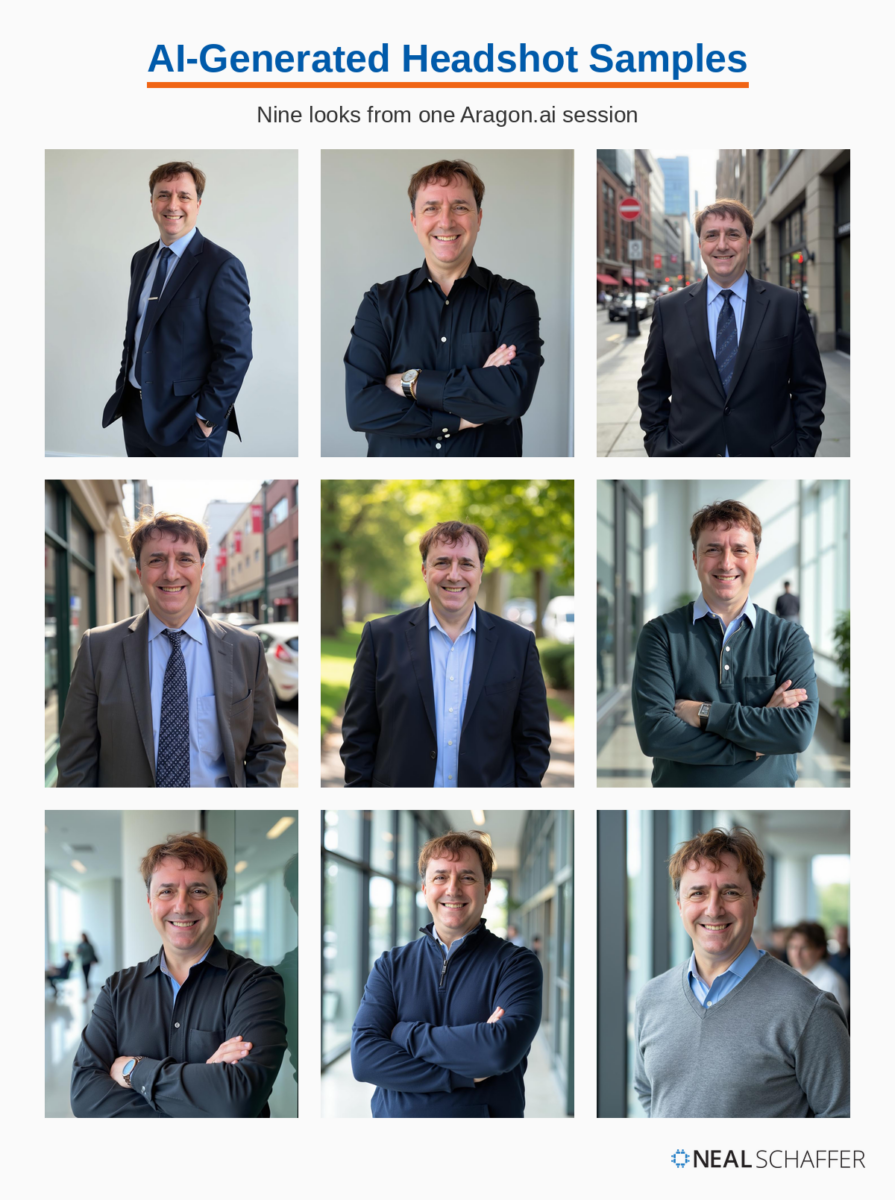
To translate these into your field, pair what you see here with the attire table in the What to Wear section: the suit-and-tie looks in the top row fit finance, law, and consulting, while the open-collar and sweater looks toward the bottom suit technology and creative fields.
My recommendation: treat these as mockups for a real photographer. The same way you might send a web designer screenshots of sites you like, generate AI headshots, pick the clothing, pose, and background that fit your industry, and bring those images to your photo session as visual direction. The AI exploration costs a fraction of reshooting until something feels right, and the final photo on your profile is still genuinely you.
Frequently Asked Questions About Your LinkedIn Profile Picture
The best LinkedIn profile picture is a recent, professional headshot of your head and shoulders against a simple background, with your face taking up at least 60% of the frame. Wear what you would wear to meet an important client, look into the camera, and use a natural smile rather than a stiff expression.
Yes. A modern smartphone in portrait mode can produce a head shot that holds its own against studio work. Face a large window for soft natural light, position the camera at eye level on a tripod or stand, use the self-timer, and take plenty of variations so you can choose the strongest frame.
Update your LinkedIn profile picture every two to three years, or sooner if your appearance changes significantly. The test I recommend: if someone who only knows you from LinkedIn met you tomorrow, would they recognize you immediately? If the answer is no, it is time for a new photo.
An AI-generated headshot is a legitimate option, especially if you need a polished profile picture quickly or on a budget. Pick a tool that keeps your photo looking like you on a good day rather than like a different person, and follow the same attire, framing, and background principles as a traditional headshot.
LinkedIn requires a profile picture of at least 400 x 400 pixels in JPG or PNG format, with a maximum file size of 8MB. I recommend uploading around 1000 x 1000 pixels so your photo stays sharp wherever LinkedIn displays it, from desktop profiles to small mobile thumbnails.
Final Thoughts on Optimizing Your LinkedIn Headshot
Your LinkedIn headshot serves as a powerful tool for building your professional brand and expanding your opportunities. It is the first thing people see when they find you on the platform, and in a fraction of a second it either opens the door to a connection or quietly closes it.
Investing time and resources in creating an effective headshot pays dividends through enhanced professional opportunities and connections. Whether working with a professional photographer or creating a DIY solution, applying the principles covered in this guide will significantly improve your results.
Remember that your headshot is just one element of your LinkedIn presence. For maximum impact, ensure it complements your complete profile, including a compelling headline, a detailed experience section, an engaging summary, and a LinkedIn background photo that reinforces your brand.
Take action today to assess your current LinkedIn photo. Does it meet the technical specifications? Does it portray the professional image you want to project? If not, prioritize updating this crucial element of your digital presence.
Actionable advice for your digital / content / influencer / social media marketing.
Join 13,000+ smart professionals who subscribe to my regular updates.
