


The hashtag was born on Twitter in 2007. For about fifteen years the advice never changed: pick a mix of popular and niche tags, stack two or three on every post, watch your reach climb.
That advice is now wrong on the platform that invented it.
I have been posting on Twitter since 2008, back when hashtags were the only reliable way to find a conversation you were not already part of. I teach social media marketing to executives at Rutgers Business School and personal branding at UCLA Extension. I also work with clients as a Fractional CMO. And I wrote Digital Threads about how the pieces of a modern marketing program fit together. Across all of that, hashtags on X have moved from one column to another. They used to be a distribution tactic. They are now a research and listening tool.
That single shift is what most posts about this topic still get wrong, and it changes what you should actually do. If you want your posts seen, hashtags are close to irrelevant. If you want to find conversations, monitor a campaign, or track what your market is saying, hashtag search is as useful as it ever was. This post covers both jobs, because you need one of them far more than the other. You can read more about me and my work if you want the longer version.
Key Takeaways
✅ X no longer needs hashtags to classify your posts, so adding them does almost nothing for reach
✅ Hashtags are banned outright in X ads, which breaks the old habit of tagging promoted posts
✅ Zero to one hashtag is the right count for an organic post, and X itself recommends a ceiling of two
✅ Hashtag search still works beautifully for finding conversations, monitoring campaigns, and researching a market
✅ Most of the free hashtag tools marketers relied on died when X ended free API access, so verify any tool before you trust its numbers
Hashtags on X still function as search and indexing labels, but they no longer drive meaningful reach. X ranks posts with a model that reads your actual text, so a tag adds little classification value. Use them to be findable in search, not to grow impressions.
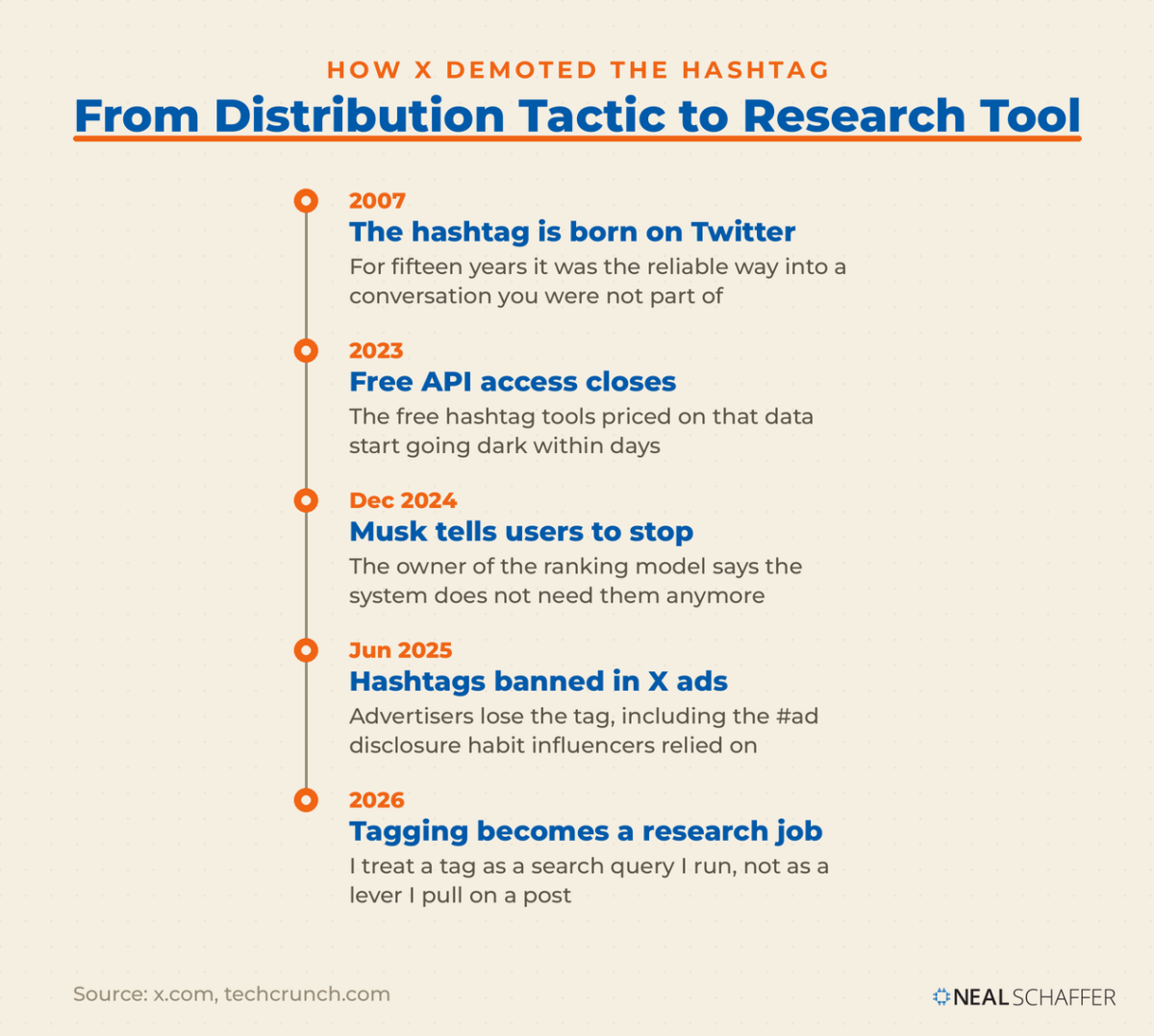
The clearest signal came from the person who controls the ranking model. In December 2024, Elon Musk posted a blunt instruction to users of the platform he owns.
“The system doesn’t need them anymore and they look ugly.” Elon Musk, owner of X, in a post on X
Six months later that opinion became policy for advertisers. On June 26, 2025, Musk announced that hashtags would be banned from ads on X starting the following day. Organic posts were left alone, but the message to marketers was hard to miss: the platform considers hashtags visual clutter.
There is a real complication buried in that ad policy. Influencers routinely disclose paid relationships with tags like #ad or #sponsored. Writing for Kelley Drye’s Ad Law Access blog, attorney Gonzalo E. Mon pointed out that brands running influencer content on X now need another way to disclose when a post is an advertisement. The Federal Trade Commission’s own guidance for influencers says a disclosure hashtag such as #ad is fine but never required. It also warns against burying a disclosure in a group of hashtags. Plain language works: say you are working with the brand, in a sentence, at the top of the post.
The audience math argues for restraint too. Pew Research Center found that only 10% of U.S. adults use X daily. A tag that adds three characters of noise to reach a sliver of a shrinking daily audience is not a trade worth making on most posts.
What Is a Twitter Hashtag and How Does X Use It?
A Twitter hashtag is a keyword or phrase written after a # symbol that X uses to index a post by topic. Tapping a hashtag opens a search results page of other posts using it. Hashtags carry no spaces or punctuation, and X documents them as a search feature rather than a reach feature.
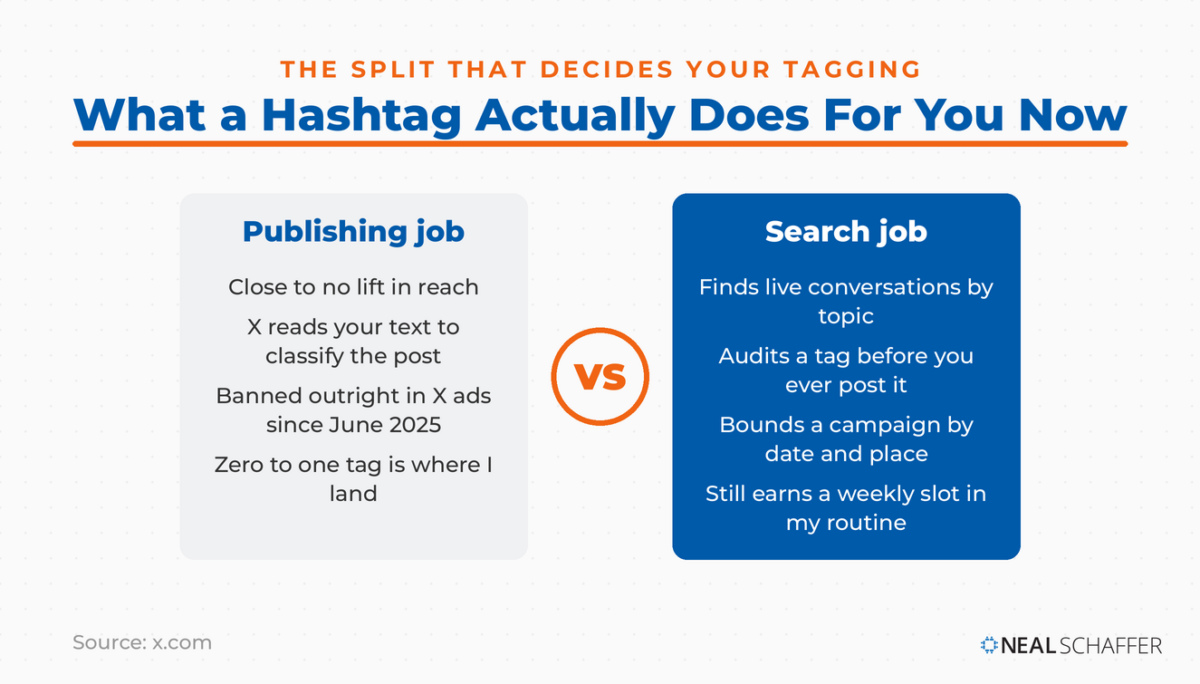
X’s own help documentation is unusually clear on this. The company describes the hashtag as a way to index keywords or topics and says hashtagged words help posts surface in X search. It recommends a ceiling of two per post as best practice. Nothing in that documentation promises extra distribution. It promises findability.
Two behaviors follow from that, and they are worth separating in your head:
- Publishing behavior: what a hashtag does for the post you are about to send. Very little, in 2026.
- Search behavior: what a hashtag does for you when you type it into the search bar. Quite a lot, still.
Almost every mistake I see comes from applying publishing logic to a feature that now lives on the search side of the house. If your posts are underperforming, the fix sits in the writing, not the tagging, and my thinking on writing tweets that drive traffic starts from that assumption.
When Does a Hashtag Still Earn Its Place on X?
A hashtag earns its place on X when it points to a conversation that already exists and that people are actively searching. Live events, chats, branded campaigns you intend to measure, and established community tags all qualify. Trend-chasing, topic labeling, and habit tagging do not.
The test I apply is simple. Search the tag first. If the results are a live, moving stream of people you would want to be seen by, the tag is a door into a room. If the results are stale or scattered, the tag is decoration.
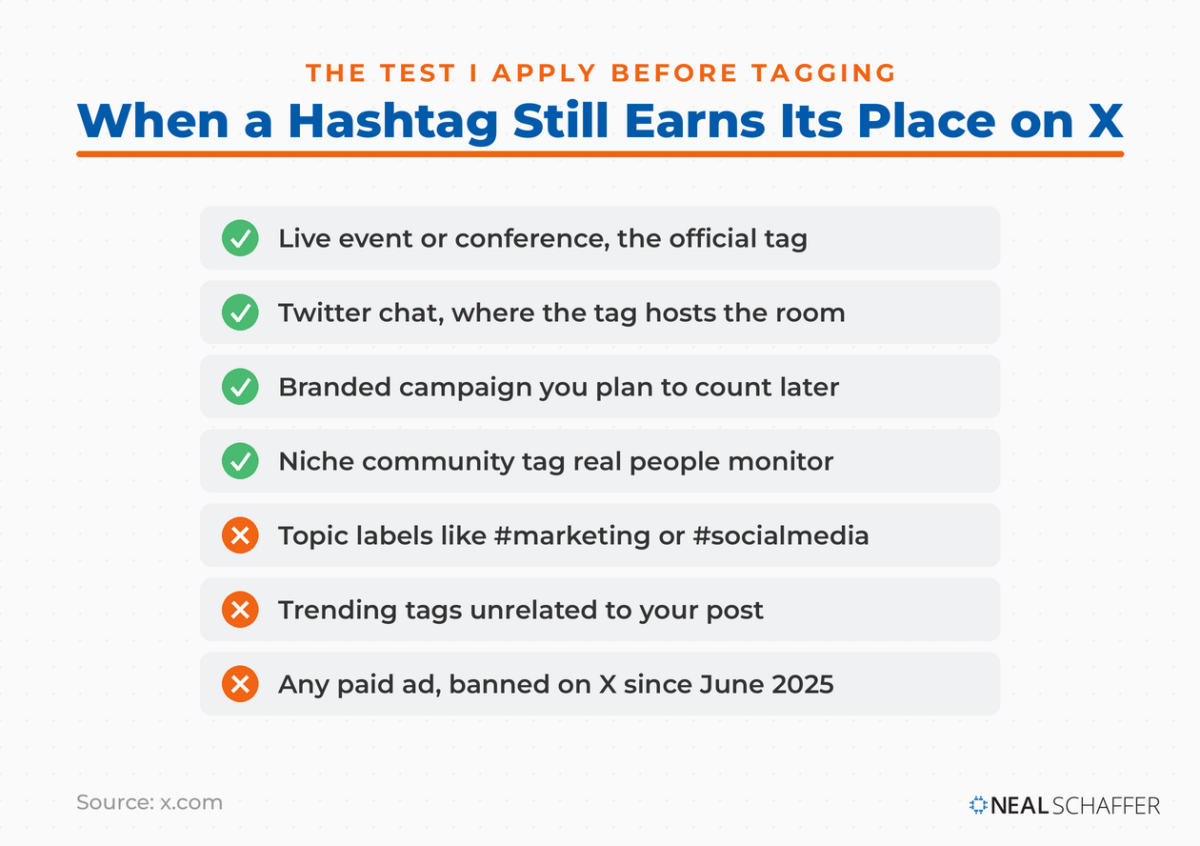
| Situation | Use a hashtag? | Why |
|---|---|---|
| Live event or conference | Yes, the official one | Attendees search that tag in real time |
| Twitter chat | Yes, always | The tag is the entire mechanism |
| Branded campaign you plan to measure | Yes, one | It gives you a countable search query later |
| Established niche community tag | Usually one | Real people monitor it |
| Hashtag holiday tied to your business | Sometimes | Only when the date genuinely fits |
| General topic labeling (#marketing, #socialmedia) | No | The model already knows your topic |
| Trending tag unrelated to your post | No | Reads as spam and can suppress you |
| Paid ads | No, and you cannot | Banned since June 2025 |
Chat tags remain the strongest case in the list. The tag is not decorating the conversation, it is hosting it, which is why Twitter chats are one of the few places on X where tagging is still non-negotiable. Event and holiday tags work on the same logic. Sprout Social maintains a running calendar of hashtag holidays if you want to see which dates already have an audience attached.
One more caution. Stacking tags to catch unrelated trending topics is the fastest way to look like a bot account, and X filters search results for quality. If your impressions fell off a cliff, tag stuffing belongs on the suspect list, and a Twitter shadowban test is worth running before you blame the algorithm.
How Do You Run a Twitter Hashtag Search on X?
Run a Twitter hashtag search by typing the tag into the X search bar, or by tapping any hashtag inside a post. Both open the same results page, split into Top and Latest. For date ranges, specific accounts, locations, or exact phrases, use advanced search, which has a dedicated hashtag field.
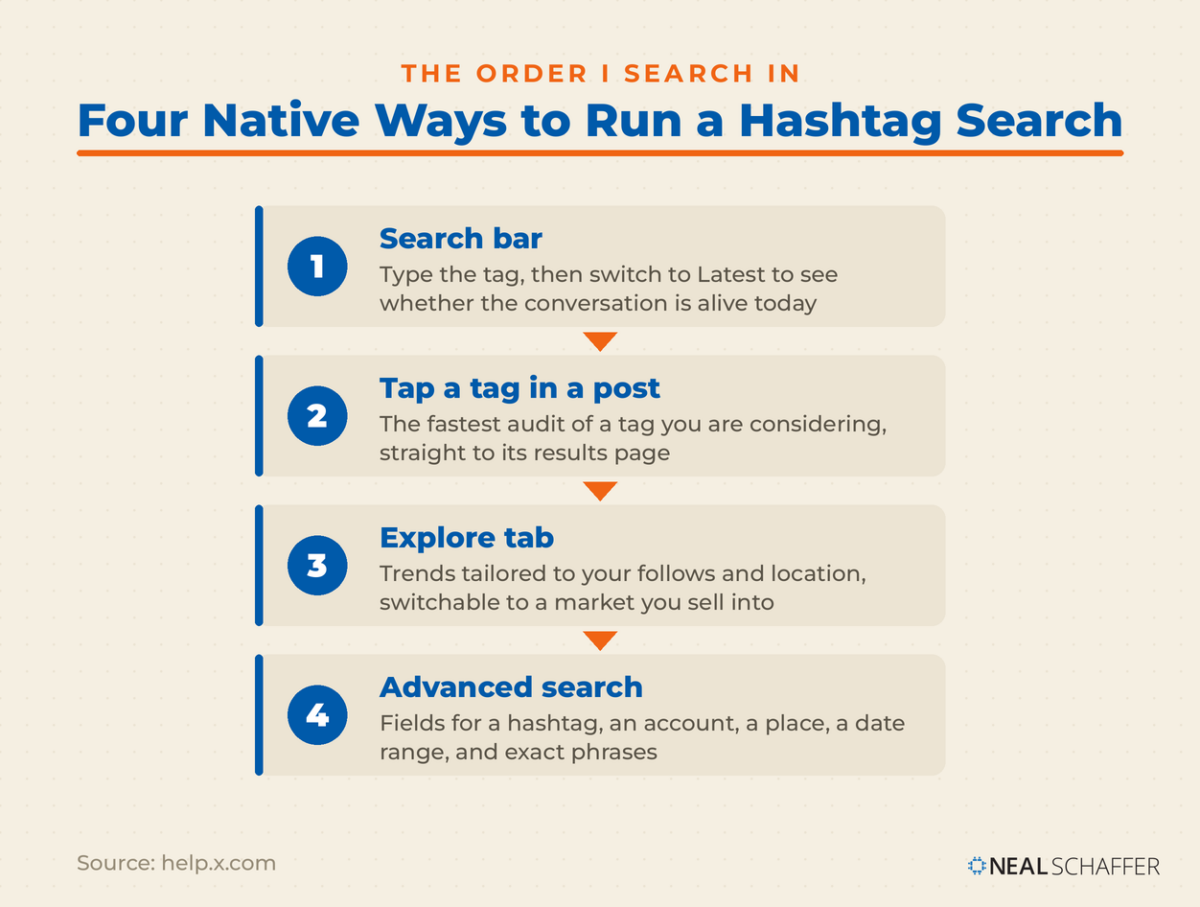
Start with the four native paths, in this order:
Make Your Marketing Finally Work Together
My latest book helps small businesses, entrepreneurs, and marketers bring search, email, and social together into one digital marketing strategy that actually compounds.
Drawing on my work as a Fractional CMO, Digital Threads turns complicated tactics into a clear, practical plan you can follow, whatever your budget or team size.
Grab your copy on Amazon and start weaving your own digital threads. Click the cover or the button below to get started.

- Search bar. Type the tag with the # symbol. Toggle to Latest to see whether the conversation is alive right now rather than months old.
- Tap a hashtag in any post. X sends you to the search results for that phrase, which is the fastest way to audit a tag you are considering.
- Explore. Trends live under the Explore tab. X determines them algorithmically and tailors them to your follows, interests, and location, and you can switch to a specific location instead.
- Advanced search. Log in on the web and you get fields for exact phrases, excluded words, a specific hashtag, an account, a place, and a date range.
Advanced search is where the real work happens, and it is the piece most people never touch. X’s help documentation walks through combining those fields to pull, for example, English-language posts carrying a specific hashtag from a specific country in a specific month. That capability is why I treat Twitter advanced search as the backbone of research on the platform and hashtags as one input into it.
One detail matters before you build a campaign around a variant spelling. X groups trends and hashtags together when they relate to the same topic, so #MondayMotivation and #MotivationMonday can be represented by one trend. Picking the cleverer spelling of a popular tag rarely buys you a separate lane.
If you need to go past what the search interface returns, that is a different job with different tools, and my thinking on scraping tweets applies there instead.
Twitter hashtags fall into six practical types: branded, event and chat, topical or keyword, location, cause, and holiday. The type determines the job. Branded and event tags exist to be measured, community and chat tags exist to be joined, and topical tags mostly exist out of habit.
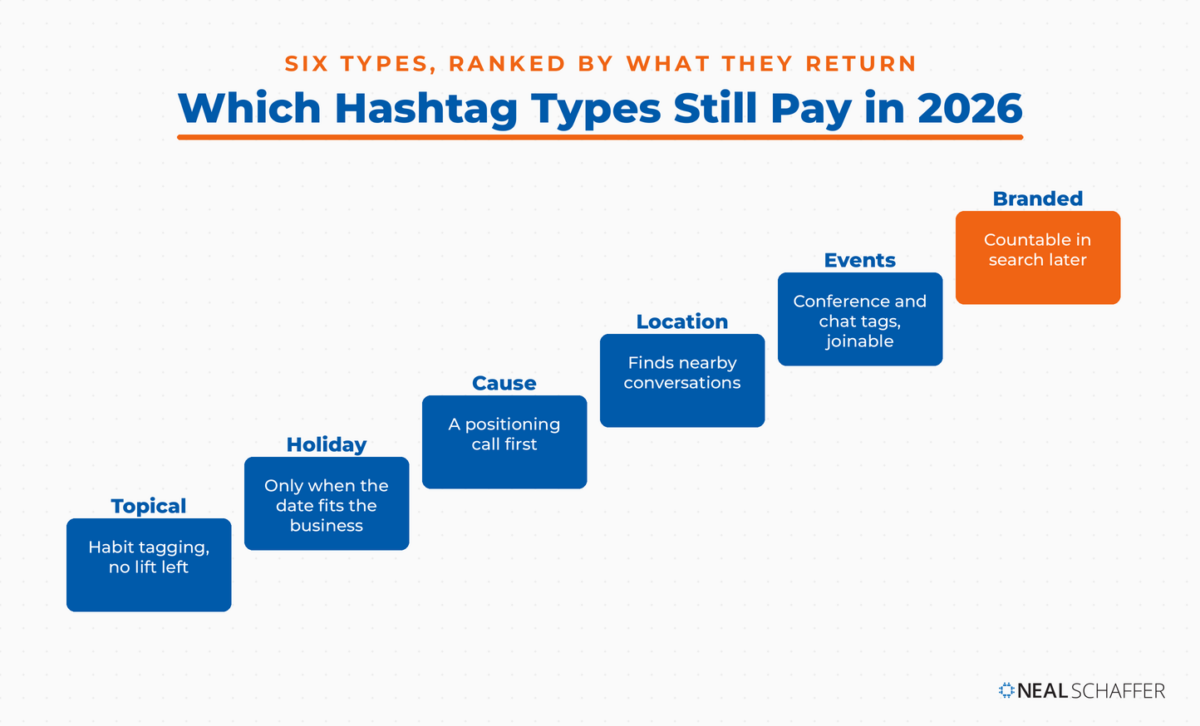
| Type | Example pattern | What it is actually for |
|---|---|---|
| Branded | Company name, product, campaign slogan | Collecting and measuring a campaign in search |
| Event and chat | Conference or chat name | Joining a live, scheduled conversation |
| Topical or keyword | Industry or subject terms | Historic search indexing, little else now |
| Location | City, region, neighborhood | Local discovery and local monitoring |
| Cause | Movement or nonprofit tags | Public alignment with an issue |
| Holiday | Federal, religious, and invented days | Timely relevance on a date people already search |
Location tags deserve more attention than they get from national brands. If you sell in one metro area, a location tag plus advanced search’s place field is a genuinely good way to find people worth talking to. Cause tags cut the other way. Attaching your brand to a movement tag is a positioning decision before it is a marketing one, so treat it that way.
Branded tags are the type that still pays for itself, because a branded tag is a measurement instrument. You pick a string nobody else owns, you put it on the campaign, and afterward you can search it and count what happened. That is also how you find the people worth building relationships with, which connects directly to how I approach finding Twitter influencers in a niche.
How Do You Check Whether a Hashtag Is Worth Using?
Check a hashtag by searching it before you post it. Look at who is using it, how recently, and what the posts are actually about. A tag full of bots, spam, or an unrelated meaning is a liability. A tag with real accounts posting in the last day is worth joining.
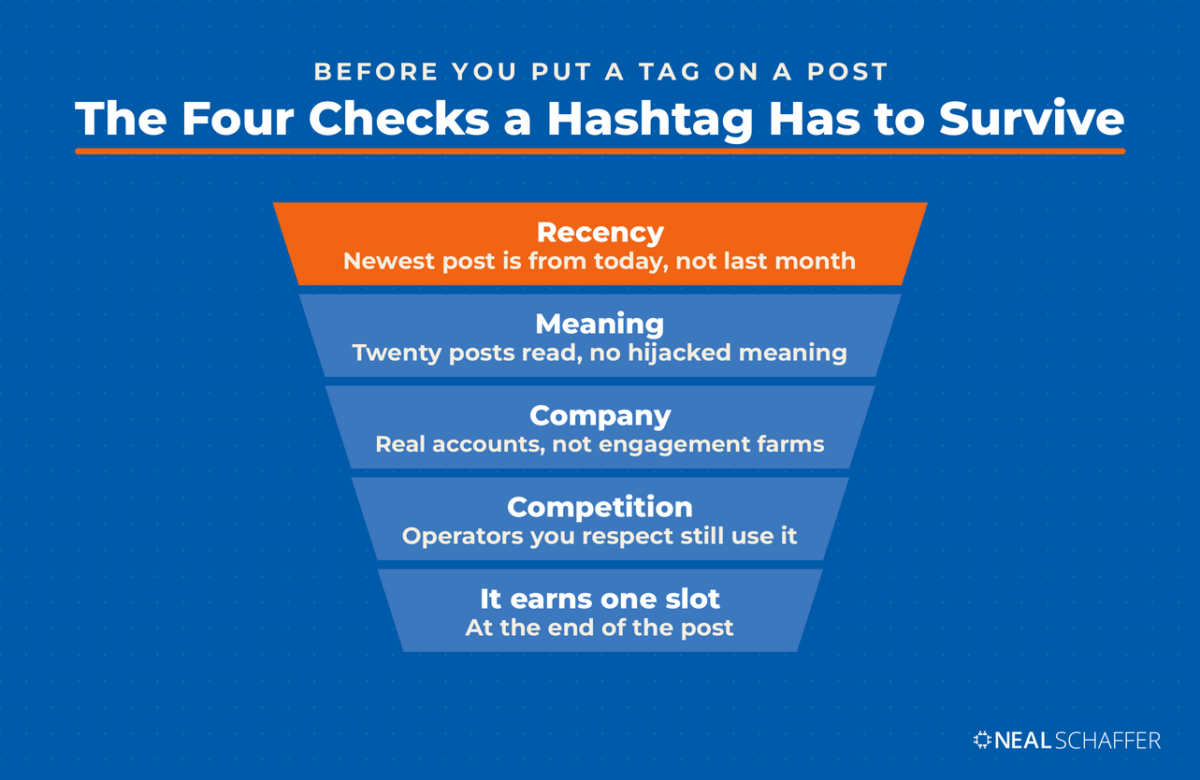
Four checks, in order, and none of them take more than a minute:
- Recency. Switch to Latest. If the newest post is three weeks old, the conversation is over.
- Meaning. Read twenty posts. Tags get hijacked, and a term that means one thing in your industry can mean something very different to the wider internet.
- Company. Look at the accounts posting. If they are all engagement-farming accounts, joining them tells the algorithm what kind of account you are.
- Competition. Check which tags the operators you respect in your niche actually use. Not the ones they used in 2019. The ones on their last ten posts.
That last check is the one I lean on hardest, because it is grounded in observed behavior rather than tool output. It also tends to reveal that serious accounts in most niches have quietly stopped tagging, which is information in itself.
Hashtag relevance connects to how you get found on X more broadly. Search visibility on the platform now leans on the words in your post and in your bio, which is the same logic behind Twitter SEO.
Most free hashtag tools stopped working after X ended free API access in 2023. The paid social listening platforms survived because they can absorb the data costs. Before trusting any tool’s hashtag numbers today, run one query and confirm it returns posts from the last few hours.
The collapse was not gradual. TechCrunch reported that X replaced its old developer tiers with a free level capped at 1,500 posts a month, a $100 basic tier, and enterprise access reported at $42,000 a month. Developers publicly shut down analytics projects within days. Free hashtag lookup tools ran on exactly the data that became expensive overnight.
Earlier versions of this post recommended free tools including Hashtagify, Trendsmap, RiteTag, TweetBinder, Socialert, Hashtags.org, TagDef, and Twilert. That list has not aged well, and I am not going to send you to a tool without telling you to check it first. The rule I would apply now: if a hashtag tool cannot show you a post from this morning, it is showing you a cached ghost.
| Tool | What it does today | Cost reality |
|---|---|---|
| X search and Explore | Live posts, trends, tag audit | Free, and the most current data available |
| X advanced search | Filtered historical search by tag, date, place | Free with a logged-in account |
| BrandMentions | Hashtag tracking with sentiment and historical data | Paid, free trial |
| Circleboom | Real-time and historical post search around a tag | Paid tiers |
| Social listening suites | Cross-platform tag monitoring and reporting | Paid, agency-priced |
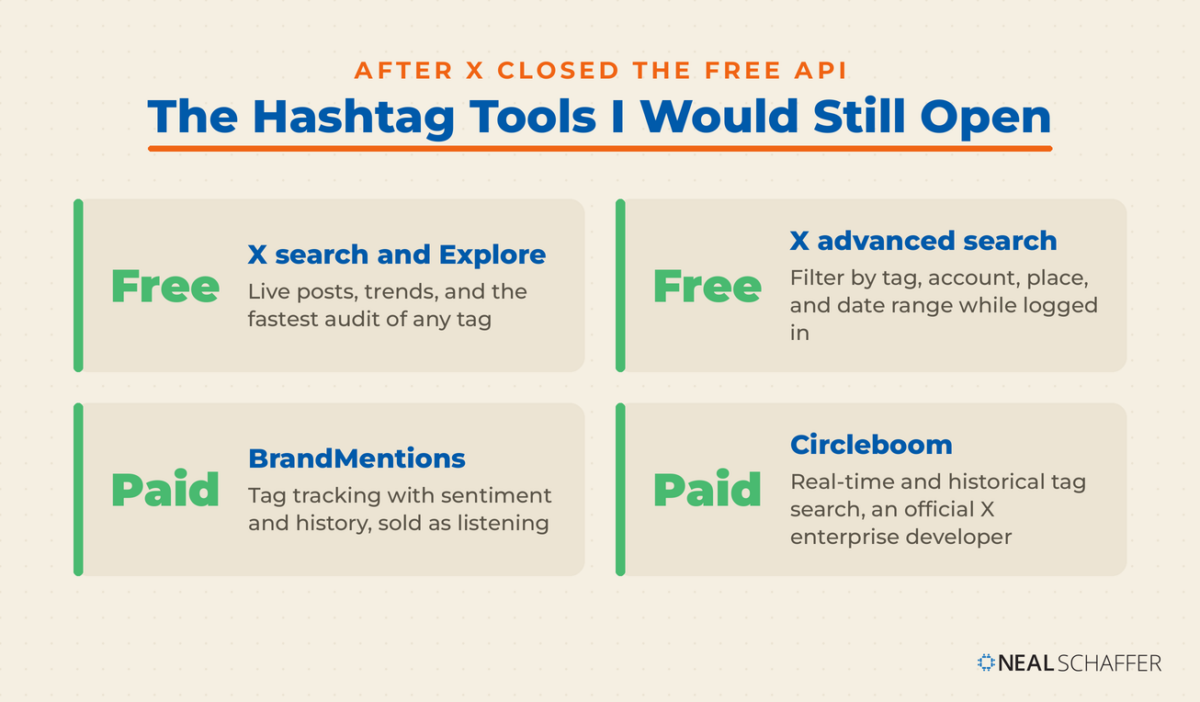
BrandMentions is the one I would name from the old list that has kept up. It sells listening rather than hashtag lookups, so the data cost is priced in. Circleboom handles the real-time and historical search side for X specifically, and it is listed as an official X enterprise developer, which is the closest thing to a guarantee that the data is real. Anything else, verify before you build a workflow on it. If you want the wider set of things I keep in rotation for this platform, my working list of Twitter tools is the place to start.
Years ago I ran a conference called the Social Tools Summit, so I have watched a lot of social tools appear and disappear. The 2023 API change was the single biggest extinction event I have seen in that category.
How Do You Track Hashtag Performance on X?
Track hashtag performance on X by measuring the posts that carried the tag, not the tag itself. X does not publish usage counts for a hashtag. Your Post Activity Dashboard shows impressions, engagements, and engagement rate per post, which is enough to test whether tagging changes anything.
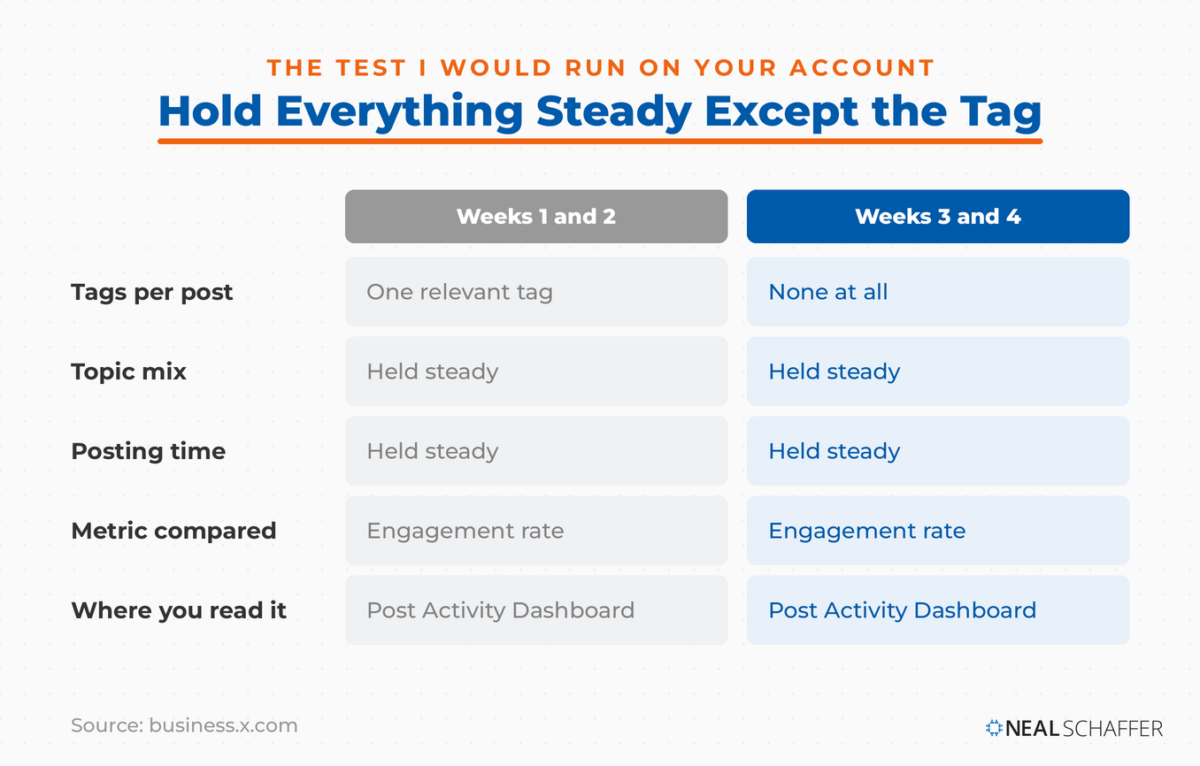
X’s business help documentation describes the Post Activity Dashboard as a free service for accounts with an ads account or an analytics registration. It reports impressions, engagements, and earned engagement rate for every post you send. One metric in that dashboard speaks directly to this question: hashtag clicks, defined as clicks on the hashtags inside your post. If that number sits at zero across a month of tagged posts, you have your answer.
Run it as a small test. Post for two weeks with a single relevant tag and two weeks without, keep the topic and posting time steady, and compare engagement rate rather than raw impressions. My guess is you will find no difference, but your account is the only evidence that matters. Working through Twitter analytics properly is what turns that guess into a decision.
For campaign-level tracking, a branded tag plus advanced search’s date range gives you a countable result without paying for a listening platform. Search the tag, bound the dates to the campaign window, and read what came back.
What Are the Rules for Writing a Hashtag That Works?
A working hashtag has no spaces and no punctuation, capitalizes each word for readability, stays short enough to type from memory, and sits at the end of the post rather than interrupting a sentence. Break the spacing or punctuation rules and the tag simply fails to register.
The mechanics come straight from X’s documentation. Spaces and punctuation break a hashtag. #Organic Farming indexes as #Organic, and the rest becomes ordinary text. Capitalizing each word inside the tag is the one formatting habit worth keeping, because #SocialMediaMarketing is readable by both humans and screen readers in a way that #socialmediamarketing is not.
### How Do You Create a Branded Hashtag?
Creating a branded tag is mostly a search problem. Before you commit:
- Search the exact string on X and confirm nobody is using it for something else
- Search it without the # symbol as well, because meaning travels
- Keep it short and spellable, since anyone repeating it will be typing from memory
- Check it reads correctly in lowercase, which is how a share of people will type it anyway
- Decide up front how you will measure it, or you have created a decoration
Then use it consistently for the life of the campaign. A branded tag with fifteen posts behind it is a searchable archive. A branded tag with two is a typo waiting to happen.
Placement is a minor question with a clear answer: put tags at the end. A hashtag mid-sentence forces the reader over a speed bump, and since the tag is no longer buying you reach, there is no reason to pay that cost. My approach to Twitter marketing treats the tag as the last decision rather than the first. The latest social media marketing statistics are worth reading alongside it for context on where attention actually sits.
Zero or one on most posts. X’s help documentation recommends no more than two as best practice, and that ceiling is worth treating as a hard limit. Stacking three or more reads as spam behavior to both people and the ranking model.
Not reliably. The engagement lift that made hashtags famous came from an era when the timeline was chronological and topic discovery depended on tags. X now ranks by content and engagement signals, so a tag rarely moves the number.
No. Hashtags have been banned from ads on X since June 27, 2025. If you run promoted posts, write the copy without tags, and handle any sponsorship disclosure in plain language instead.
The Explore tab. Trends there are algorithmically selected and tailored to your follows, interests, and location. You can also switch to a specific location to see what is trending in a market you sell into.
Yes, more than for national brands. A location tag combined with advanced search’s place field is one of the few remaining ways to find nearby conversations you would otherwise never see.
Put These X Hashtag Rules to Work
Start by auditing your last twenty posts on X. Count the hashtags, then ask what each one was supposed to accomplish. Most will fail that question, and removing them costs you nothing. Then move that effort over to hashtag search, where it still pays. Audit tags before you use them. Run advanced search on your market weekly. Build one branded tag per campaign so you have something countable at the end.
If you want the wider picture of what actually drives results on this platform now, my thinking on Twitter marketing picks up where this leaves off. And if you want help building a coordinated plan across search, email, and social, grab a free preview of Digital Threads or get in touch about Fractional CMO services.
Actionable advice for your digital / content / influencer / social media marketing.
Join 13,000+ smart professionals who subscribe to my regular updates.
